What is it?
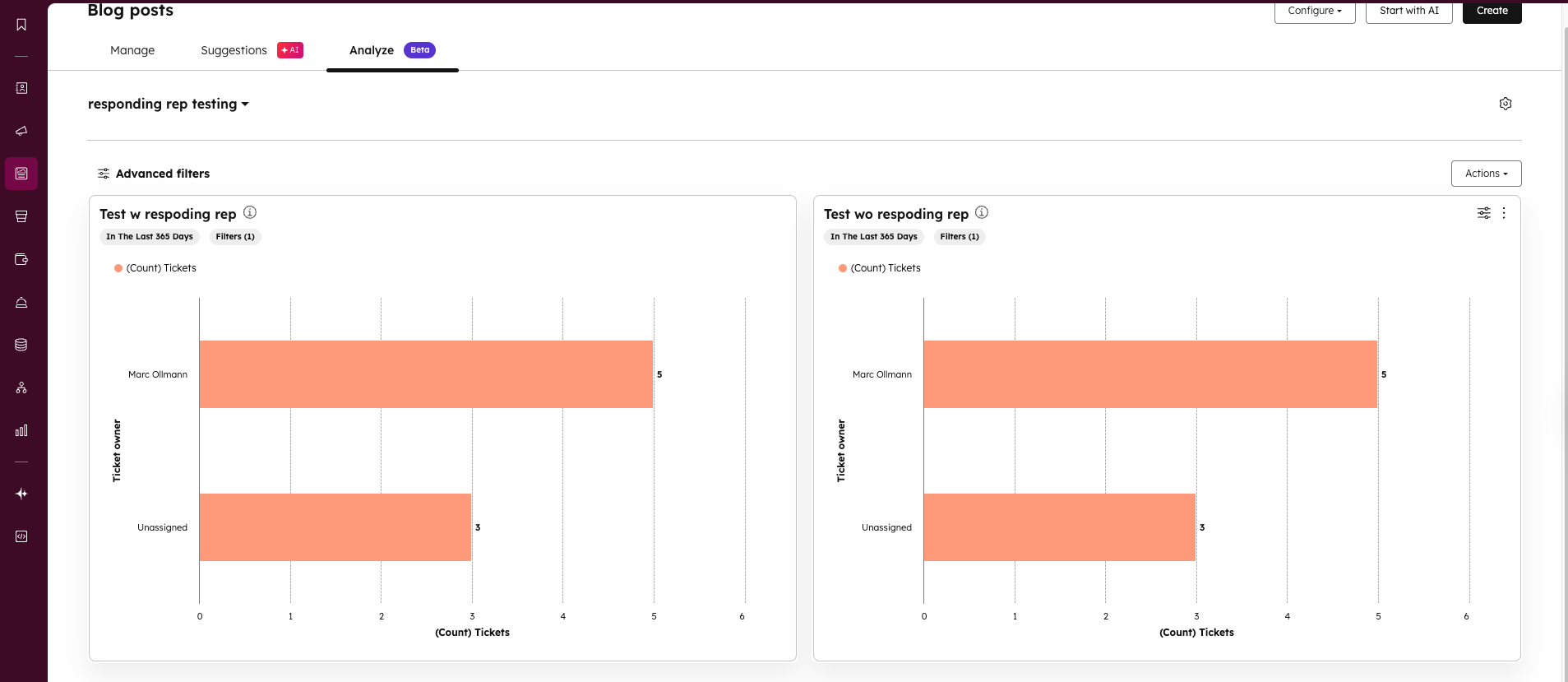
Custom dashboards replace the default analyze tab in landing pages, website pages, social media, blog, and target accounts tools.
Why does it matter?
You can now tailor analytics to your specific needs, making insights more actionable and accessible. This allows you to:
- View data most relevant to your role or team
- Access key metrics faster, improving your decision-making
- Increase your analytics adoption by customizing the view to your preferences
How does it work?
To customize your analyze tab:
- Go to Analyze tab in your desired tool
- Click the Dashboard title drop-down or the gear icon to manage accessible dashboards
- Select up to 5 custom dashboards to display
- Set view access permissions (everyone or by team)
- Navigate between dashboards using the title drop-down menu
Who gets it?
This feature is available for HubSpot Professional and Enterprise



.png?width=193&name=jos%20(1).png)




