What is it?
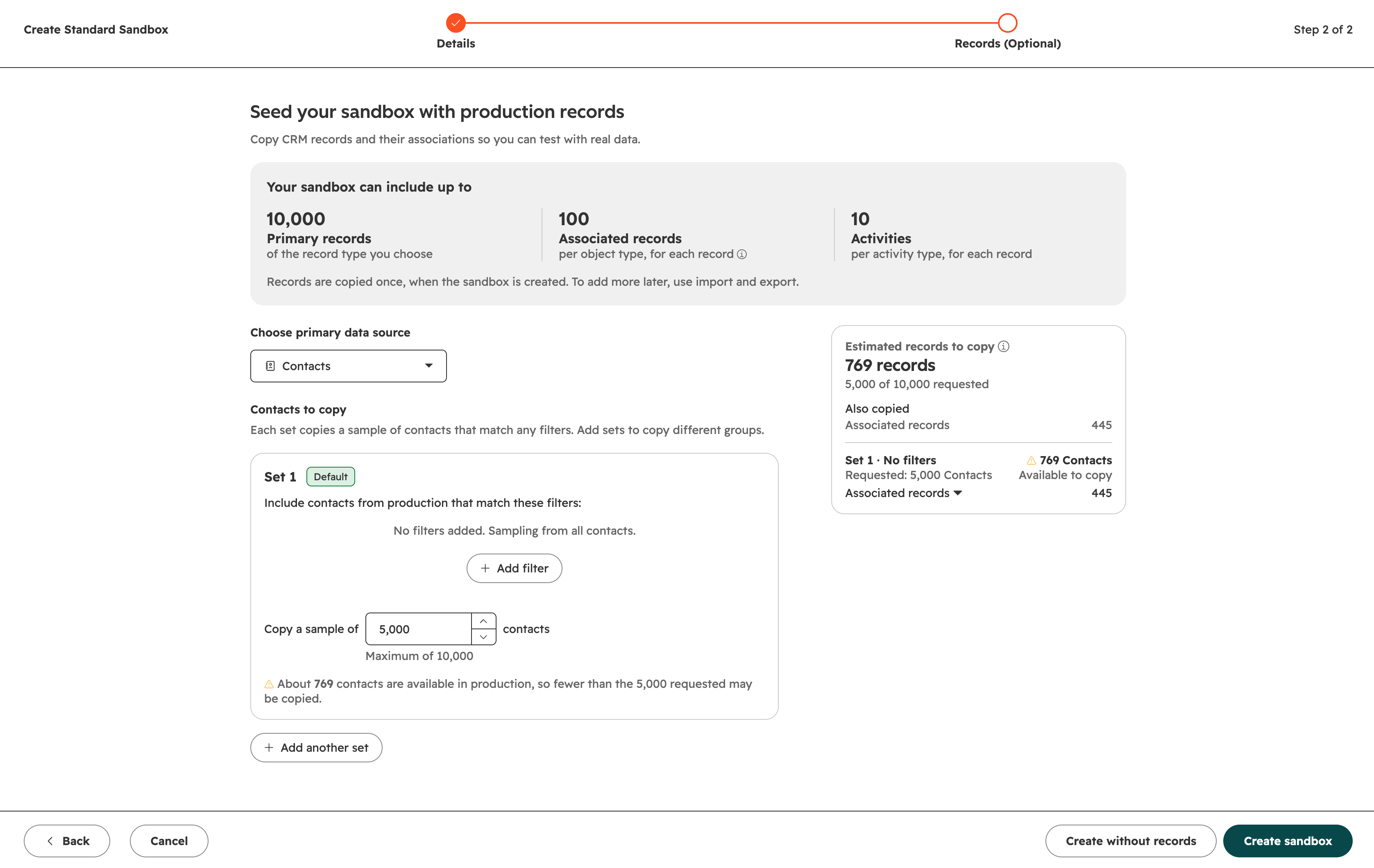
When you create a sandbox, you can now choose the CRM records to copy from production by selecting a primary data source, defining property-based filters, and specifying how many records you need. Choose from supported standard objects (contacts, companies, tickets, and deals) or a custom object.
Why does it matter?
Sandbox record copying used to be based on recently updated records. That often produced a flat or unrepresentative dataset. Now you can start with records that better match the business process or the CRM configuration you need to test.
How does it work?
When creating a sandbox, you can seed your sandbox with a sample of production records of your choice.
- Choose a primary data source: contacts, companies, deals, tickets, or a custom object.
- Use the default filter, or add your own filters and set the number of records to copy. Note: Associated records are copied automatically based on their existing associations.
- Review your selection, then click Create sandbox.
What gets copied
- - Up to 10,000 records per data source object.
- - Associated records: up to 100 per associated object type for each copied record.
- - Engagement records: up to 10 per engagement type (for example, calls, notes, and meetings) for copied records and their associated records.
Note: Records are copied once, when the sandbox is created. To add records later, use import and export.
Who gets it?
Marketing Hub Enterprise, Data Hub Enterprise, Content Hub Enterprise, Sales Hub Enterprise, Service Hub Enterprise, Smart CRM Enterprise, Revenue Hub Enterprise