What’s changed?
What is it?
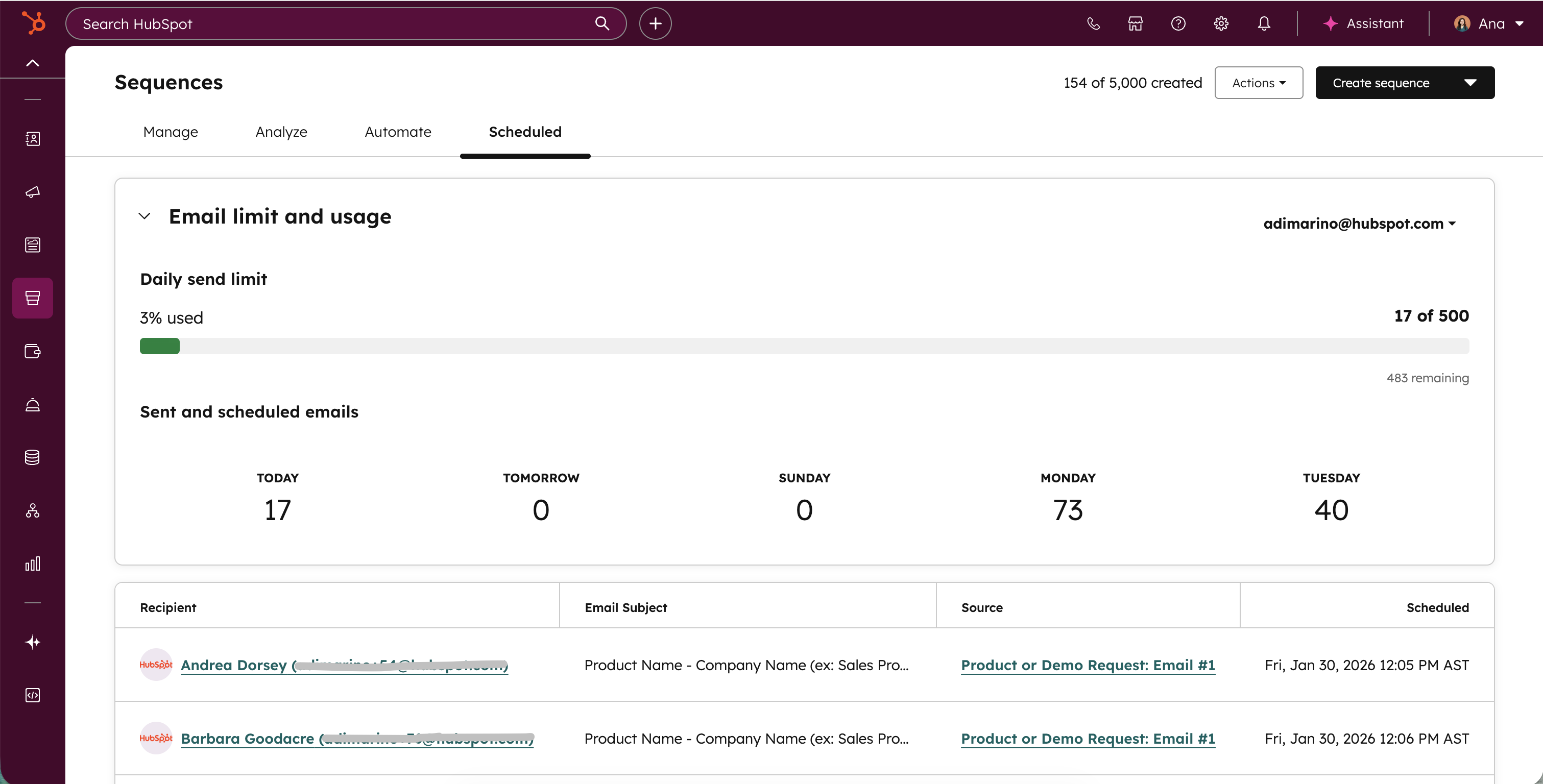
A chart that shows how many emails you've sent today and how many are scheduled through sequences.
Why does it matter?
Reps need to stay within their daily inbox limits to ensure email deliverability. This chart helps you monitor your current usage and upcoming scheduled sends so you can adjust your sequence enrollment strategy accordingly.
How does it work?
In your HubSpot account, navigate to Sales > Sequences and select the Scheduled tab. At the top of the page, you'll see a chart showing your email limit and current usage.
Here you'll see just your own email stats. If you have multiple email inboxes connected, you'll be able to select from the dropdown menu in the top right corner. The table below lists all upcoming email sends. From here, you can edit timing, reschedule sends, or unenroll contacts from sequences.
Who gets it?
Sequences are available on HubSpot Sales Hub Professional and Enterprise, and Service Hub Professional and Enterprise.



.png?width=193&name=jos%20(1).png)




