What is it?
When creating records in a Workflow, you can now use that record and its properties in later actions. For example, in a Company workflow, if you create a Contact, you can both add that contact to a segment and use the properties from it when creating a task or a notification for your team.
Why does it matter?
When creating objects in a workflow, you often want to be able to immediately do something with that newly created object. But previously, customers would have to create a separate workflow, spreading out processes across multiple flows. By being able to leverage that created object, customers can automate more use cases all in the same workflow.
How does it work?
In a workflow, use the "Create Record" or "Create Task" actions.
In actions following it in the workflow you are now able to:
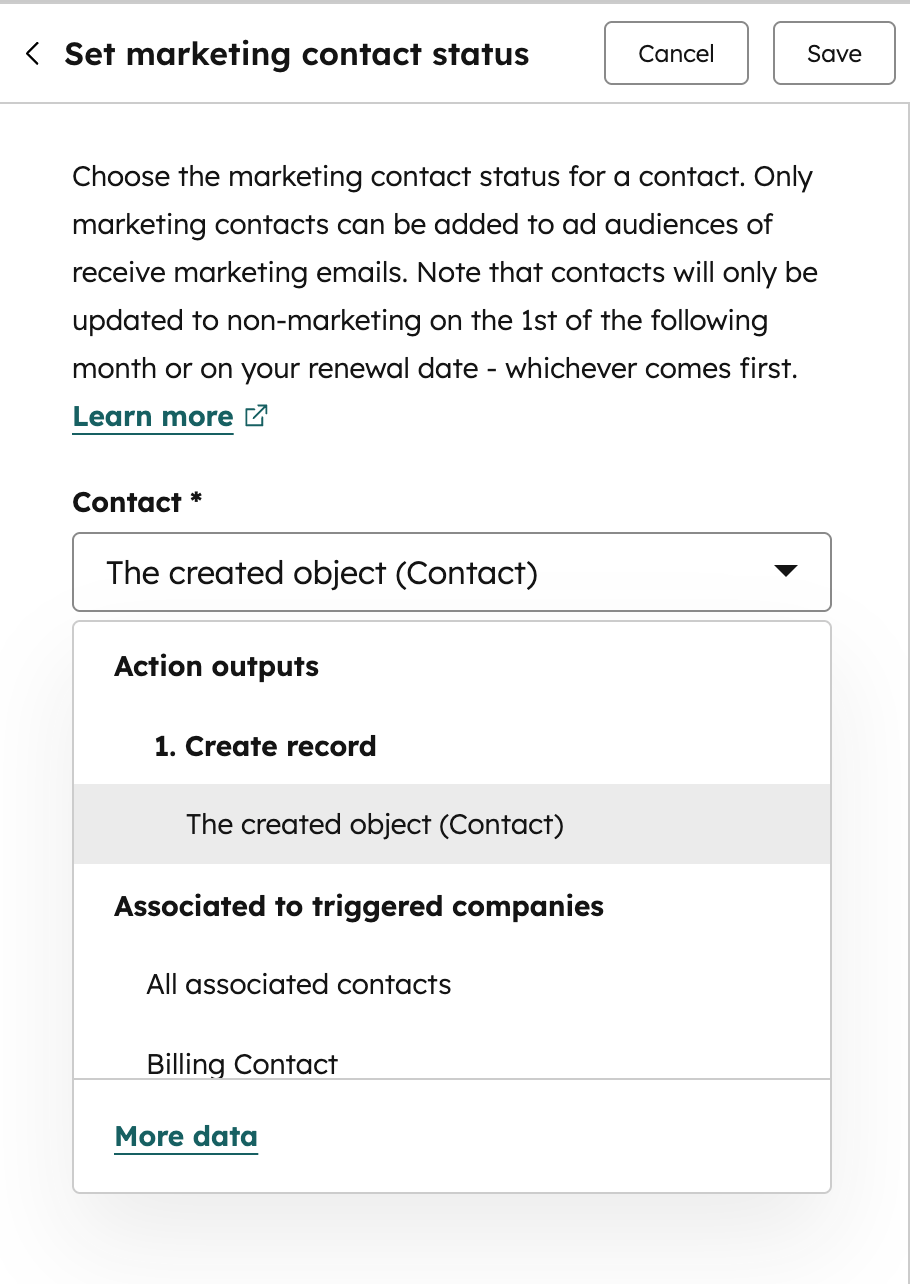
- Select it as the target record, if applicable:
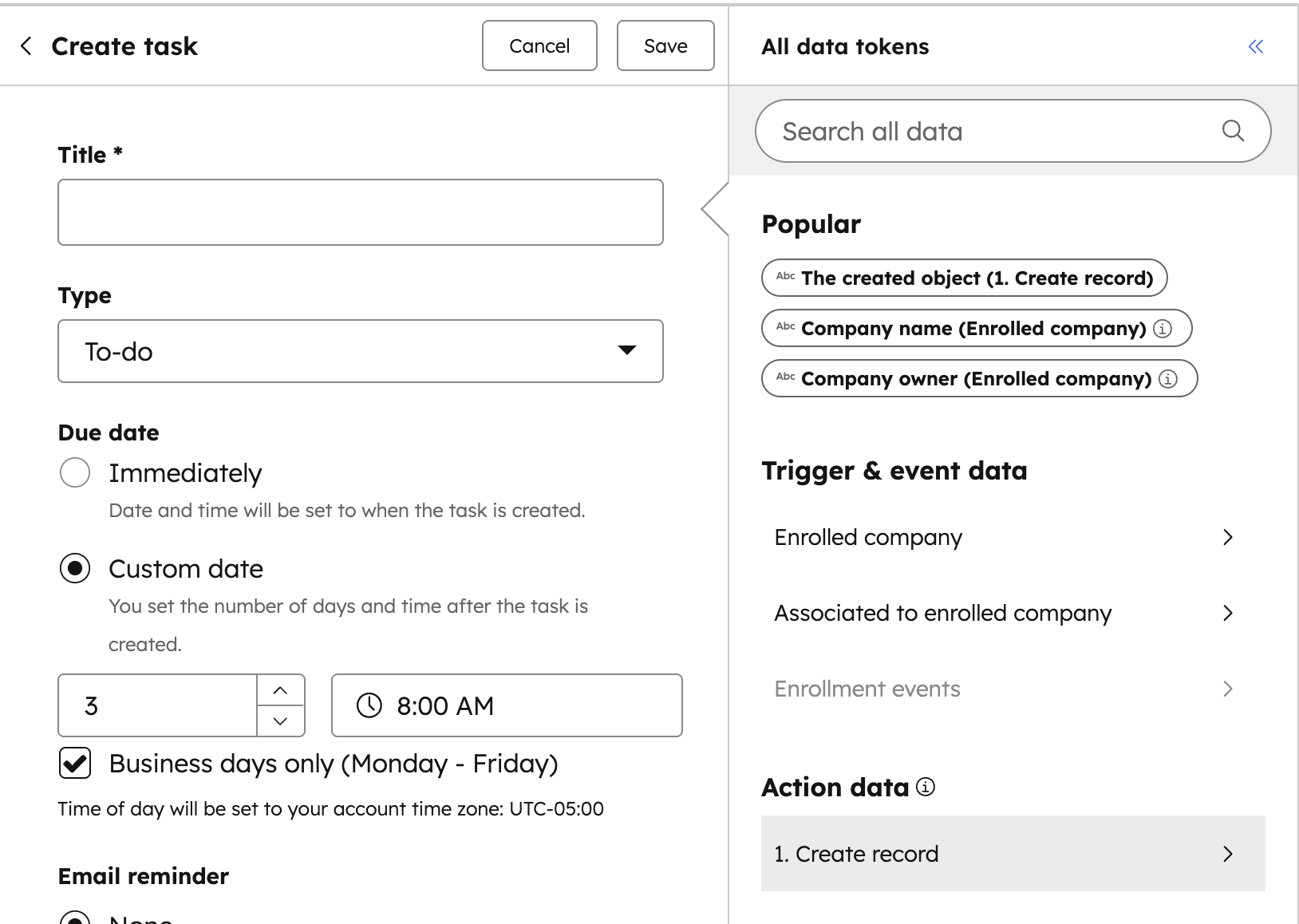
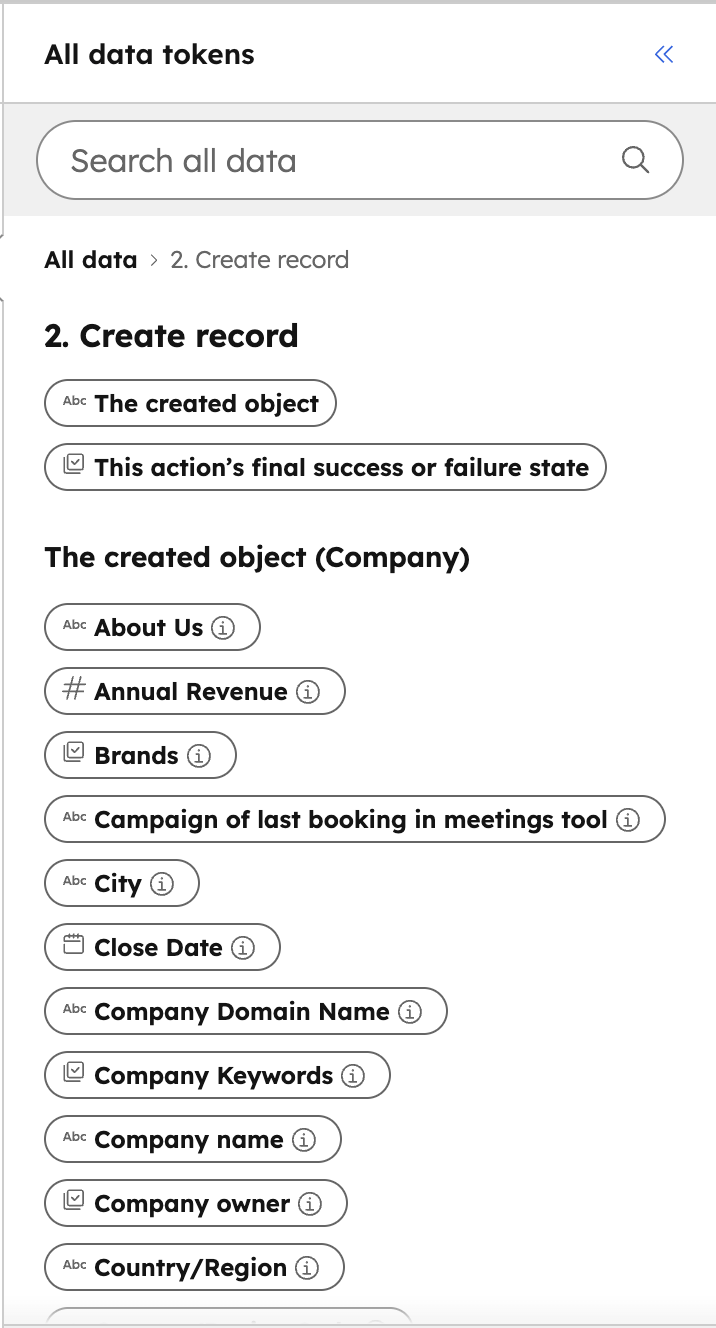
- Use data from that created record, using the data panel, in other actions by first clicking on the field you want to use that data in, then selecting the correct "Create Record" in your data panel under Action data, and then selecting the property tokens.
Who gets it?
Smart CRM Professional, Marketing Hub Enterprise, Service Hub Professional, Sales Hub Enterprise, Smart CRM Enterprise, Marketing Hub Professional, Data Hub Professional, Data Hub Enterprise, Service Hub Enterprise, Sales Hub Professional


.png?width=193&name=jos%20(1).png)




