What is it?
** Please note that once enrolled in this beta, if you wish to send WhatsApp templates from the mobile inbox, you must also enroll in the Mobile Conversations Inbox Migration HERE
We’re introducing a new WhatsApp experience designed to align more closely with HubSpot’s core messaging tools. WhatsApp will now have its own dedicated Home, alongside our other primary HubSpot messaging channels.
This update includes a new:
- - WA Messaging Management page
- - Template Management experience
- - A comprehensive Reporting suite
- - Additional enhancements to support day-to-day needs
Why does it matter?
These changes are in response to customer feedback in order to make WhatsApp more discoverable, easier to use, and ultimately drive more more success for customers as a core messaging product within HubSpot.
How does it work?
Log into HubSpot
Go to CRM on the left-hand panel
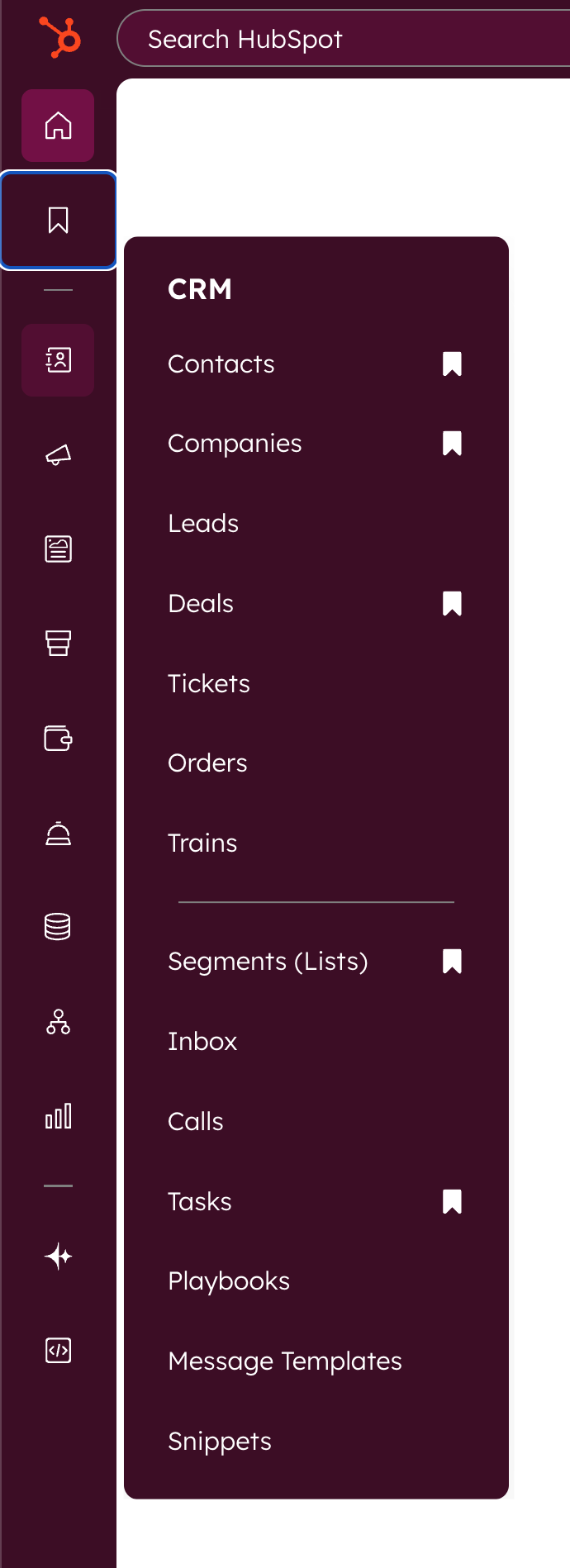
Click on templates
See new Manage page
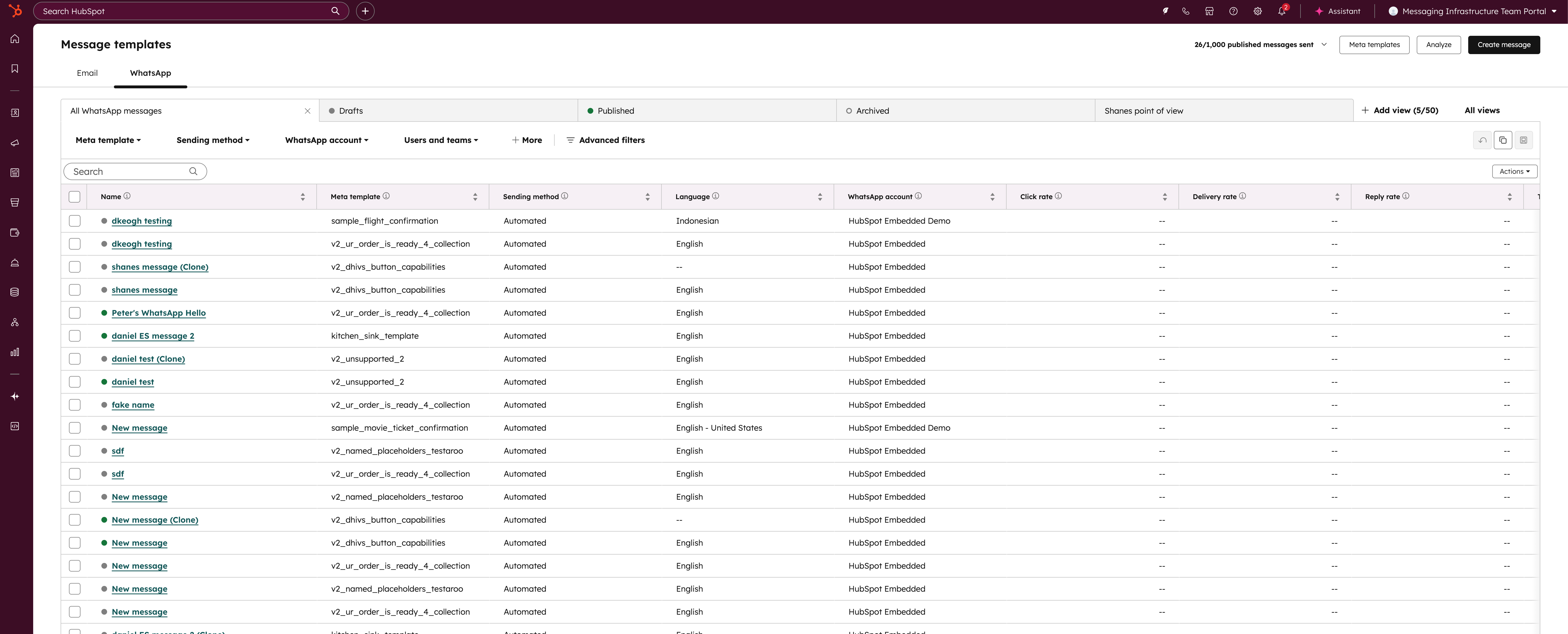
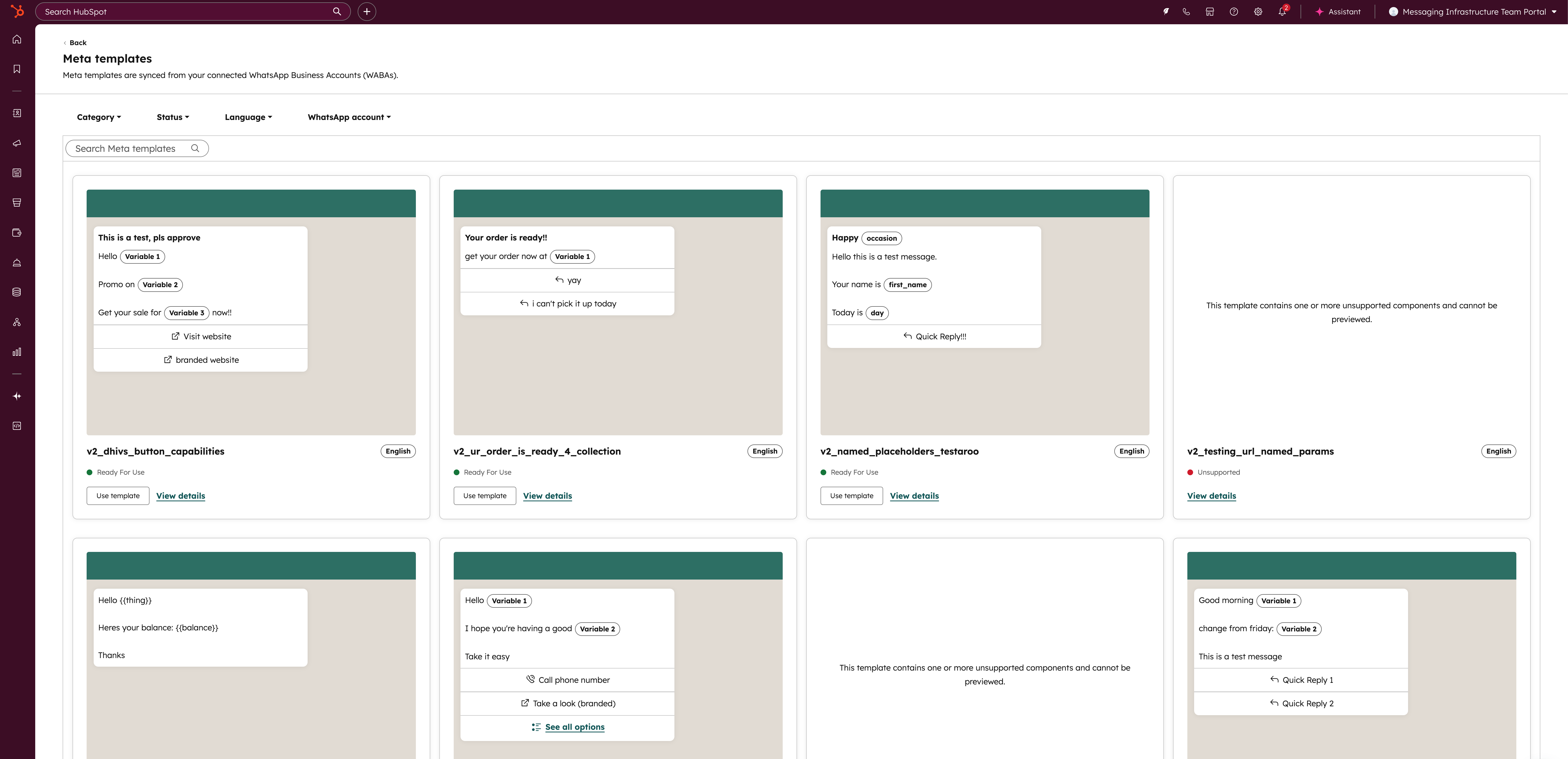
Template manager:
- - See status of each template
- - Granular filtering by message type, team, WABA, status etc.
- - view, manage and select templates to send messages with
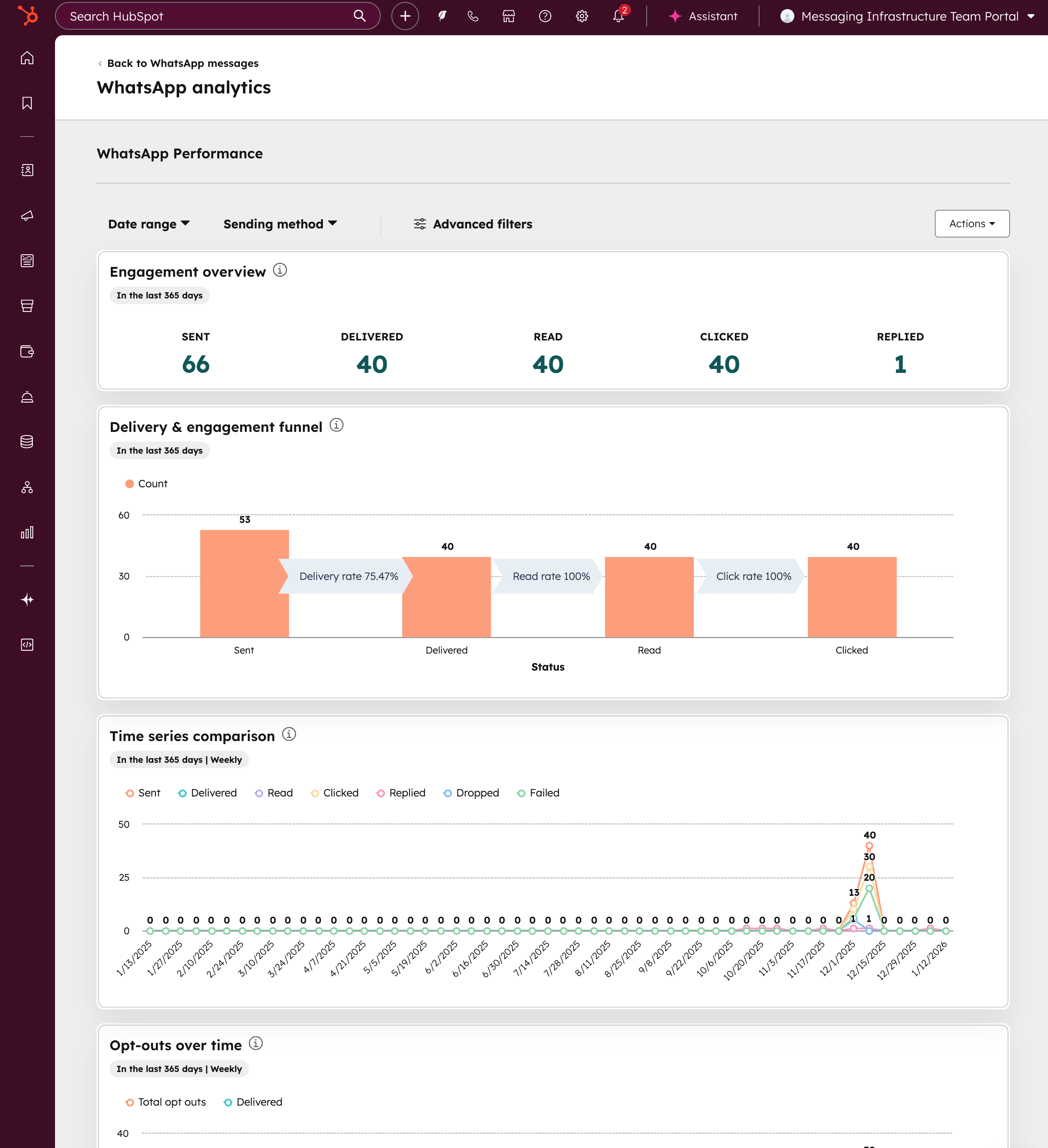
Reporting suite:
- - view your delivery, engagement, clicks, over time comparison, opt-out and detailed messaging errors
Who gets it?
Marketing Hub Professional, Marketing Hub Enterprise, Service Hub Professional, Service Hub Enterprise



.png?width=193&name=jos%20(1).png)




