What is it?
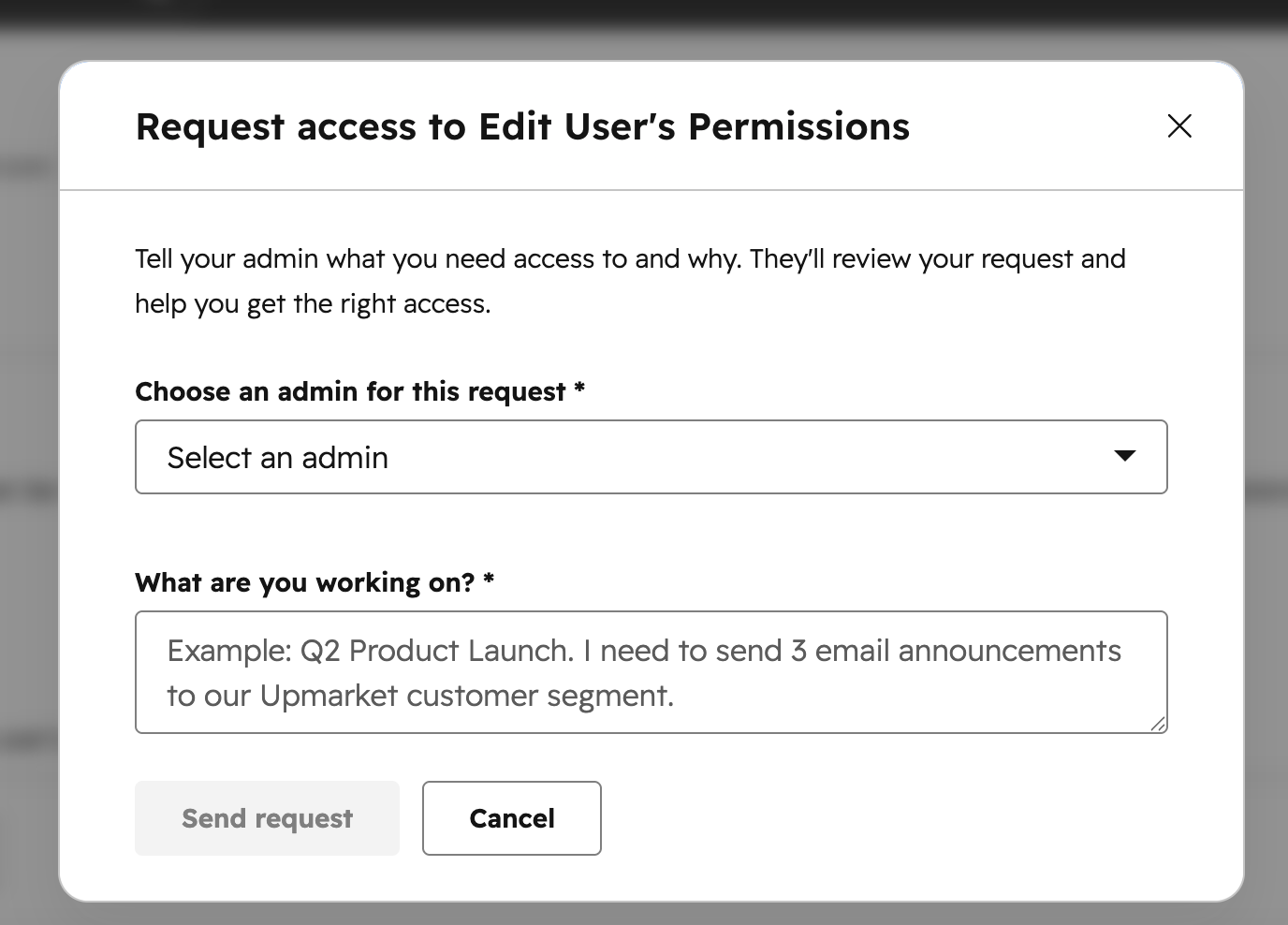
When you try to access the Users & Teams pages without the right permissions, you can now request access directly in HubSpot. A modal lets you describe what you're trying to do and notify an admin, who receives a link straight to the Edit Permissions page with your context already loaded.
Why does it matter?
Getting the right access typically means tracking down an admin over Slack, email, or in person. Then the admin still has to figure out exactly what you need and why. Request Access gives teammates a structured way to ask for access in the moment, and gives admins the context they need to make decisions quickly. The result: fewer back-and-forth exchanges and faster resolution for both sides.
How does it work?
If you need access:
- Navigate to the page where access is blocked. A modal will appear prompting you to describe what you're trying to do.
- Select an admin to notify from the dropdown.
- Add a description of what you need, then click Send request.
If you're an admin receiving a request:
- You'll receive a notification linking you to the Edit Permissions page for the requesting user.
- Review the context they provided, then update their permissions as needed
Who gets it?
All hubs and tiers.





.png?width=193&name=jos%20(1).png)




