Note
-
What is it?
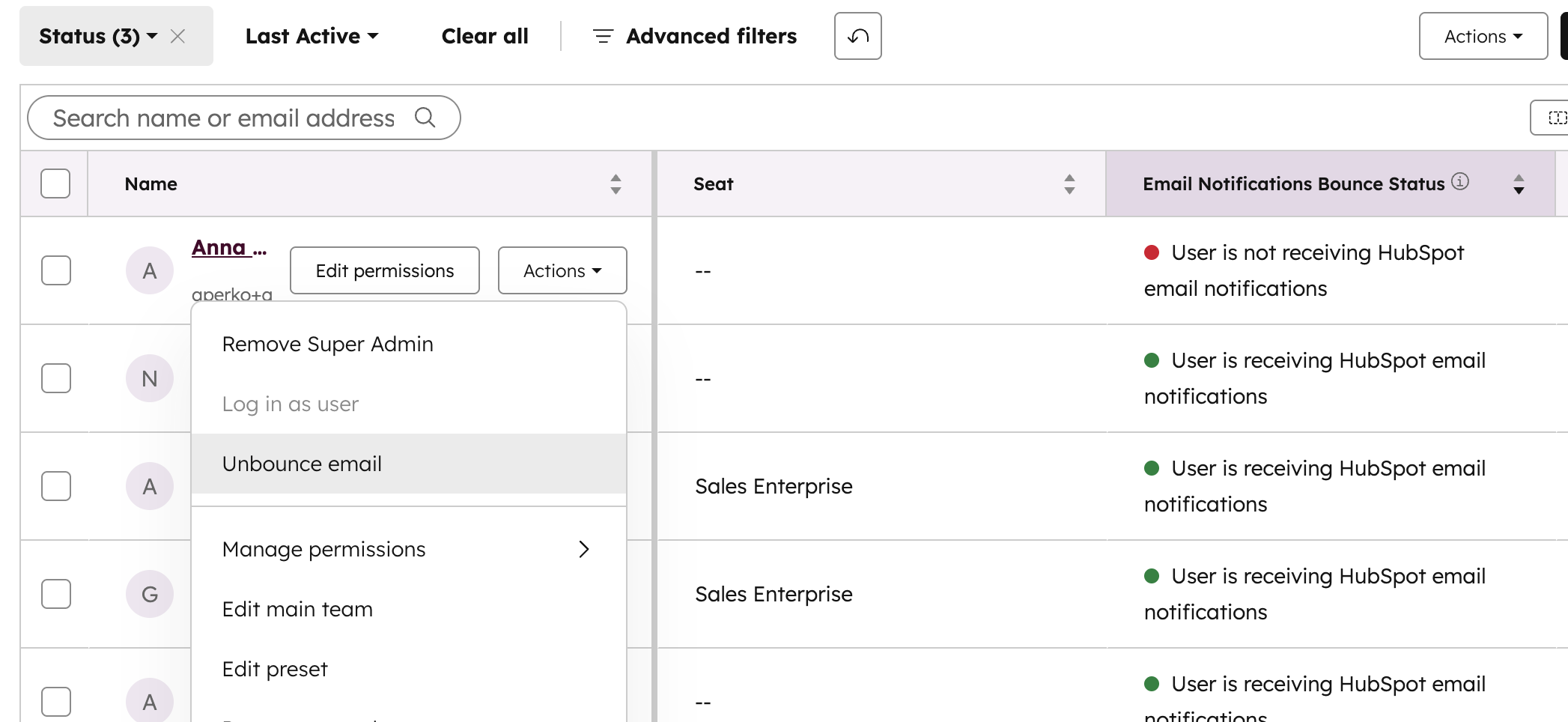
Admins can now directly unbounce internal users’ email addresses from the Users & Teams experience, without needing to contact HubSpot Support or use separate tooling.
This new option is available in the user’s detail view for eligible bounced addresses and is limited to superadmins, with built-in safeguards such as rate limits and hard-bounce protection.
Why does it matter?
Until now, only Support had access to tools to manually unbounce internal email addresses. This created a bottleneck whenever:
An internal user’s invite or notification email bounced and needed to be retried.
Admins wanted to quickly restore access for a user who fixed an email issue (e.g., mailbox re-enabled, typo corrected, spam/quarantine cleared).
Teams were rolling out new workflows or notifications but discovered critical users had previously bounced.
-
The result: slower resolution times, more tickets to Support, and risk of users missing important internal emails such as invites, approvals, escalations, and routing notifications.
By moving unbounce actions into the admin experience, we:
- Give admins a fast, self-service way to restore email notifications for internal users.
- Reduce dependency on internal Support tools and queues.
- Improve the reliability and coverage of email-based notifications across the portal.
At the same time, we address spam and abuse concerns by enforcing limits, restricting hard bounces, and logging every action for review.
How does it work?
In Users & Teams, admins see a new “Unbounce user” action on users whose email addresses are in a bounced state:
- The action is only visible to admins
- The UI appears in the user’s row actions (details panel alongside other user management actions).
When an admin chooses Unbounce user a confirmation modal explains what unbouncing does (allows future emails to be attempted again). Once they confirm, the admin will get feedback if the unbounce was applied and specific errors if the action is blocked (e.g., “This address is hard bounced and cannot be unbounced” or “You’ve reached the unbounce limit for this user”)
Who gets it?
All hubs and tiers





.png?width=193&name=jos%20(1).png)




