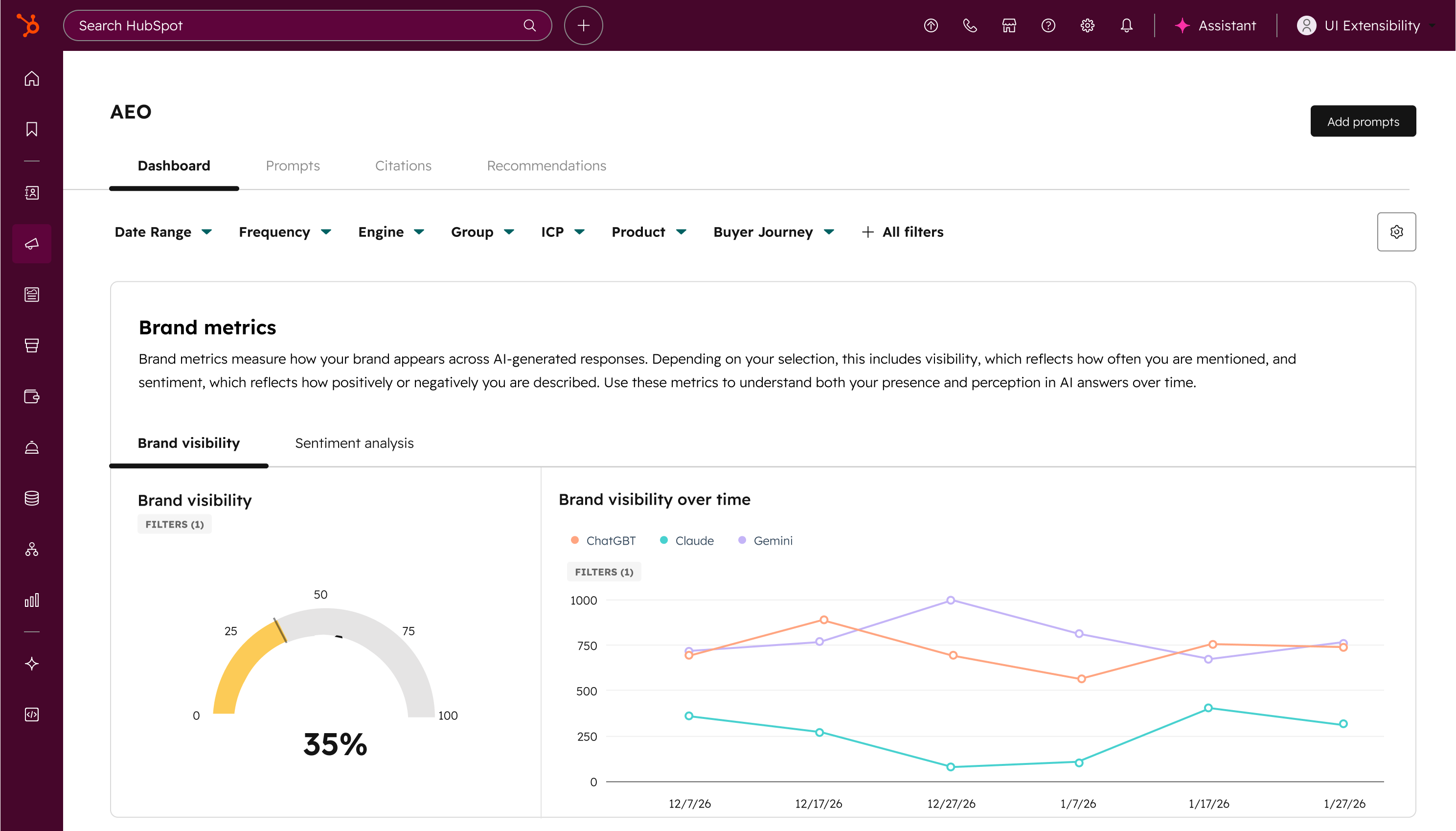
What is it?
AEO (Answer Engine Optimization) is now available in Marketing Hub. Measure, track, and improve your brand's visibility across ChatGPT, Perplexity, and Gemini, and go from insight to published content without leaving HubSpot.
Why does it matter?
How people discover brands is changing.
Instead of clicking through traditional search results, buyers are increasingly asking questions directly in answer engines. These AI responses often summarize the market, recommend vendors, and cite sources before a customer ever visits a website.
Because AI pulls from consensus across third-party sources, buyers tend to trust these recommendations more than traditional search results. This means leads coming from AI search arrive better informed and further along in their decision.
The challenge: SEO is no longer enough. You need to start showing up in AI recommendations.
Most AEO tools hand you a visibility report and wish you luck. AEO in Marketing Hub is different. It shows you exactly where the gaps are, connects recommendations directly to the content tools you already use, and gets smarter over time because it's drawing from your CRM data. Other AEO tools don't know your business. HubSpot already does.
How does it work?
Set up prompt tracking
In your HubSpot account, navigate to Marketing > AEO.
(Note: It may take up to 10 minutes to appear in your menu. In the meantime, you can search "AEO" in the top navigation bar to get started.)
During onboarding, you'll confirm basic information about your business. Because AEO is connected to your CRM from day one, HubSpot automatically suggests prompts based on your industries, competitors, and customer segments — not generic industry questions. You can also add your own custom prompts. HubSpot runs these prompts daily against leading answer engines and tracks how your brand appears.
Review your visibility data
Once your prompts are running, you can view:
- Brand visibility percentage showing how often your brand appears in AI responses
- Competitor comparison showing where competitors appear when your brand doesn't
- Visibility trends over time
- Performance differences across answer engines
Analyze individual prompts
Click into any prompt to see:
- The exact AI responses returned
- Which sources (domains, content types) are being cited
- Whether competitors are being referenced and why
Get recommendations and act on them
Based on your prompt data, AEO surfaces tailored recommendations for what content to create or optimize, along with the reasoning behind each suggestion and which prompts it would impact. And because AEO lives inside Marketing Hub, you can act on those recommendations right away using the content and social tools you already use. No spreadsheet handoffs, no switching platforms.
Who gets it?
This feature is available for Marketing Hub Professional and Enterprise.
Free trial is available for all users.
By participating in this beta, you acknowledge and agree to the HubSpot Beta Terms.





.png?width=193&name=jos%20(1).png)




