What is it?
You can now view all the campaign metrics related to your campaign directly inside Marketing Studio.
Why does it matter?
Previously, analyzing campaign performance meant leaving Marketing Studio to visit a separate section--breaking your flow between creating and reviewing results. Now, you can move seamlessly from planning and building to analyzing performance, all without leaving Studio.
How does it work?
Within Marketing Studio, you'll see a new Analyze tab, which includes the same reports as the Performance section, plus additional improvements.
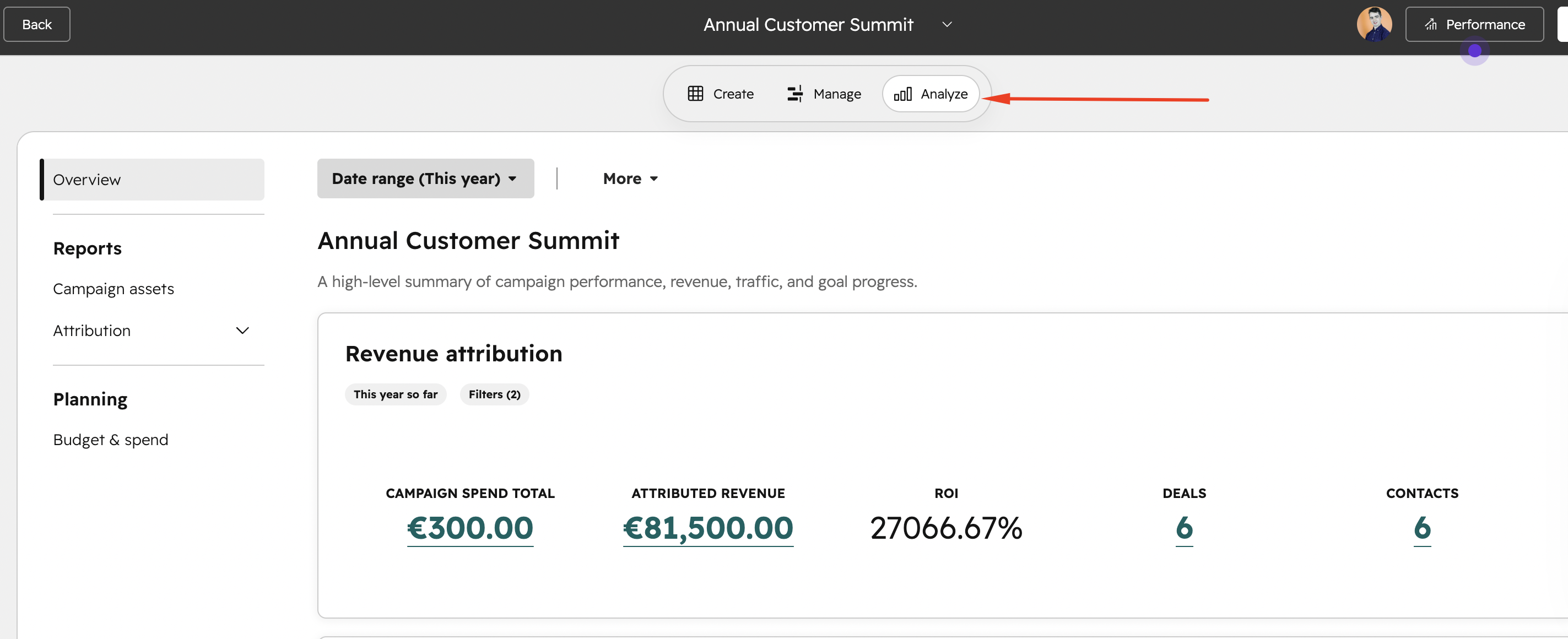
You can still access the separate Performance section to see the same campaign performance metrics.
Who gets it?
Marketing Hub Enterprise, Marketing Hub Professional





.png?width=193&name=jos%20(1).png)




