What is it?
You can now add the same landing page to more than one campaign at the same time.
Why does it matter?
Previously, each asset could belong to only one campaign at a time--meaning you had to clone it to reuse it, creating version control headaches and fragmented reporting. Now, a single landing page asset can contribute attributed revenue and influenced contacts across every campaign it’s part of, without duplicating your work.
This change:
- - Eliminates asset cloning and simplifies campaign setup
- - Improves reporting visibility across shared assets
- - Preserves attribution accuracy using existing models (e.g., first-touch, last-touch)
How does it work?
Associating a landing page to a campaign works the same way it always has - from either the landing page or the campaign. The difference is you can now select multiple campaigns instead of just one.
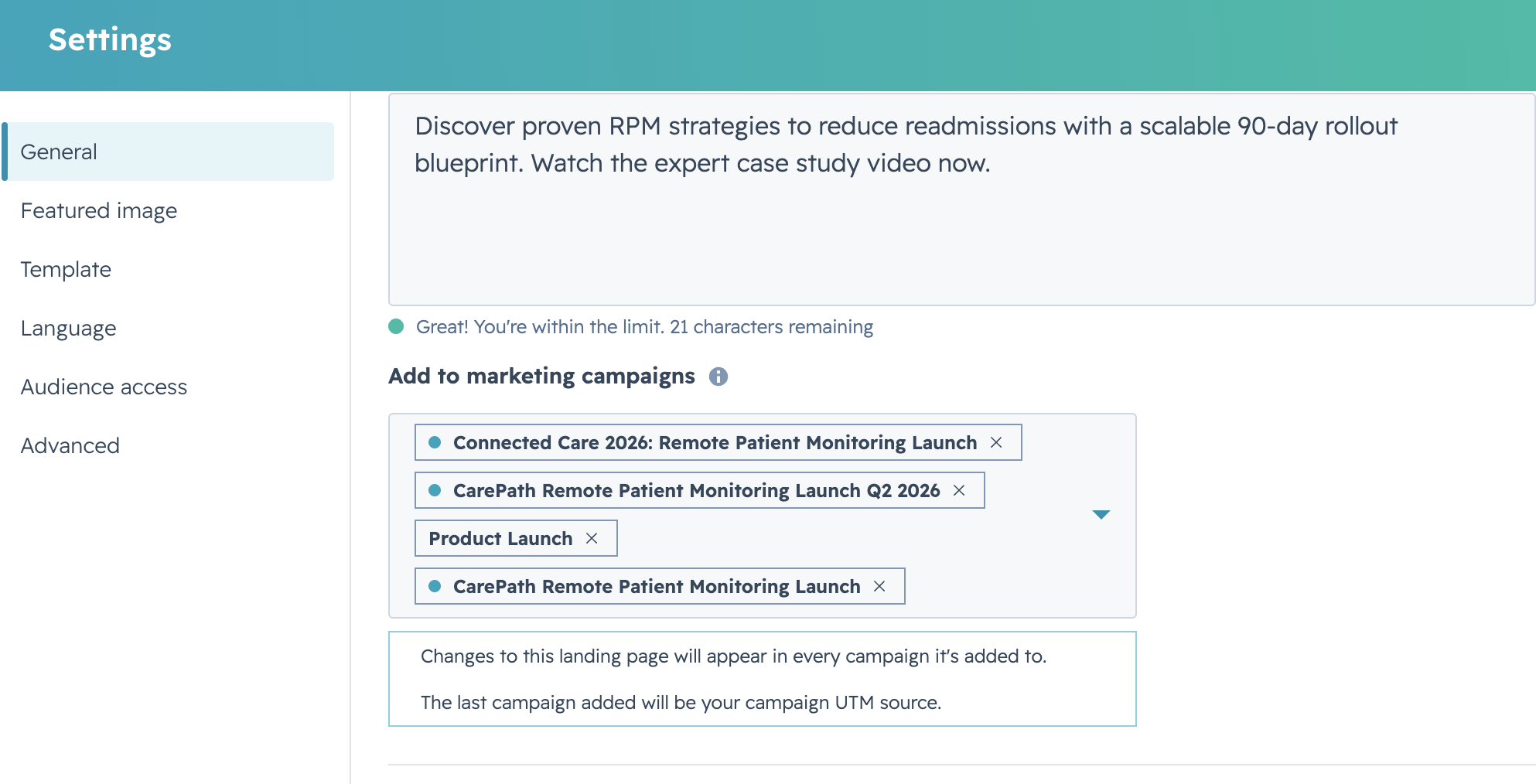
The landing page and its metrics will appear in every campaign it has been added to.
Note: When publishing, the most recently added campaign will be used as the UTM source for that landing page.
Who gets it?
Content Hub Professional, Content Hub Enterprise, Marketing Hub Professional, Marketing Hub Enterprise





.png?width=193&name=jos%20(1).png)




