What is it?
ChatGPT Ads in HubSpot connects marketers to high-intent buyers inside ChatGPT conversations. Every campaign ties back to the same attribution model as every other channel.
With ChatGPT Ads in HubSpot, you can:
- - Create ChatGPT Ad campaigns in HubSpot’s Ads tool using intent-based targeting.
- - Capture leads and trigger follow-up workflows.
- - View ChatGPT Ads performance and attribution alongside other ad channels.
- - Optimize campaign performance with full-funnel tracking.
Why does it matter?
Be the first in your market to pilot ChatGPT Ads. The decisions that used to come from organic search are now happening inside AI chat interfaces, and most marketers have struggled to reach buyers there. Marketers who establish a presence in ChatGPT Ads can capture that demand and turn a shifting buyer landscape into a competitive advantage.
Show up where decisions are made, in an environment that earns trust. Through traditional paid channels, marketers could only reach buyers based on who they were, not what they were actively researching. With ChatGPT Ads, marketers can reach buyers at the moment of active intent, inside the conversations where purchase decisions are already forming. ChatGPT Ads are clearly labeled, never influence ChatGPT's answers, and conversation data is never shared with advertisers.
Capture leads and improve performance, all in one place. Getting in front of the right buyer is only half the battle. Send ChatGPT Ads traffic to a HubSpot landing page, capture leads with a form, and trigger personalized follow-up automatically. As leads convert, HubSpot sends that data back to ChatGPT Ads so your targeting gets smarter over time.
How does it work?
Connect your ChatGPT Ads account
- In HubSpot, click the settings icon in the top navigation bar.
- In the left sidebar, navigate to Marketing > Ads.
- Click Connect account.
- Select ChatGPT Ads from the list of ad networks and follow the authentication flow.
- Click Connect account.
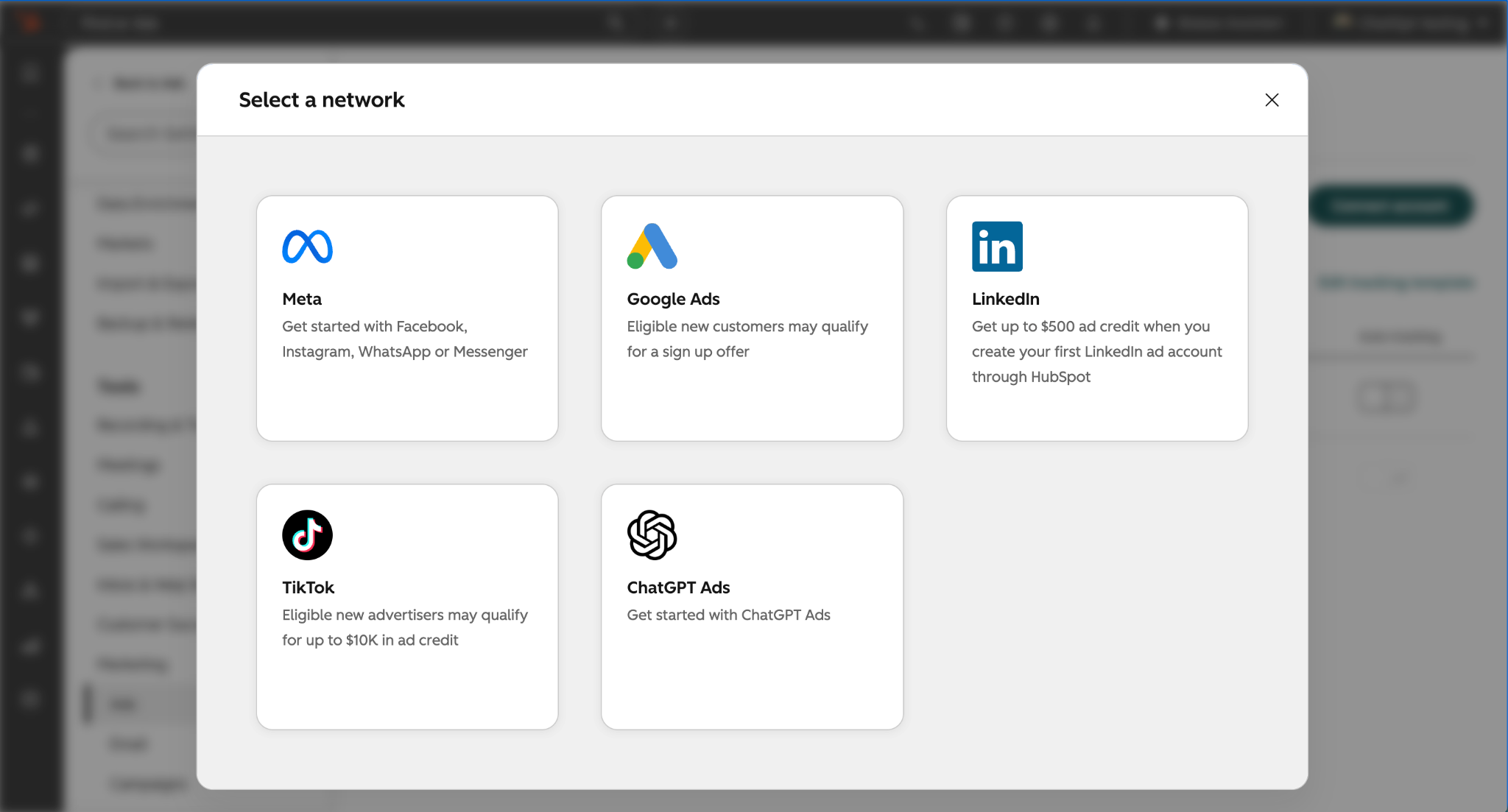
Create a ChatGPT Ads campaign
- In HubSpot, navigate to Marketing > Ads.
- At the top right, click Create > Ad Campaign.
- Select ChatGPT Chat Card in the right sidebar, select your account, then click Next.
- Follow the steps to input your ad information, filling out each tab: Ad, Targeting, Budget & Schedule.
- Click Publish.
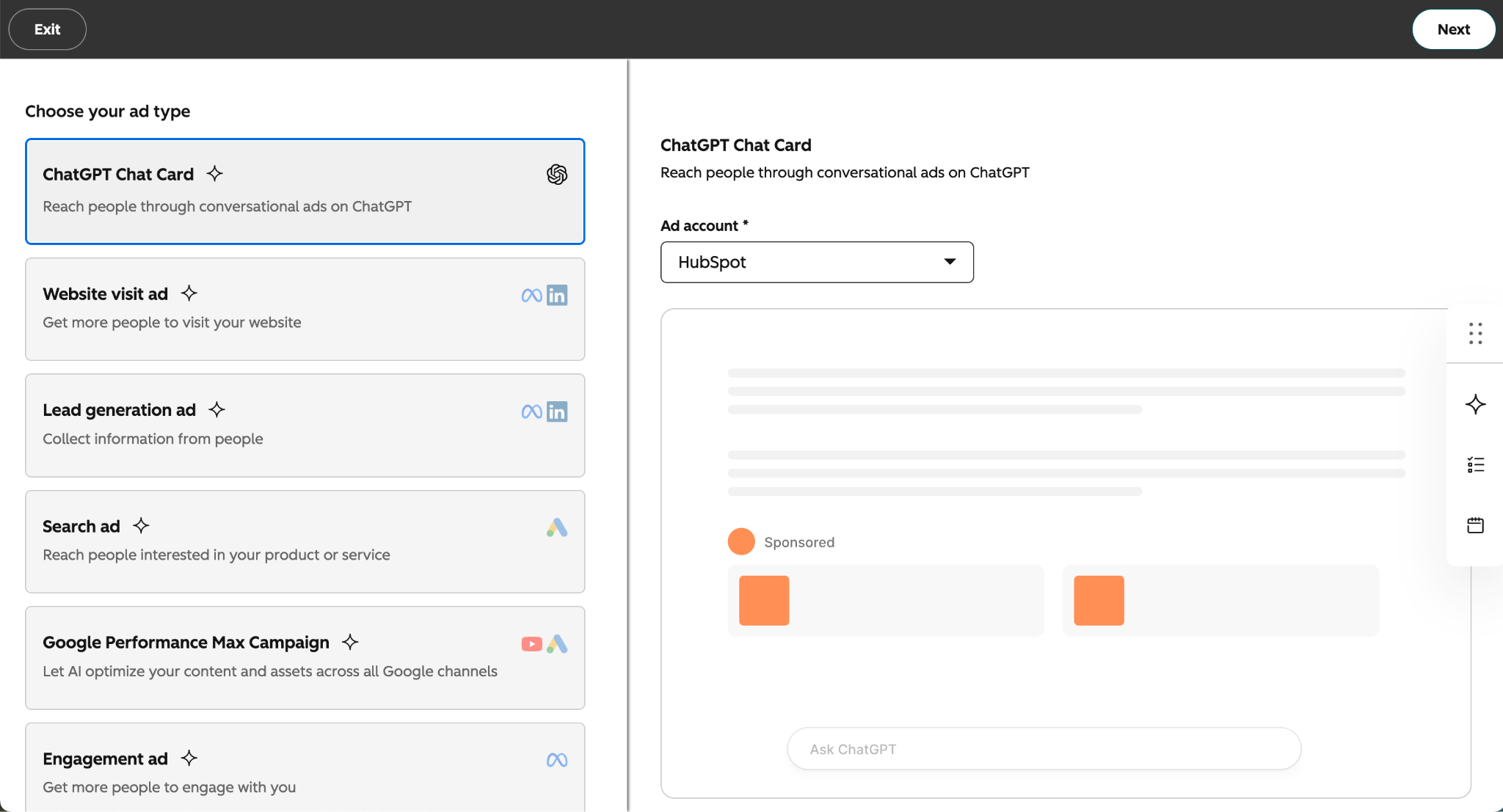
View ChatGPT Ads attribution and performance
- In HubSpot, navigate to Marketing > Ads.
- Select your ChatGPT Ads account.
- View performance by campaign, ad group, or individual ad, including impressions, clicks, contacts, customers, and cost.
- To see ChatGPT Ads alongside your other ad channels, navigate to the Analyze tab.
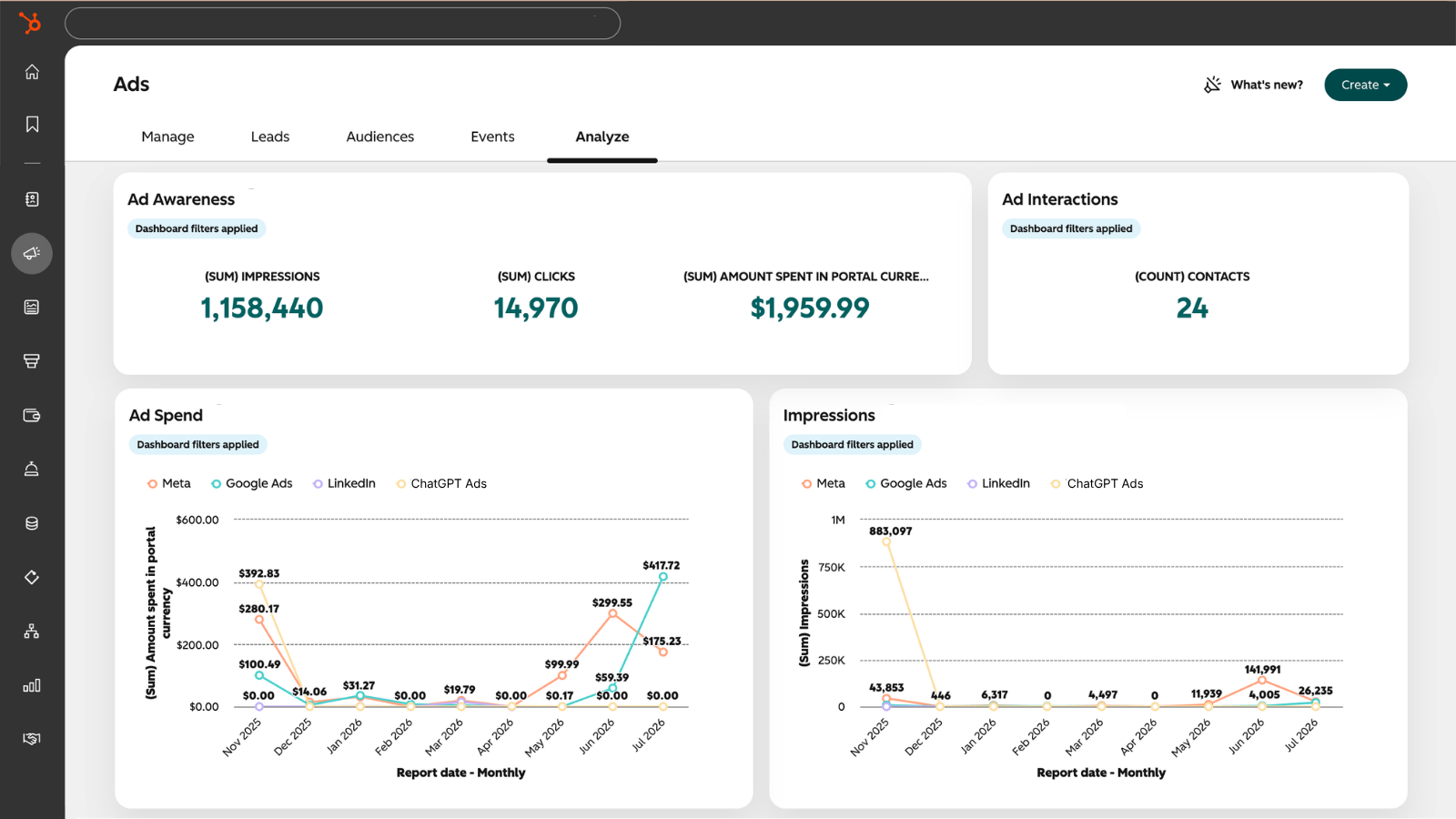
Please note that ads in ChatGPT currently reach users on ChatGPT's Free and Go plans in the US, Canada, UK, Australia, New Zealand, and Japan. Ads are not shown to Plus, Pro, or Business subscribers.
Who gets it?
This feature is available for Marketing Hub Free, Starter, Professional, and Enterprise. A ChatGPT Ads account is also required.





.png?width=193&name=jos%20(1).png)




