What is it?
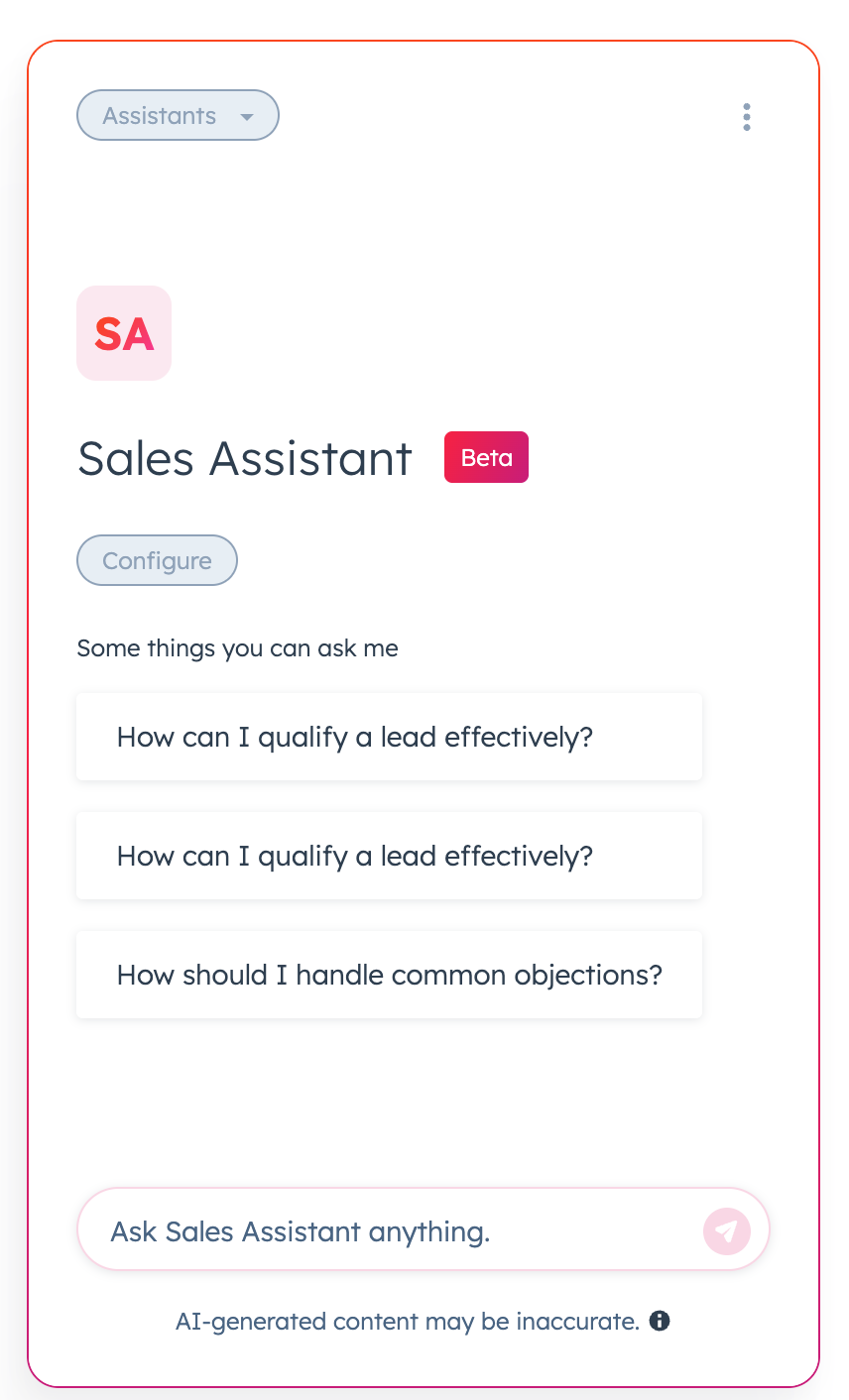
Conversation Starters are pre-configured clickable prompts that appear within a Custom Assistant to help users know what to ask. When clicked, they automatically send the message to the assistant, no typing or editing needed.
These starters are designed to make it easy for users to understand what the assistant can do and get started fast.
Why does it matter?
Prompting is hard — users often don’t know how to start interacting with a Custom Assistant or what it can do. This results in drop-off and underutilization.
Conversation Starters solve that problem by:
- Giving users confidence to begin a chat immediately
- Allowing assistant builders to shape the conversation flow
- Improving discoverability of the assistant’s capabilities
- Increasing message volume and engagement
How does it work?
- For Users
- When opening a Custom Assistant, users see 3 suggested questions
- Clicking a starter sends the message instantly
- Starters remain visible and accessible throughout the conversation
- For Builders
- Builders can add up to 3 conversation starters when configuring a Custom Assistant
- Builders can reorder, edit, or delete starters after publishing
- Changes take effect immediately for all users
Who gets it?
Starter Customer Platform, Professional Customer Platform, Enterprise Customer Platform, Commerce Hub Professional, Commerce Hub Enterprise, Content Hub Starter, Content Hub Professional, Content Hub Enterprise, Marketing Hub Starter, Marketing Hub Professional, Marketing Hub Enterprise, Data Hub Starter, Data Hub Professional, Data Hub Enterprise, Sales Hub Starter, Sales Hub Professional, Sales Hub Enterprise, Service Hub Starter, Service Hub Professional, Service Hub Enterprise, Smart CRM Starter, Smart CRM Professional, Smart CRM Enterprise





.png?width=193&name=jos%20(1).png)




