What is it?
Description
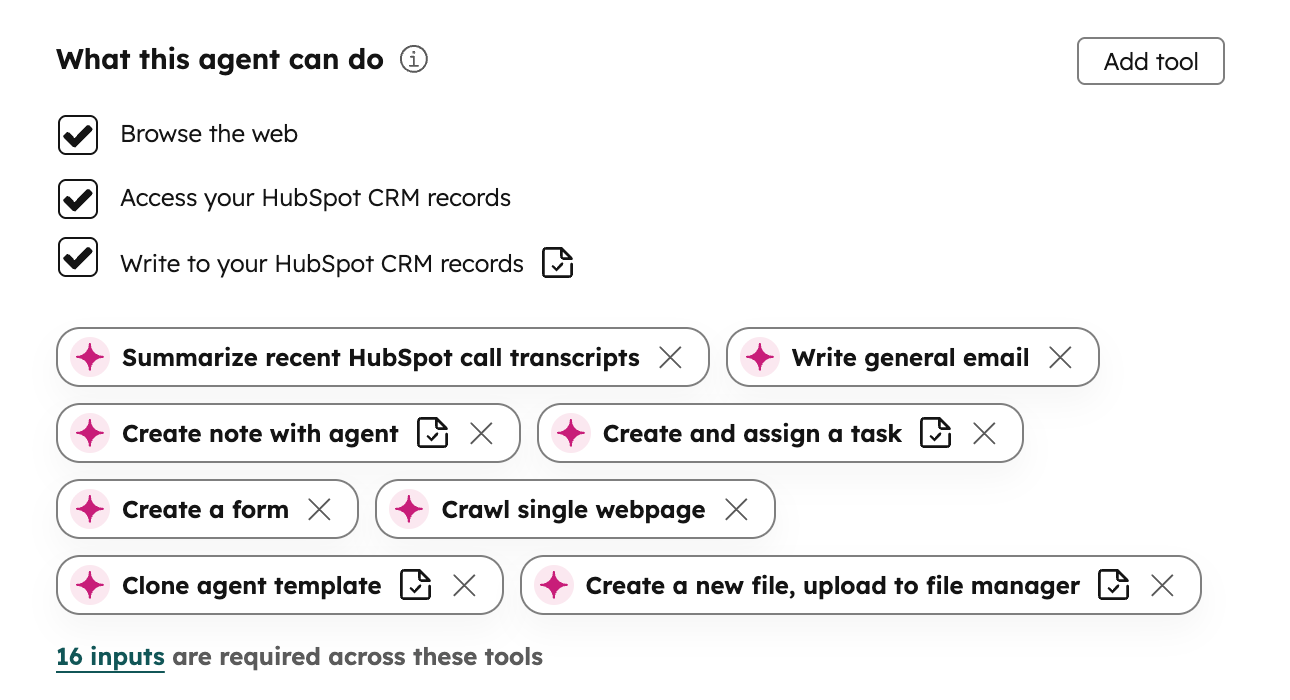
Admins now see separate 'Read' and 'Write' controls for CRM tools in agent configuration, with a clear option to require or skip approvals for each write tool used in workflows.
Why does it matter?
Reason for development
Making approval controls visible and intuitive reduces confusion, builds trust in settings, and lowers support burden by aligning expectations with actual behavior.
How does it work?
How it works
- - Go to the agent configuration page under “What this agent can do.”
- - View separate 'Read' and 'Write' capability checkboxes for each CRM tool.
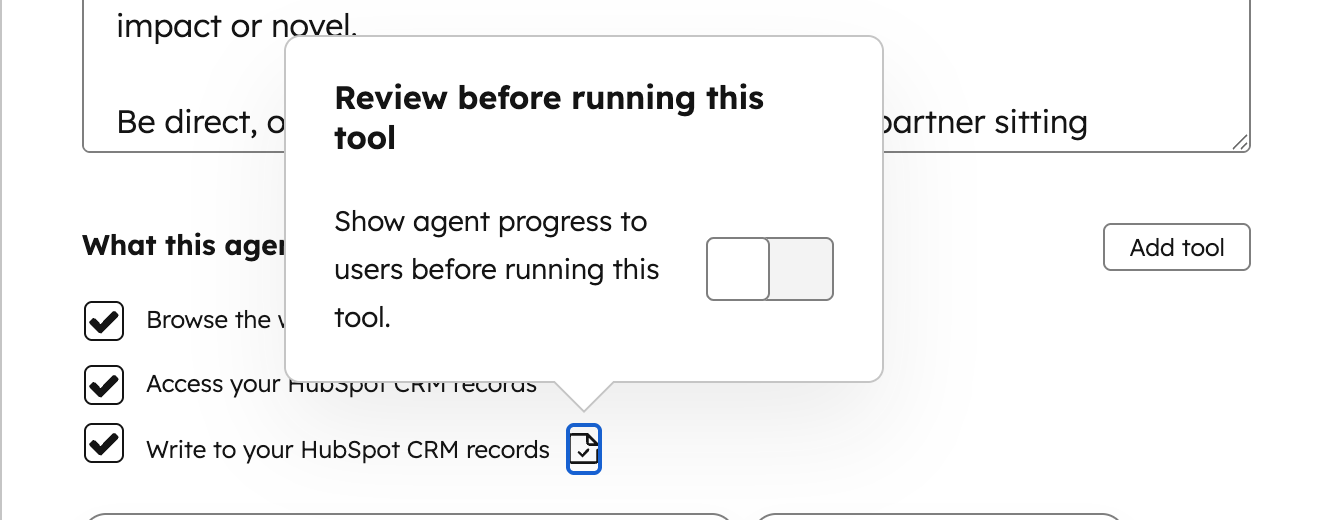
- - For write tools, toggle the option to 'Require review before running this tool' on or off.
- - If 'Require review' is ON, workflows require approval for CRM writes; if OFF, workflows can execute writes without approval.
- - A tooltip explains the approval controls for added clarity.
- - No changes are needed elsewhere; this is managed directly in agent configuration.
Who gets it?
All hubs and tiers





.png?width=193&name=jos%20(1).png)




