What is it?
New custom views on the reports list page help you quickly find and access reports using personalized filters and pinned tabs.
Why does it matter?
As your report library grows, finding specific reports becomes challenging, leading to wasted time and inconsistent naming conventions. With custom views, you can:
- Organize reports and dashboards more efficiently
- Filter and retrieve relevant reports and dashboards faster
- Improve collaboration and reporting adoption across your team
How does it work?
Creating and managing views
- Navigate to Reporting > Reports List/ Dashboards List
- Click Add View and enter a name for your custom view and set the access
- Use the filter bar to apply filters (Owner, Shared status, Date created, Last viewed, tags)
- Click Save view
- Manage your views by pinning, unpinning, or reordering
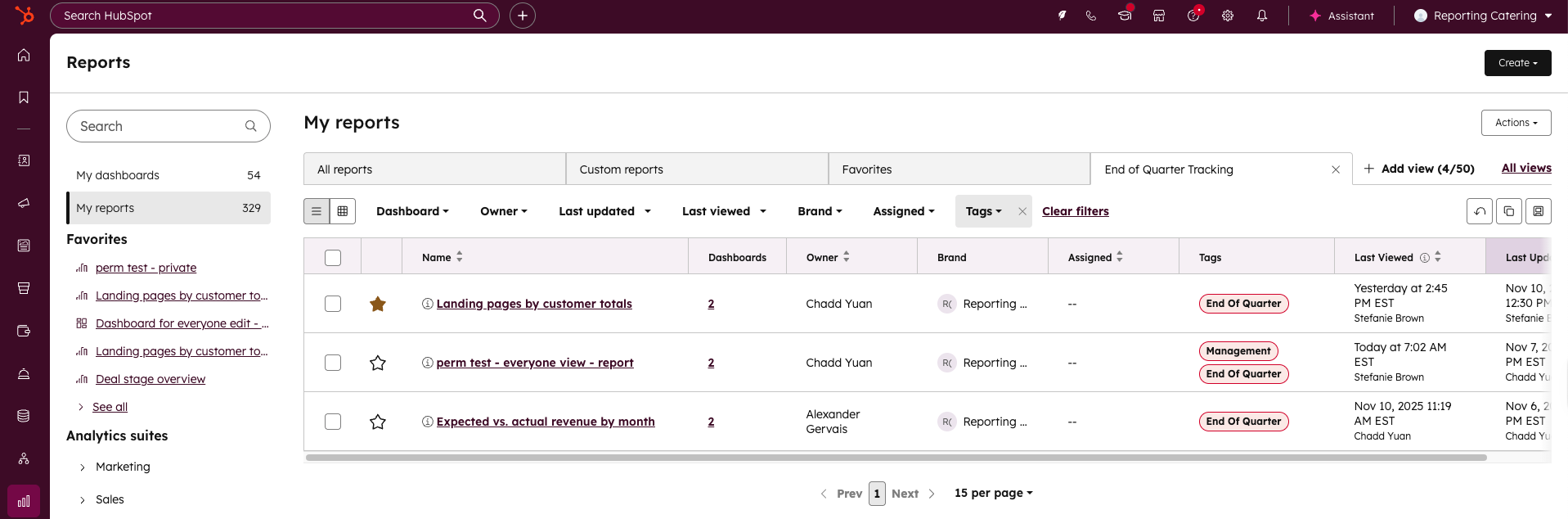
Using and editing views
- Click any saved view to update the list display
- Use the More menu to rename, delete, or clone views
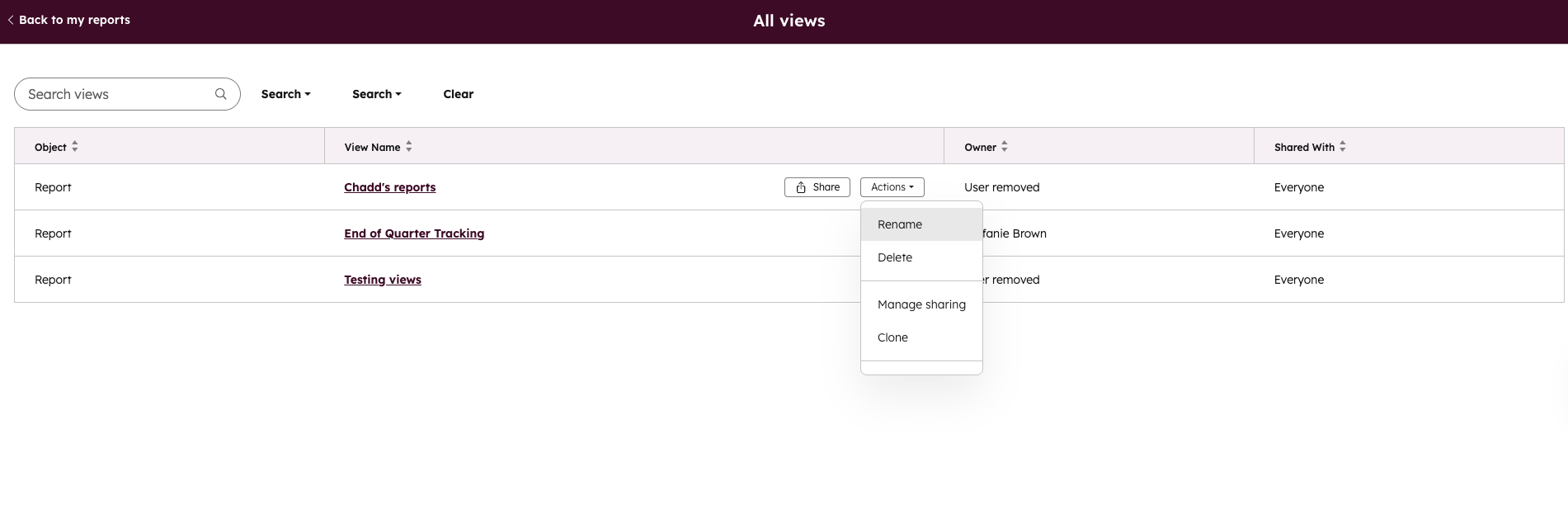
Sharing views
Set views to private, shared with your team, or accessible to all everyone.
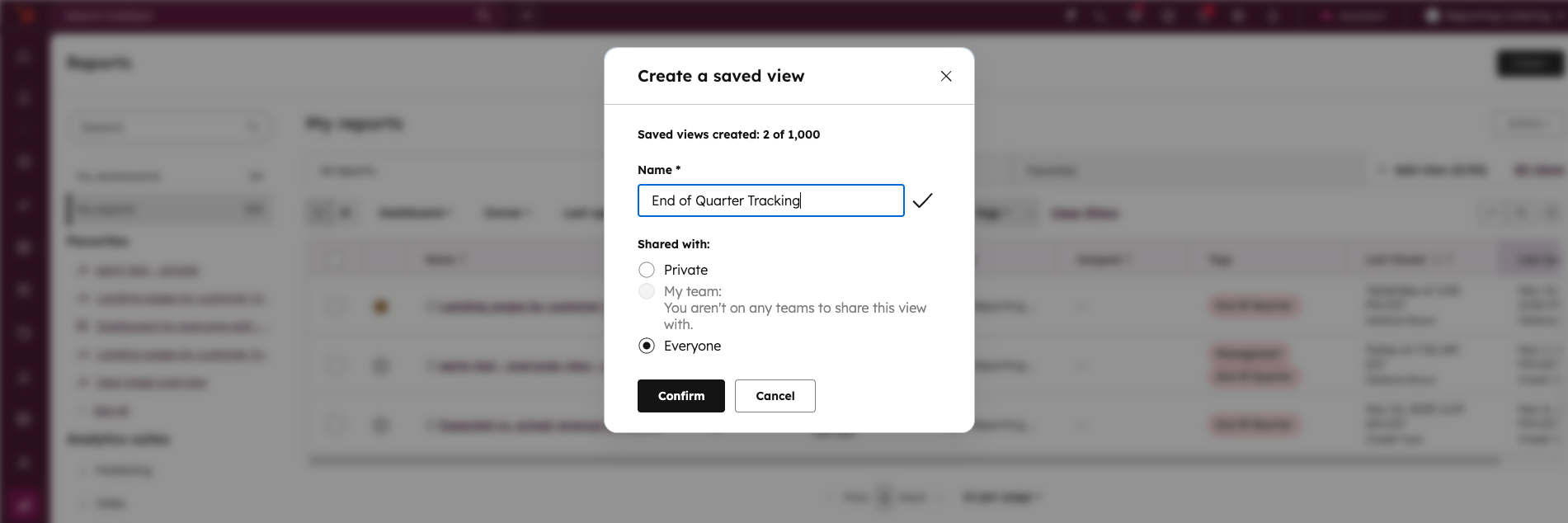
Who gets it?
This feature is available for all HubSpot Professional and Enterprise subscriptions.





.png?width=193&name=jos%20(1).png)




