Customer Agent can now qualify anonymous visitors conversationally and route them to the right knowledge segment, without requiring an email address and without creating a contact record. The agent asks up to 2 questions drawn directly from your CRM segment filters, then serves the right knowledge for that conversation.
Why does it matter?
Today, anonymous visitors always fall back to the Default segment even if a more relevant segment exists, because there's no contact record to match against. The main workaround was enabling email capture, which many customers are reluctant to do. Visitor Qualification closes that gap without friction.
How does it work?
Make sure you are ungated to the Segments in Customer Agent Beta:here
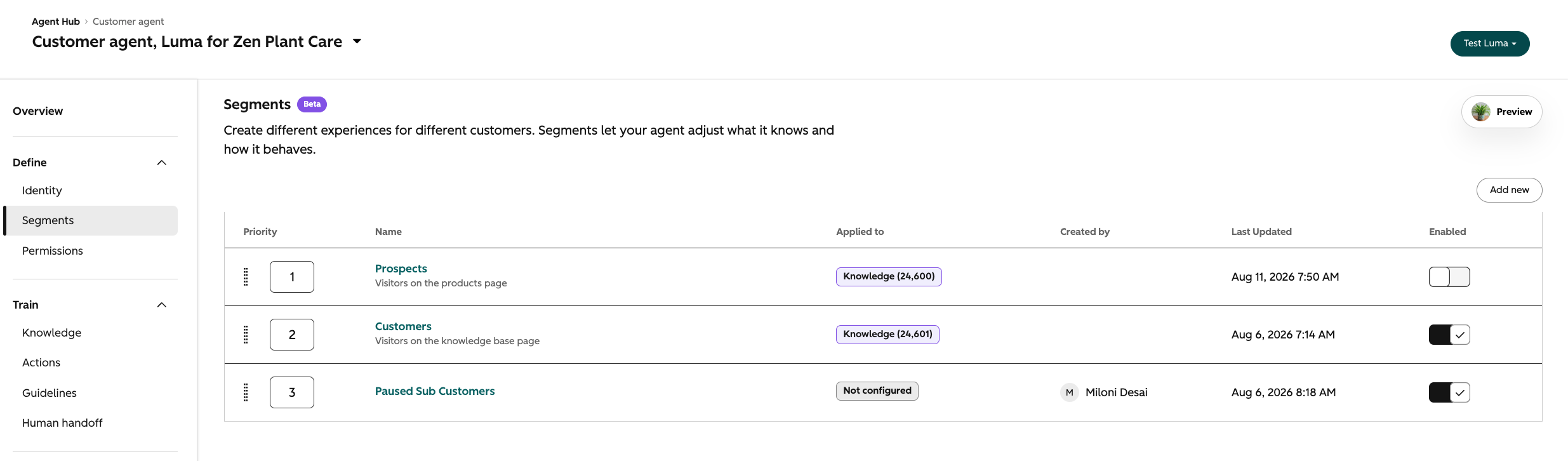
Create aCRM-based or combined segmentand map knowledge sources to it
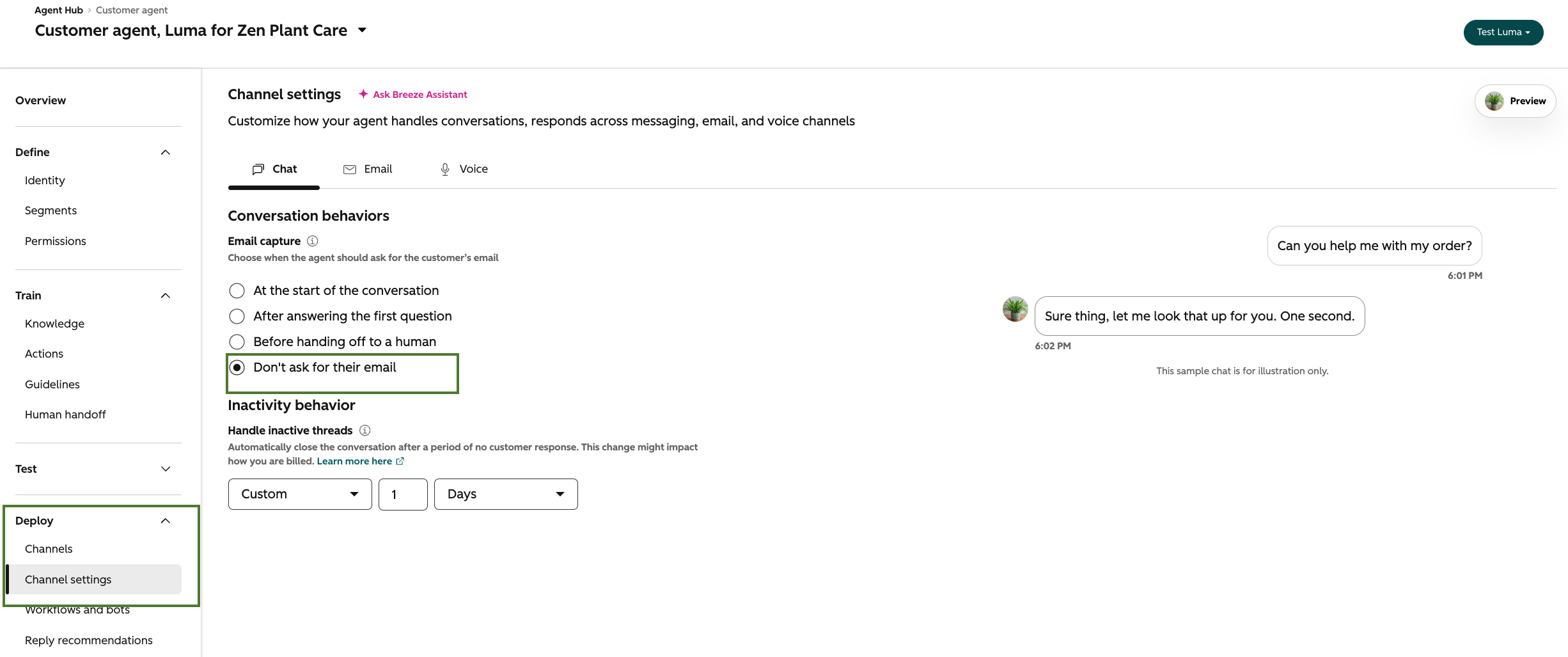
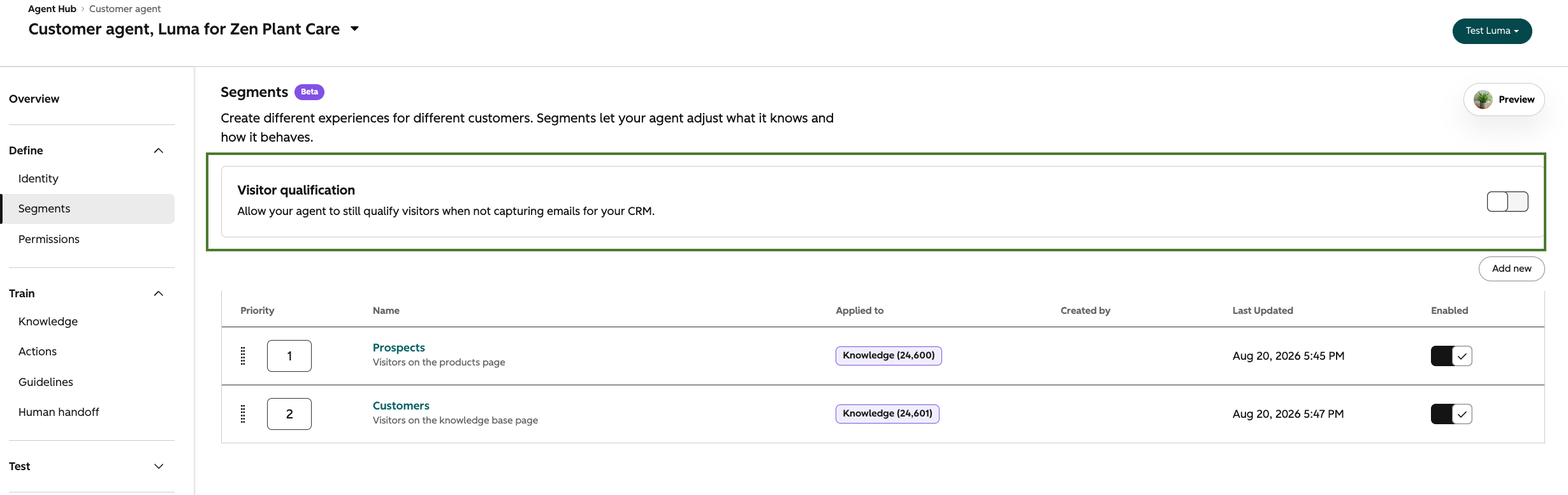
Turn on theVisitor Qualificationtoggle on the segment (note: email capture must be off; the two can't run simultaneously)
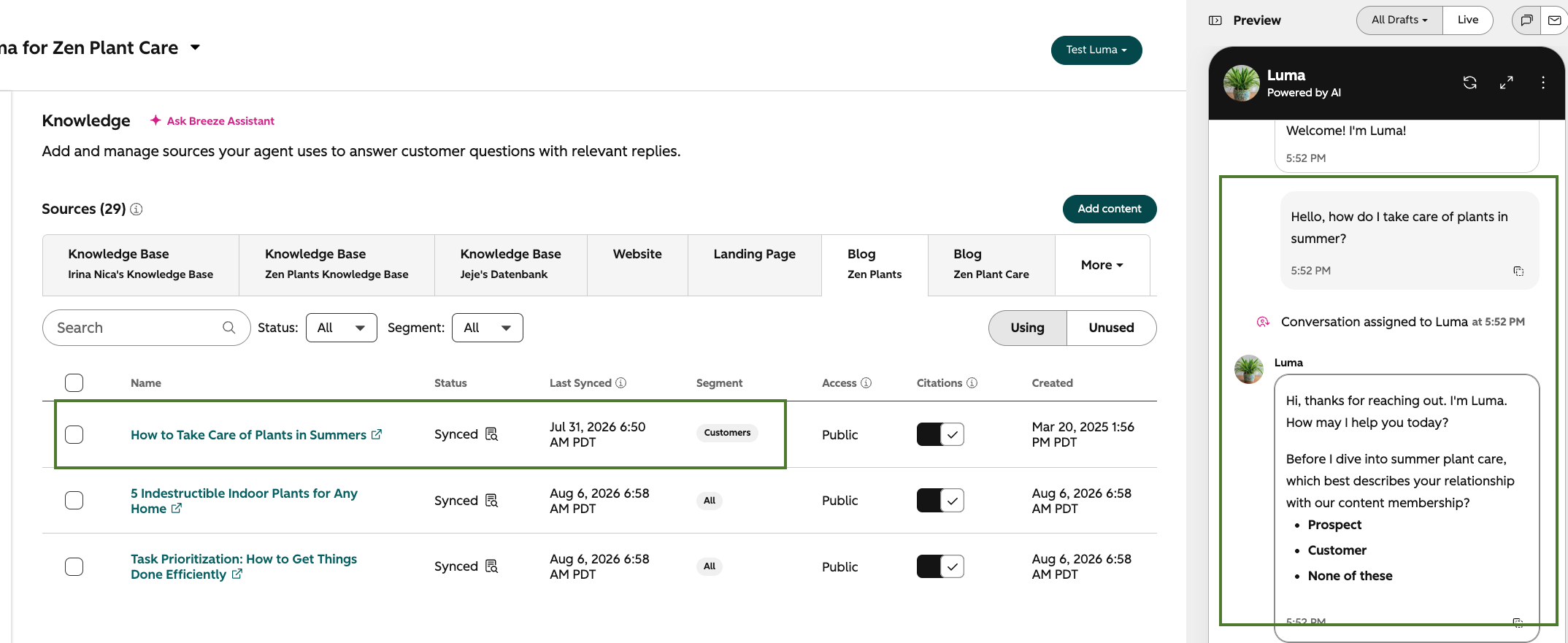
When an anonymous visitor starts a chat, the agent asks the minimum number of questions needed to determine which segment the visitor belongs to, based on the CRM properties in the segment, in segment priority order
Once the visitor is matched, the agent answers their original question without asking them to repeat it
The agent only serves knowledge relevant to the matched segment
Tip:Pair with quick replies when qualification options are discrete (e.g., "Existing customer or new?"), the agent presents them as clickable choices.
Note:When a visitor is identified during the conversation, any contact properties collected through Visitor Qualification are automatically synced to their CRM contact record. Identification is what triggers the write — properties collected before identification are applied retroactively at that moment.
Who gets it?
Smart CRM Professional, Data Hub Enterprise, Marketing Hub Professional, Sales Hub Professional, Sales Hub Enterprise, Service Hub Professional, Service Hub Enterprise, Content Hub Professional, Marketing Hub Enterprise, HubSpot Credits, Content Hub Enterprise, Smart CRM Enterprise, Data Hub Professional
What is it? Email Quality Checks are a built-in AI review in HubSpot's email editor. They scan your email before you send, looking for common issues: spelling and grammar, spam triggers, broken..
What is it? Agent Builder'snew workflows andcustom agentsare now live. One canvas for triggers, actions, and running your custom agents all with your data. Configure on a modern visual builder or get..
What is it? Agent Hub is here, giving you one place to see every agent organized by the outcomes they drive, build new ones, and automate the work in between. It brings every agent running your..
22 Sep 2026
Ready to maximize your business growth with our HubSpot-accredited services?
Contact us today to learn how we can help you succeed.





.png?width=193&name=jos%20(1).png)




