What is it?
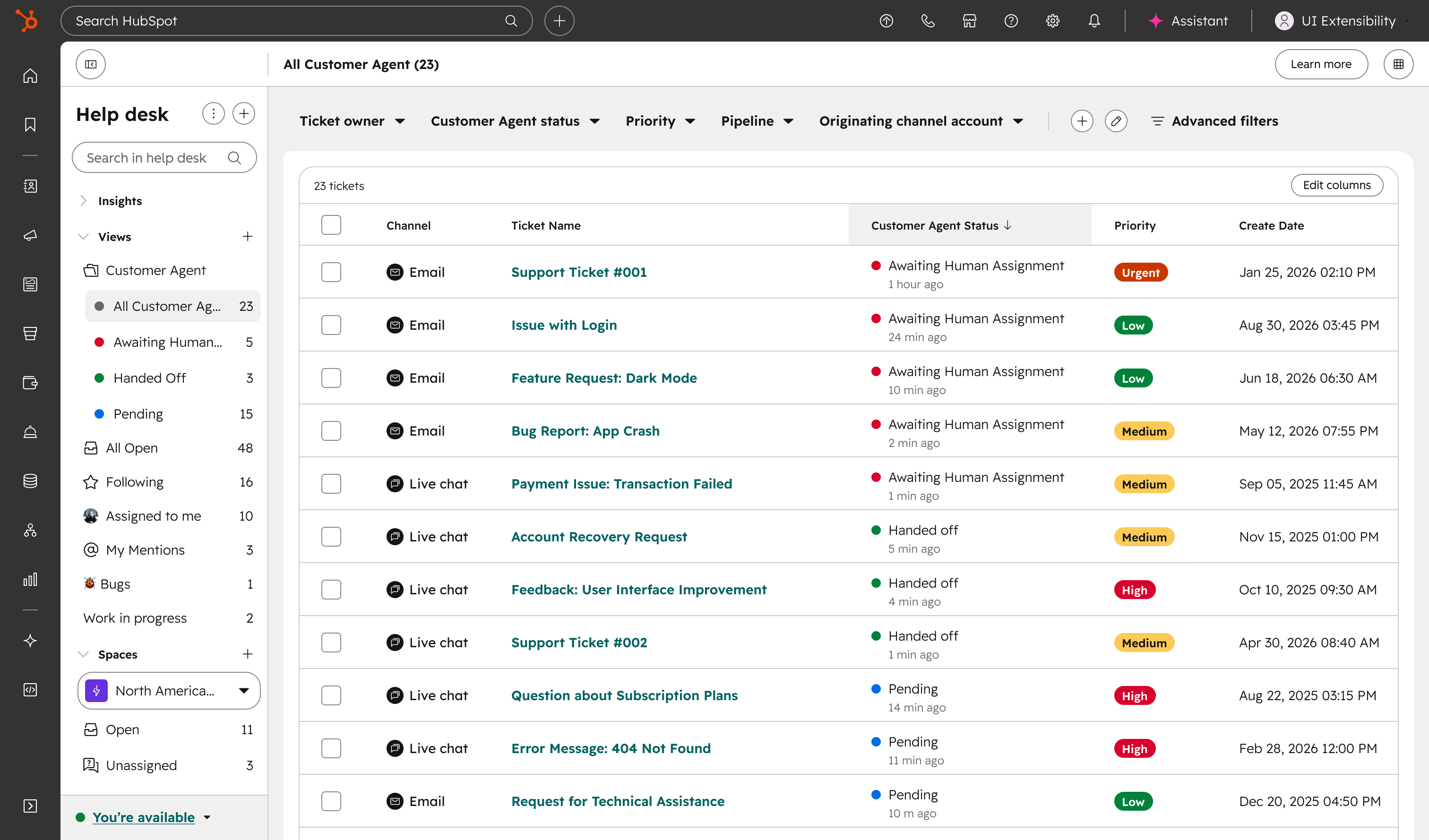
Help desk now includes a default customer agent folder that is automatically provisioned with four pre-built views that organize every ticket the customer agent has touched by status.
Why does it matter?
One in three customer agent tickets gets handed off to a human rep, making handoffs a frequent, high-stakes moment. Without clear ownership, tickets fall through the cracks and resolution times suffer.
The customer agent folder pre-organizes tickets by status so it's always clear who owns the next action. No admin setup required.
How does it work?
The folder is created automatically — no setup needed. The existing customer agent default view moves into the folder automatically.
The folder includes four pre-built views:
- - All customer agent: every ticket the customer agent has touched, across all statuses (Pending, Awaiting Human Assignment, Handed Off), open and closed
- - Awaiting human assignment: open tickets the customer agent escalated with no human assigned yet
- - Handed off: open tickets now owned by a human rep after customer agent involvement
- - Pending: open tickets the customer agent is currently handling
Within each view, tickets are sorted by time in status, longest waiting first. Each ticket shows a timestamp — for example, "Awaiting Human Assignment · 10 minutes ago" — so reps know how long a ticket has been waiting.
To manage views, go to Settings > Views management.
Note: view and status colors can't be modified at this time.
Who gets it?
This feature is available for HubSpot Service Hub Professional and HubSpot Service Hub Enterprise. A Service Seat is required.





.png?width=193&name=jos%20(1).png)




