What is it?
Customer agent can now generate FAQ-style knowledge from your resolved support tickets and import it directly — no manual writing required. You review each generated answer before anything goes live, and PII is scrubbed automatically.
Why does it matter?
Your ticket history already contains the answers your customers are asking for. This feature surfaces that knowledge automatically so you don't have to recreate it from scratch — and new portals can get a working agent up and running without authoring a knowledge base first.
How does it work?
1. Select your source: In the Knowledge section of Customer Agent setup, click Add content → Generate Knowledge. Choose your ticket scope: all resolved tickets or a specific subset. Only human-responded tickets are used. Optionally add topic guardrails to include or exclude specific topics, or connect an existing Customer Agent to skip content it already covers.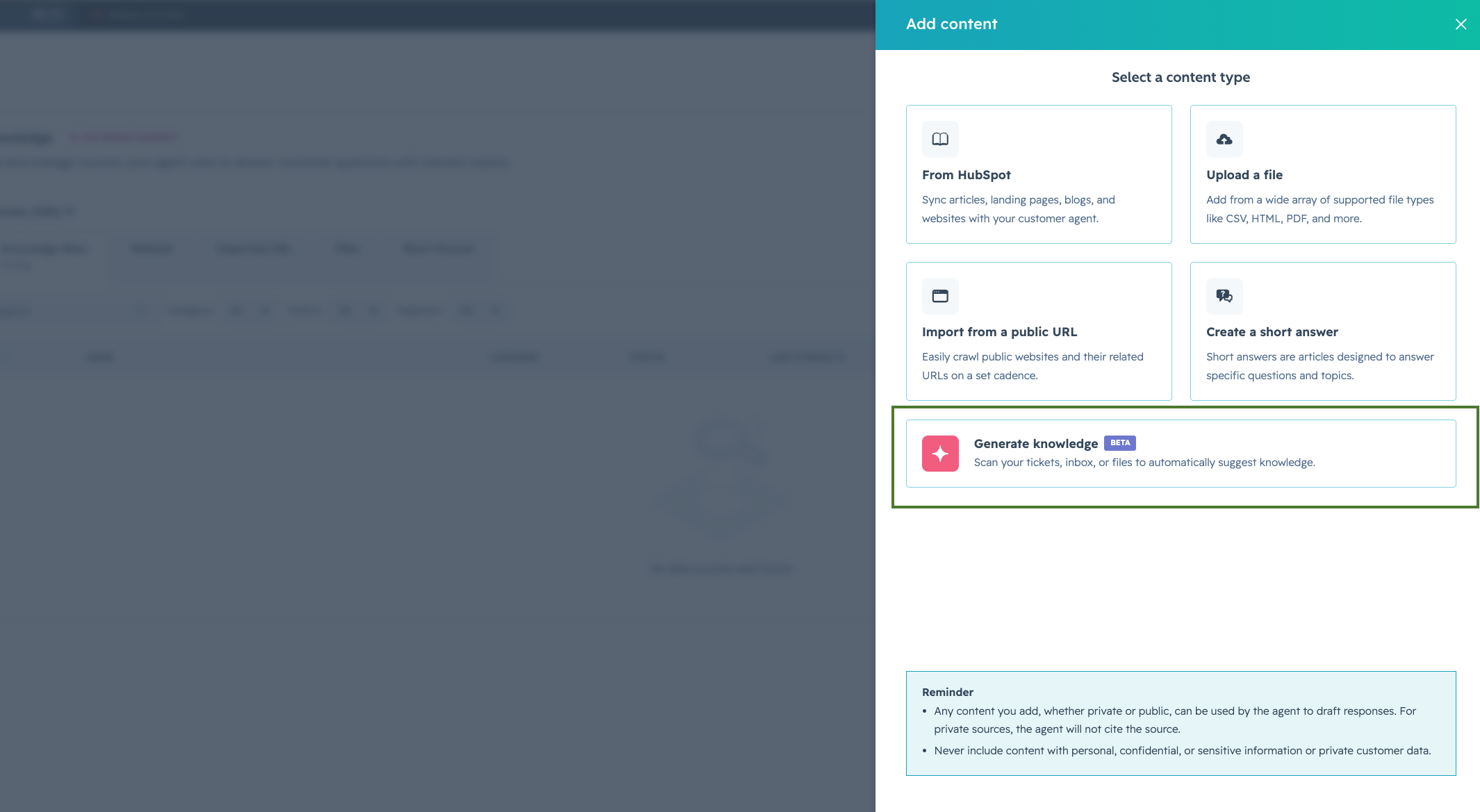
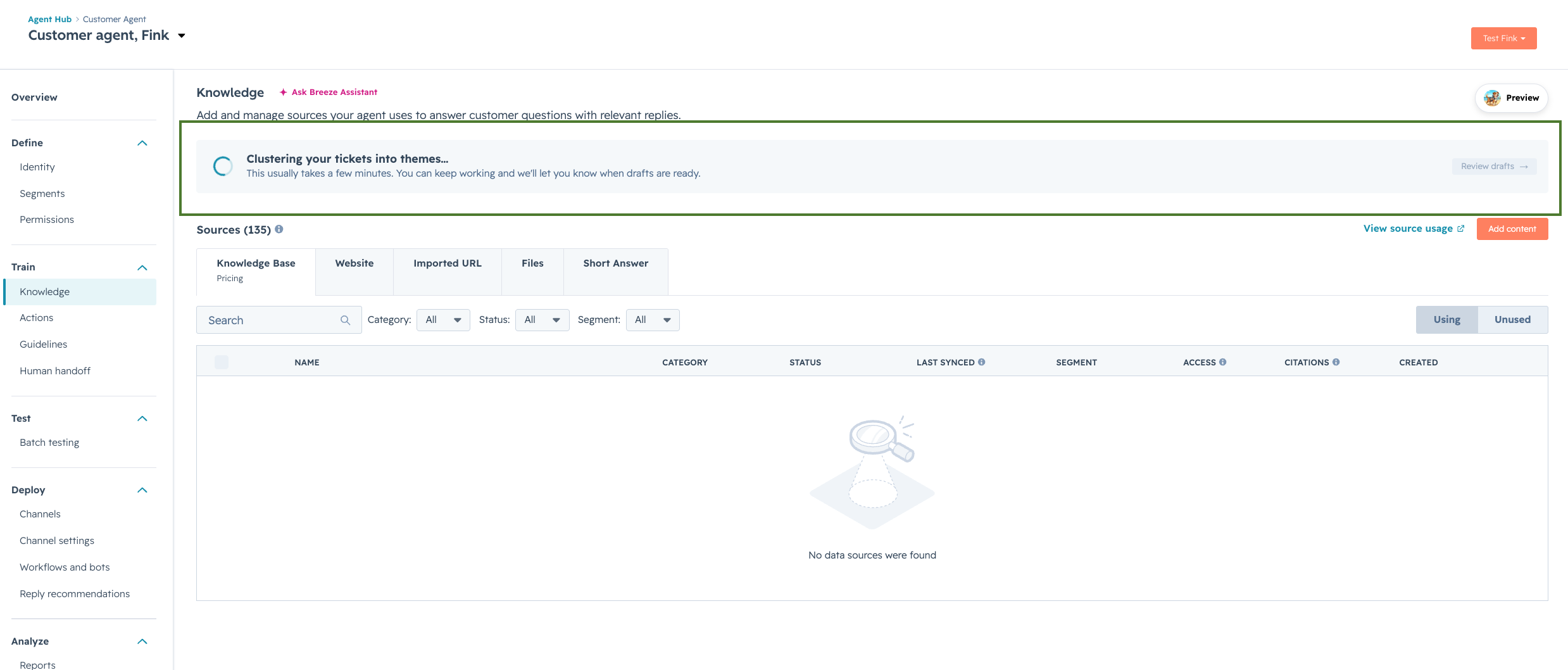
2. Let the engine cluster and generate: After you kick off the job, Customer Agent clusters tickets by topic and generates a short answer for each one. You'll be notified when it's complete, typically 5–10 minutes depending on your selected ticket volume. You can stay on the page or come back; results will be waiting.
Note: You can only run one generation job at a time.
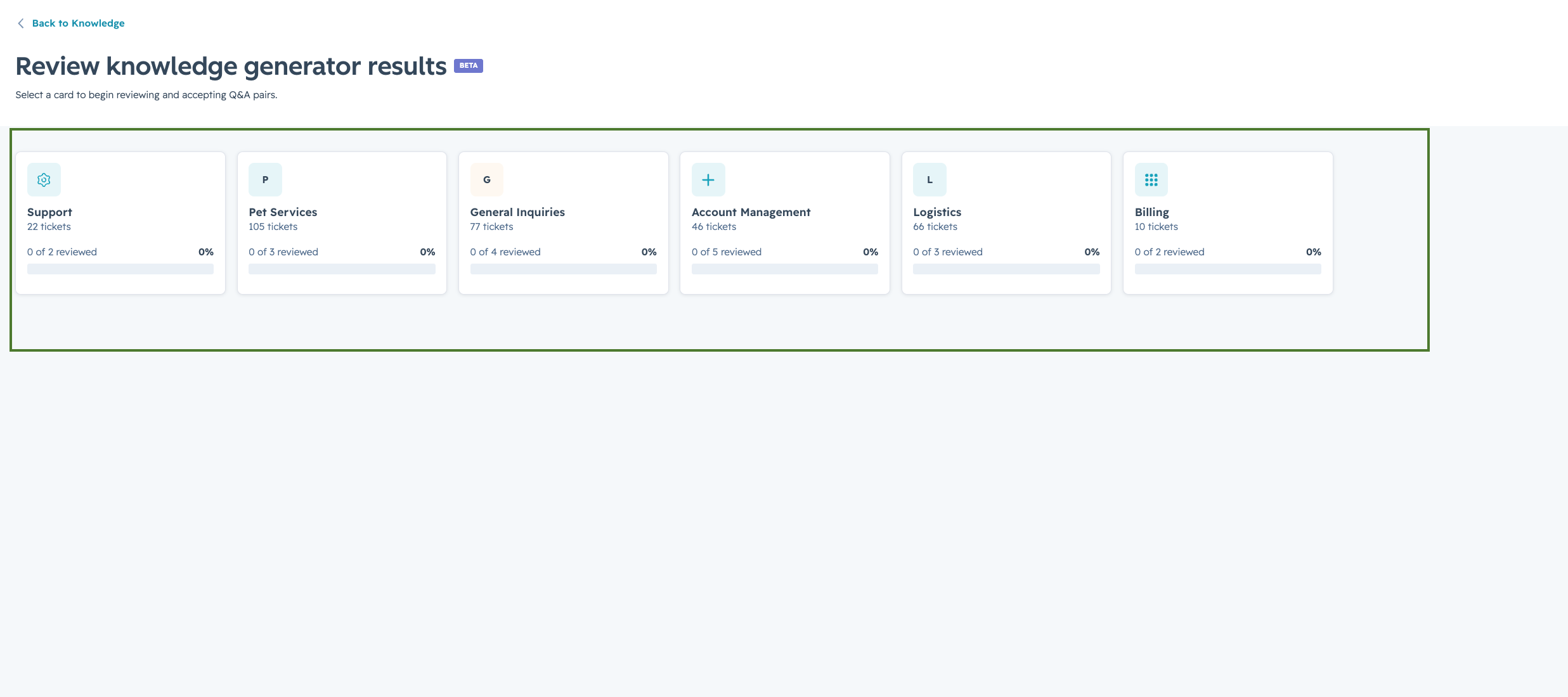
3. Review and import: Results are organized by theme. Accept, edit, or decline each Q&A pair individually. Approved items are imported as knowledge sources (as Markdown files) and go live immediately.
Who gets it?
Customer Agent is available for Marketing Hub Professional and Enterprise, Sales Hub Professional and Enterprise, Service Hub Professional and Enterprise, Content Hub Professional and Enterprise, Data Hub Professional and Enterprise, and HubSpot Smart CRM Professional and Enterprise.





.png?width=193&name=jos%20(1).png)




