Note
What is it?
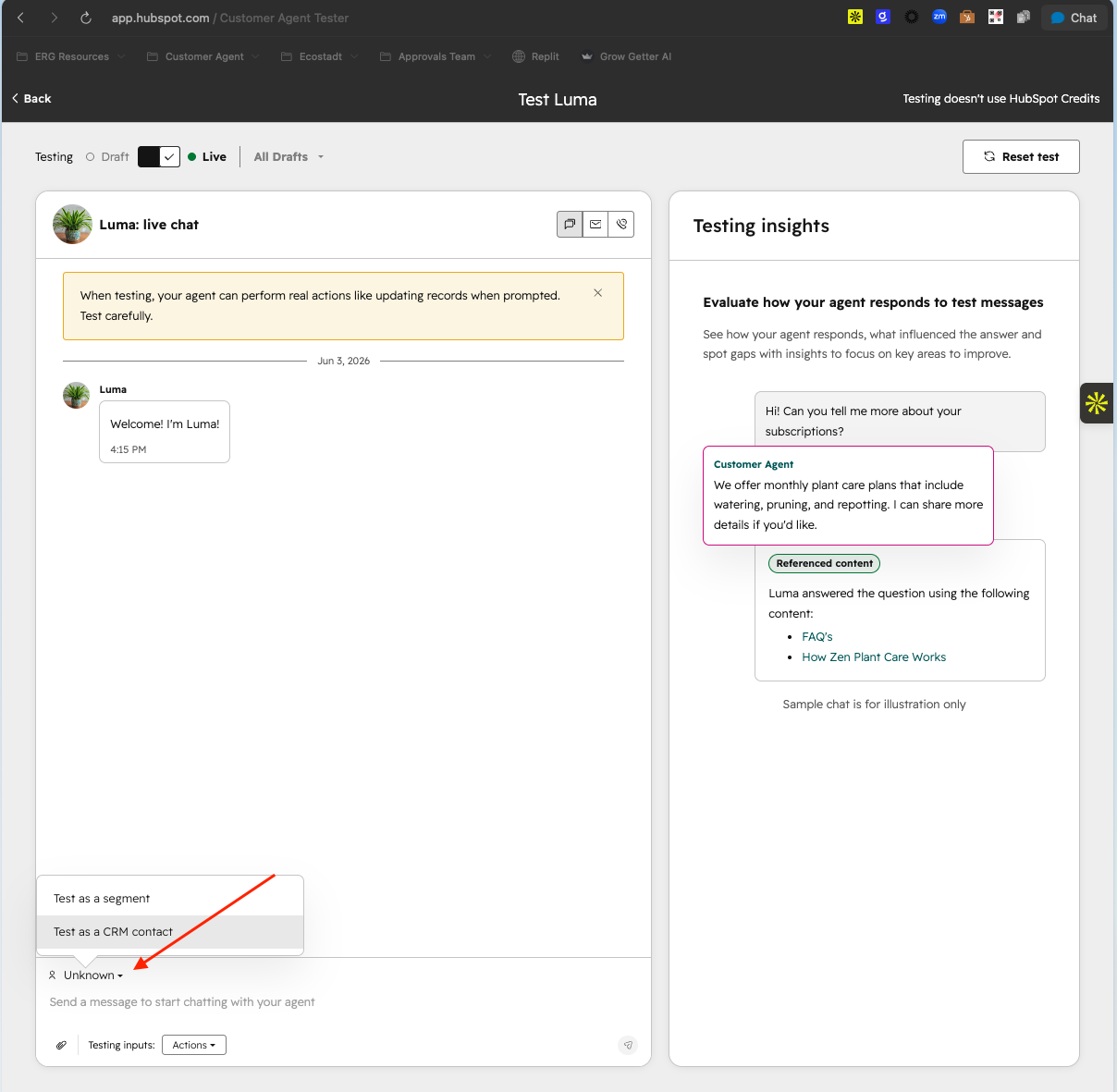
When you test your Customer Agent, each test session starts as a brand new, anonymous visitor which means the agent has no idea who it's talking to. Test as a Contact lets you run a test as a specific type of customer, so you can see exactly how your agent responds to real people with real CRM properties.
Why does it matter?
Most of your real customers aren't anonymous. They have a history with your business, properties in your CRM, and expectations shaped by who they are. But until now, every test started as a stranger. That gap means you could configure everything correctly and still miss issues that only show up when the agent knows who it's talking to.
Test as a Contact closes that gap:
- - Testing lead qualification? Run a test as a contact who matches your lead criteria and confirm your agent captures the right information without having to manually work around the fact that the tester starts fresh every time.
- - Testing audience segments? Select a contact whose properties (ex: Country = Sweden) match a segment, and verify the agent serves the right content and experience for that audience.
- - Don't have a real contact to test with? Manually set any contact properties to simulate any customer scenario.
- - Already done testing? Unlike anonymous test sessions that leave behind sample contacts cluttering your CRM, Test as a Contact gives you a clean, intentional testing setup you control.
How does it work?
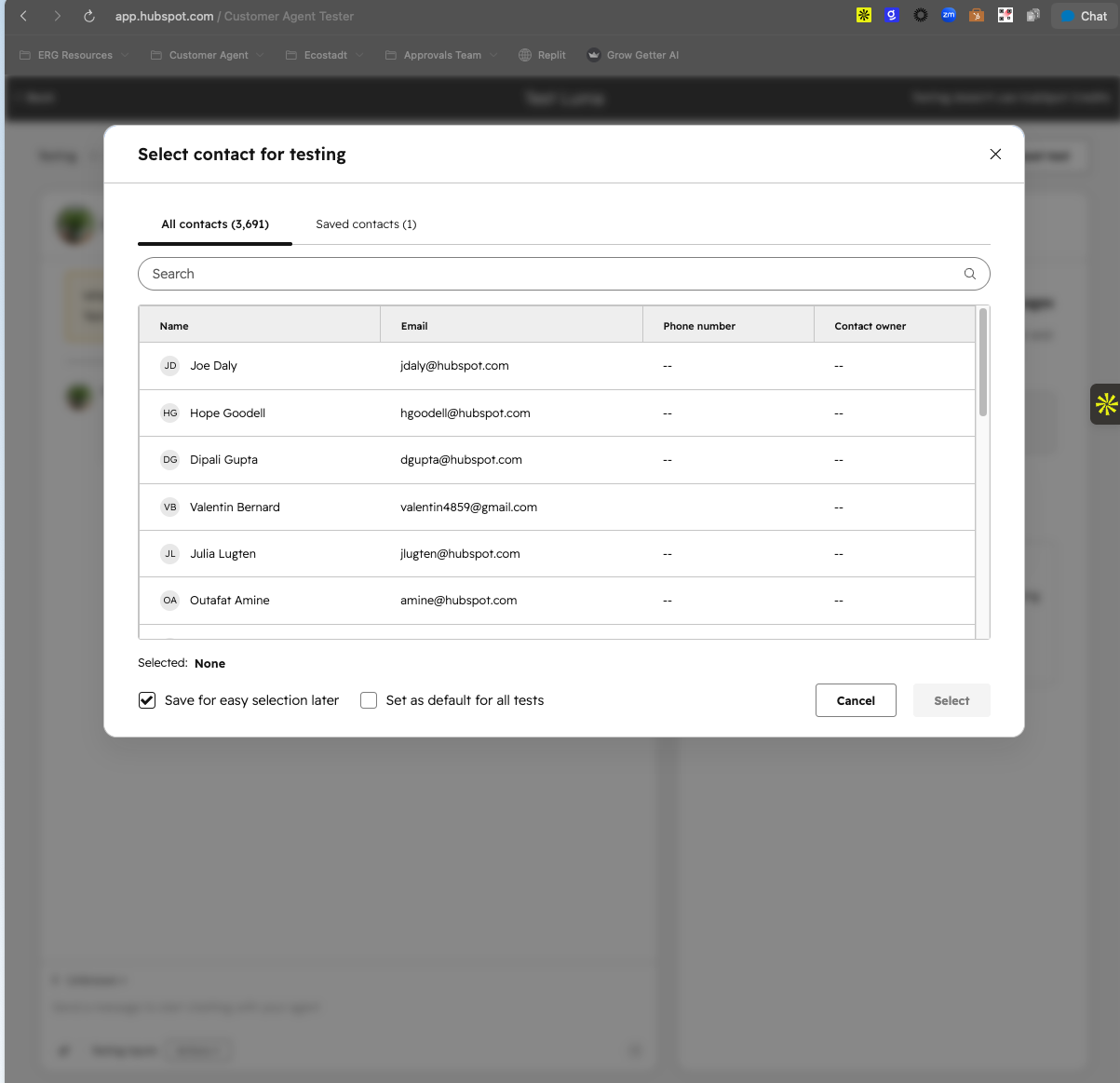
Before starting a test, you can configure a contact in the tester. You have two options:
- - Clone from an existing CRM contact - pick someone from your CRM and test against their actual properties, without affecting the real contact record.
- - Create a test contact from scratch - set the properties you want to simulate (name, email, location, etc.) and run your test.
Once configured, your Customer Agent will treat the test session as if that contact started the conversation, resolving them as a known visitor and applying any relevant segment rules, personalization logic, or lead qualification flows.
Who gets it?
Service Hub Professional, Sales Hub Enterprise, Sales Hub Professional, Marketing Hub Professional, Data Hub Enterprise, Smart CRM Professional, Smart CRM Enterprise, Data Hub Professional, Content Hub Enterprise, HubSpot Credits, Marketing Hub Enterprise, Content Hub Professional, Service Hub Enterprise





.png?width=193&name=jos%20(1).png)




