What is it?
You can now customize the columns included in the duplicate management table.
Why does it matter?
Different users will have different properties they want to reference when considering whether or not a duplicate surfaced by the duplicate management tool should be merged together. Today we simply surface the display name information for the two records. If you want to analyze more granular information, you’d need to click to review an individual pair of potential duplicates.
With the ability to add custom columns on the duplicate management table itself, you can quickly determine at a glance whether or not you want to merge records, or if you want to review further.
How does it work?
On the duplicate management table, you’ll now see that your duplicate pairs are now stacked on top of each other. Clicking the overflow menu on the column, you’ll see the option to either add or remove a column – allowing you to review additional properties as you're considering whether or not to merge these records together.
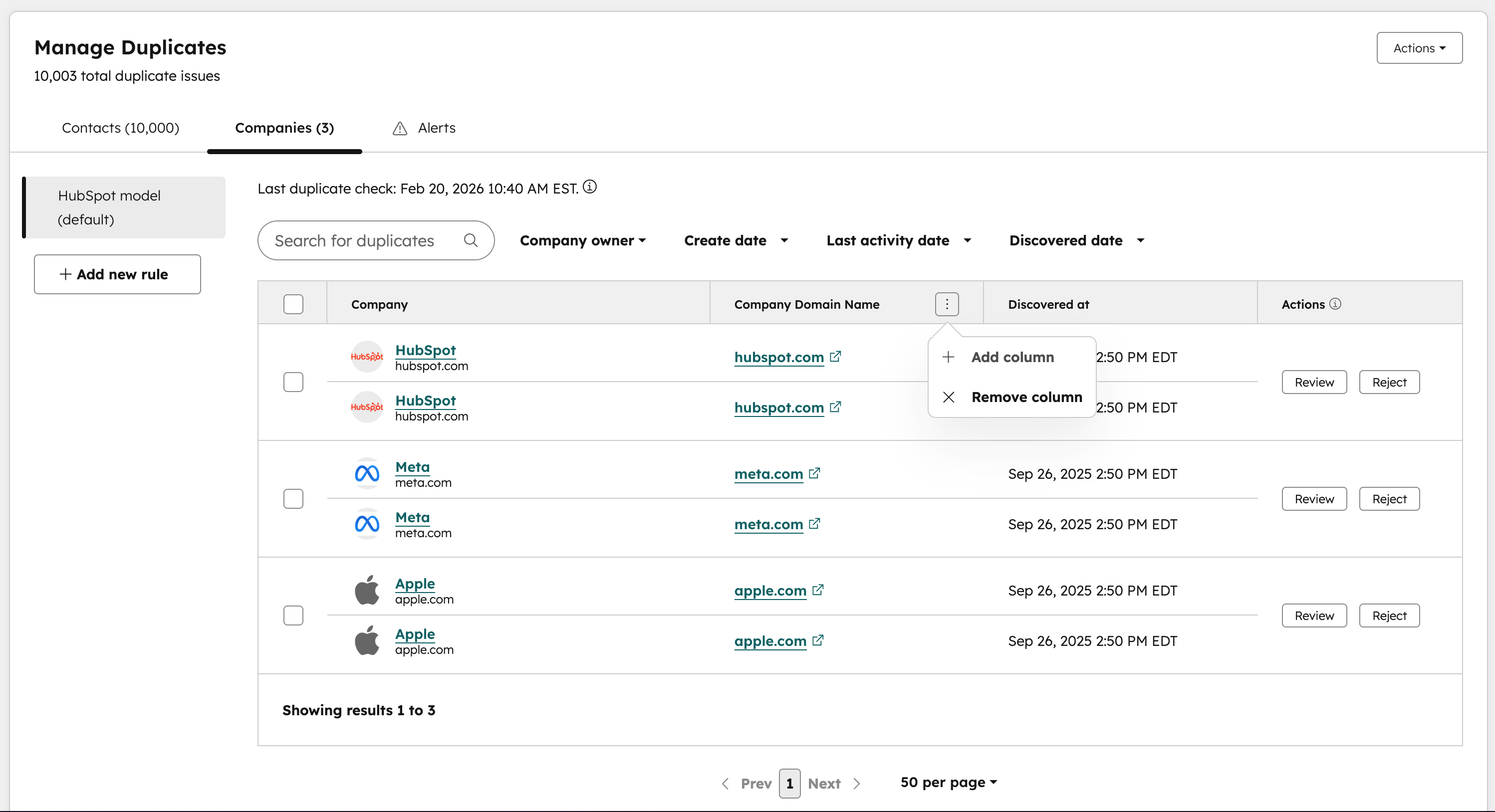
You have the option to add or remove custom columns to the manage duplicates table for either the default HubSpot model rule, or for custom rules (currently in beta).
Who gets it?
Commerce Hub Professional, Commerce Hub Enterprise, Content Hub Professional, Content Hub Enterprise, Marketing Hub Professional, Marketing Hub Enterprise, Data Hub Professional, Data Hub Enterprise, Sales Hub Professional, Sales Hub Enterprise, Service Hub Professional, Service Hub Enterprise, Smart CRM Professional, Smart CRM Enterprise





.png?width=193&name=jos%20(1).png)




