What is it?
Dashboards now feature sections! Create, rename, delete, and reorder sections, and move widgets within or across sections directly from the Dashboard canvas.
Why does it matter?
Dashboards often end up as a flat list of Reports, notes, and other content with no way to group related data or reflect the way your team actually works.
Sections let you structure Dashboards for business reviews, team presentations, or recurring reporting workflows without needing workarounds like note widgets or exports.
How does it work?
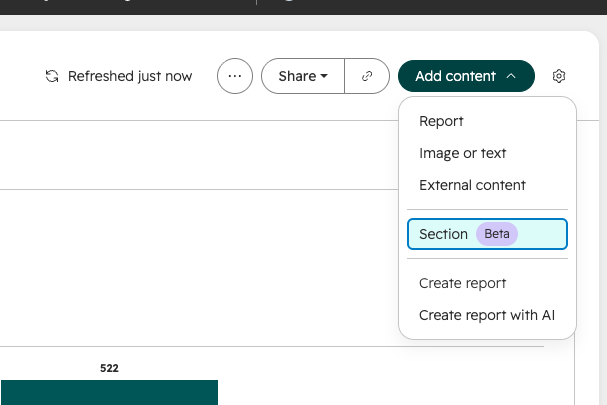
Visit the dashboard you'd like to edit and use the 'Section' action in the Add Content menu.
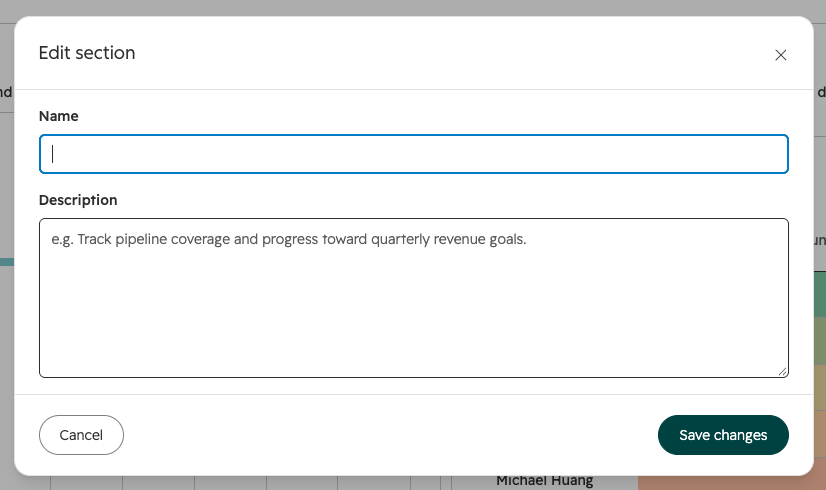
Add a name and an optional description to create your section.
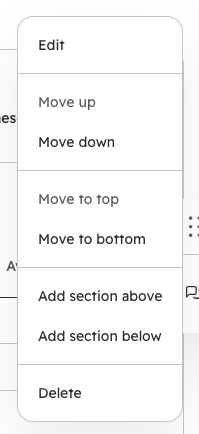
Editing and moving Sections
Select the triple-dot menu to edit your section name or description, as well as move, create new, or delete your current sections.
Sections can additionally be moved by clicking and dragging in both their open and closed states. Pro tip, collapsing sections can make it way easier to move them around!
Who gets it?
All hubs and tiers.