Note
What is it?
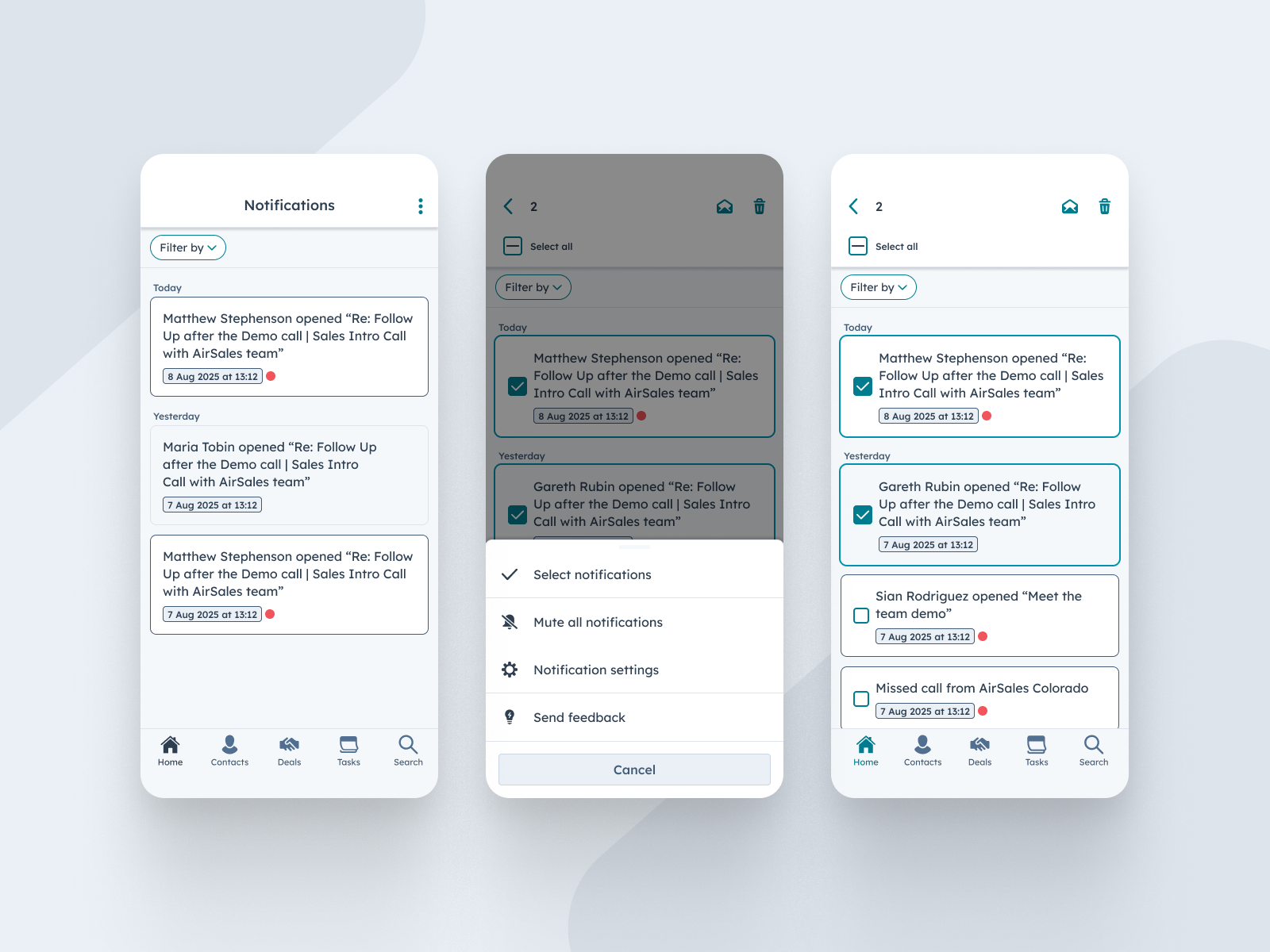
HubSpot mobile users can now manage their mobile notifications in the Notification Centre more efficiently by selecting one or multiple notifications to either mark as read or delete them in bulk.
Why does it matter?
Staying on top of notifications is crucial for mobile sales reps who rely on timely updates to move deals forward. With this update, reps gain greater control over their notification center, allowing them to quickly clear clutter and focus on the alerts that matter most. More control means more efficiency and less distraction while on the go.
How does it work?
From the notification center in the HubSpot mobile app, users can tap to select individual notifications or use the "Select All" option. Once selected, they can choose to either mark them as read or delete them entirely with a single tap. This streamlined workflow reduces time spent managing notifications and helps maintain a clean and actionable feed.
Who gets it?
This feature is available to all hubs and tiers on both iOS and Android platforms. Make sure to download the latest version of the HubSpot mobile app from the Apple App Store or Google Play to start managing your notifications with ease.





.png?width=193&name=jos%20(1).png)




