What’s changed?
Currently only available for Marketing Hub Enterprise
What is it?
You can now click and drilldown into Lead Scoring thresholds to see which contacts, companies, and deals fall there - then instantly act on them to use in Segments, Workflows, and Views.
Why does it matter?
Before: Lead Scoring thresholds only showed the number of leads in their levels and you had to use workarounds to view the drilldown.
Now: You can click, view, and action on the leads falling in each threshold within the Lead Scoring app, making it easier and faster to engage with leads across a distribution fit and engagement.
How does it work?
Check out this quick 🎥 video demo to learn more!
Steps:
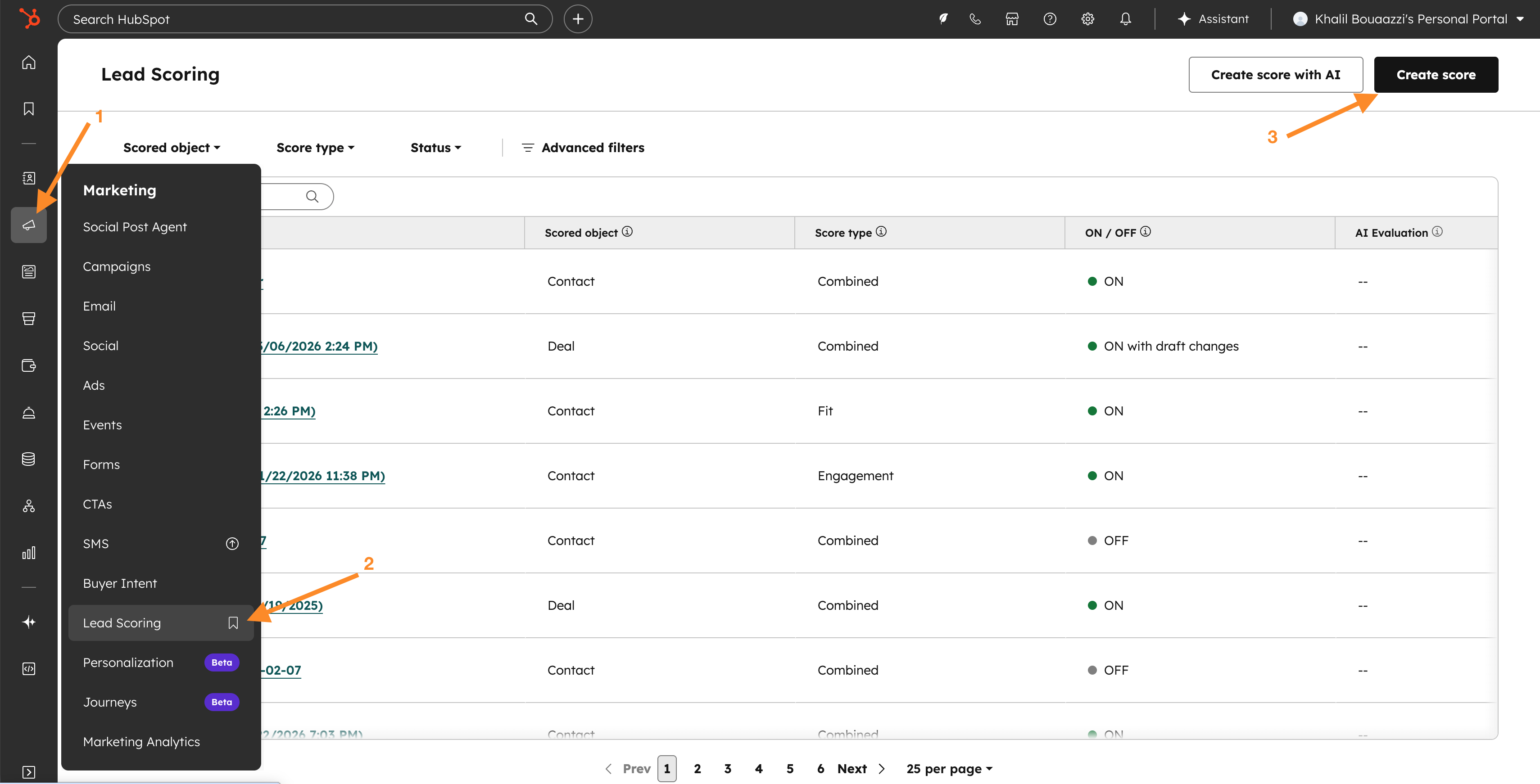
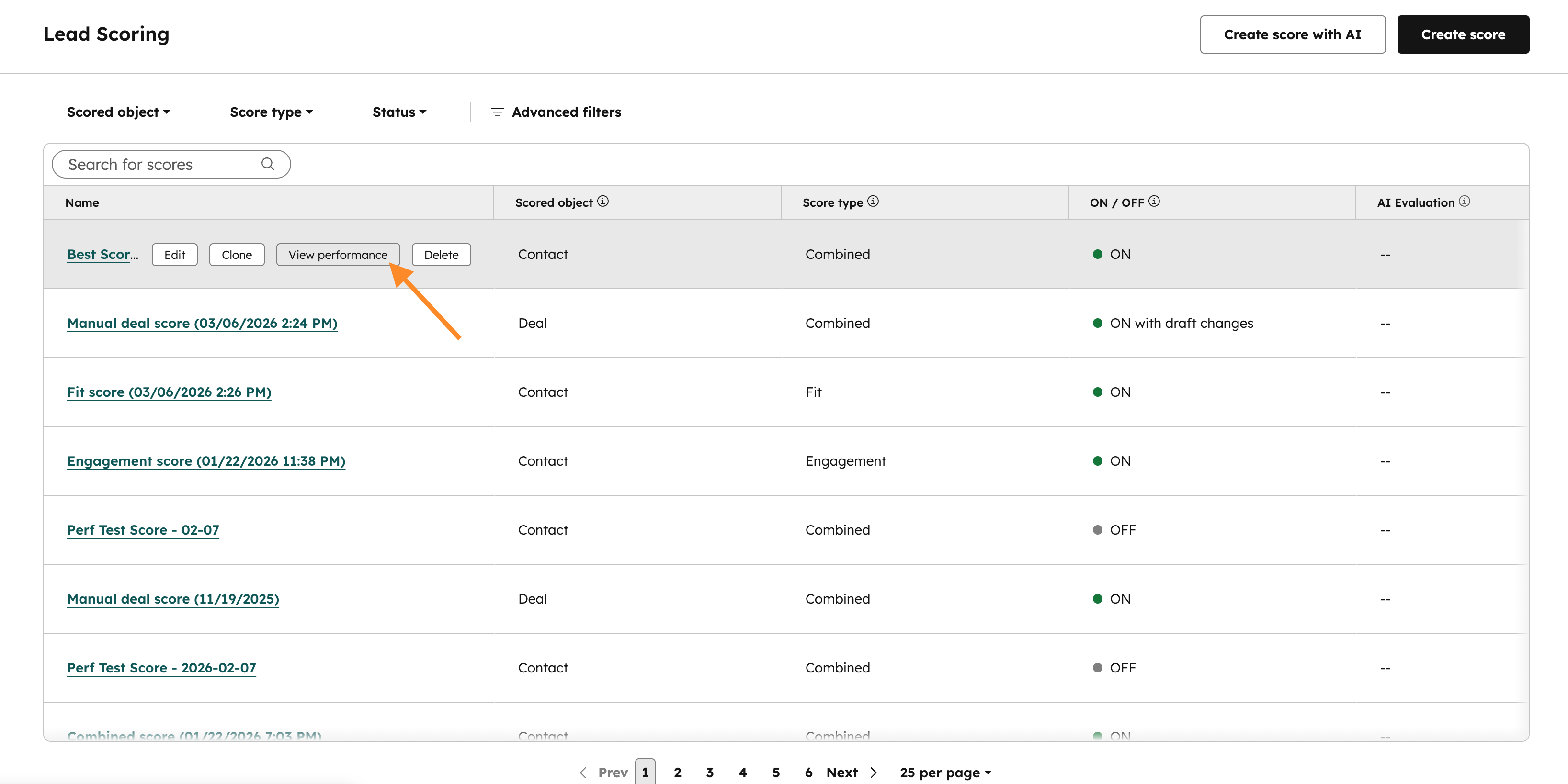
- Navigate to Lead Scoring: In the Global Navigation Bar on the left, go to Marketing > Lead Scoring. Once in the Lead Scoring app, either create a new score by clicking "Create score" or click "View performance" next to an existing turned on score.
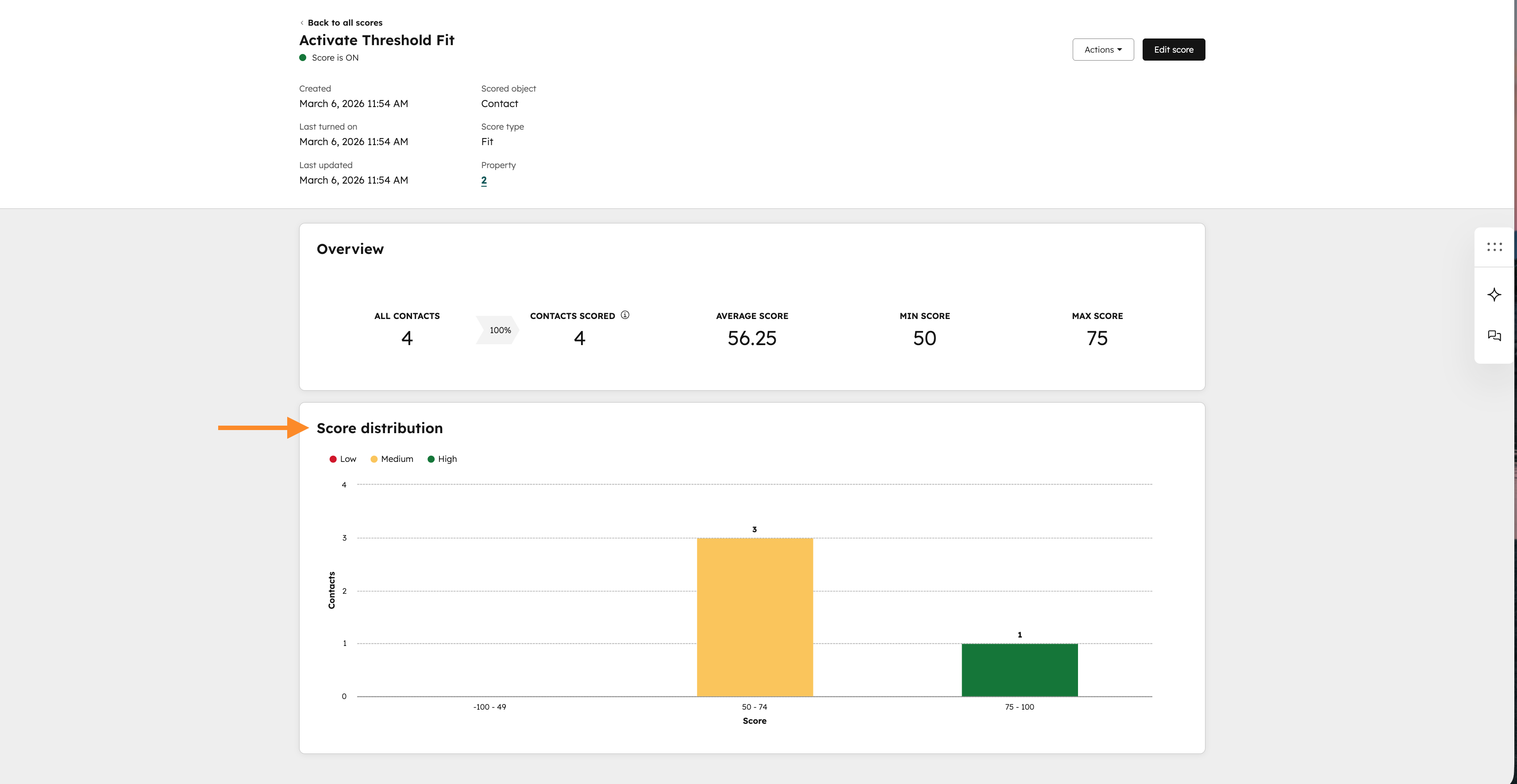
- Performance Page of turned on score: After turning on a new lead score or visiting the Performance page of an existing score, scroll down to “Score distribution” where there is either a 9-box or 3-bar colored graph.
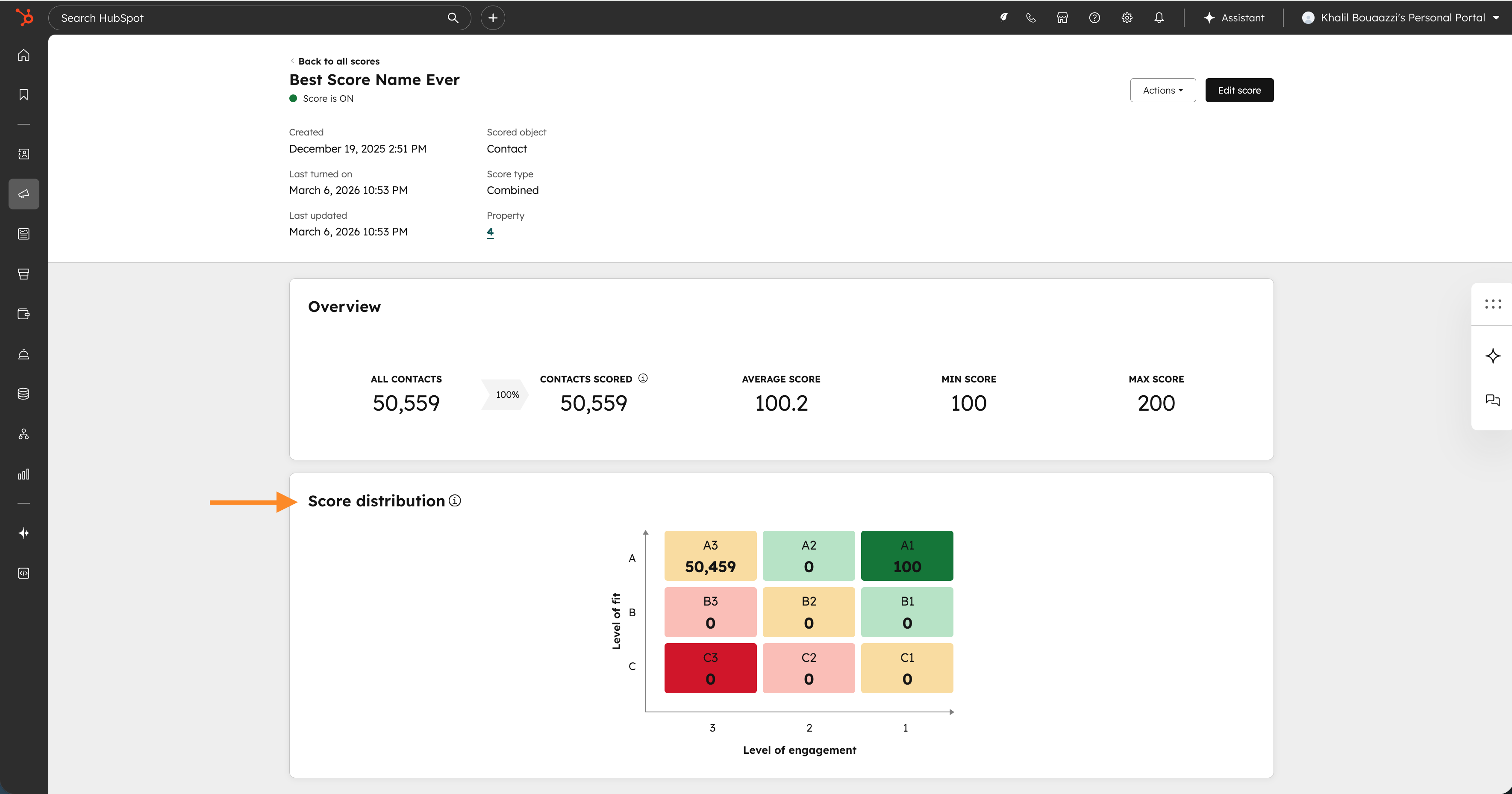
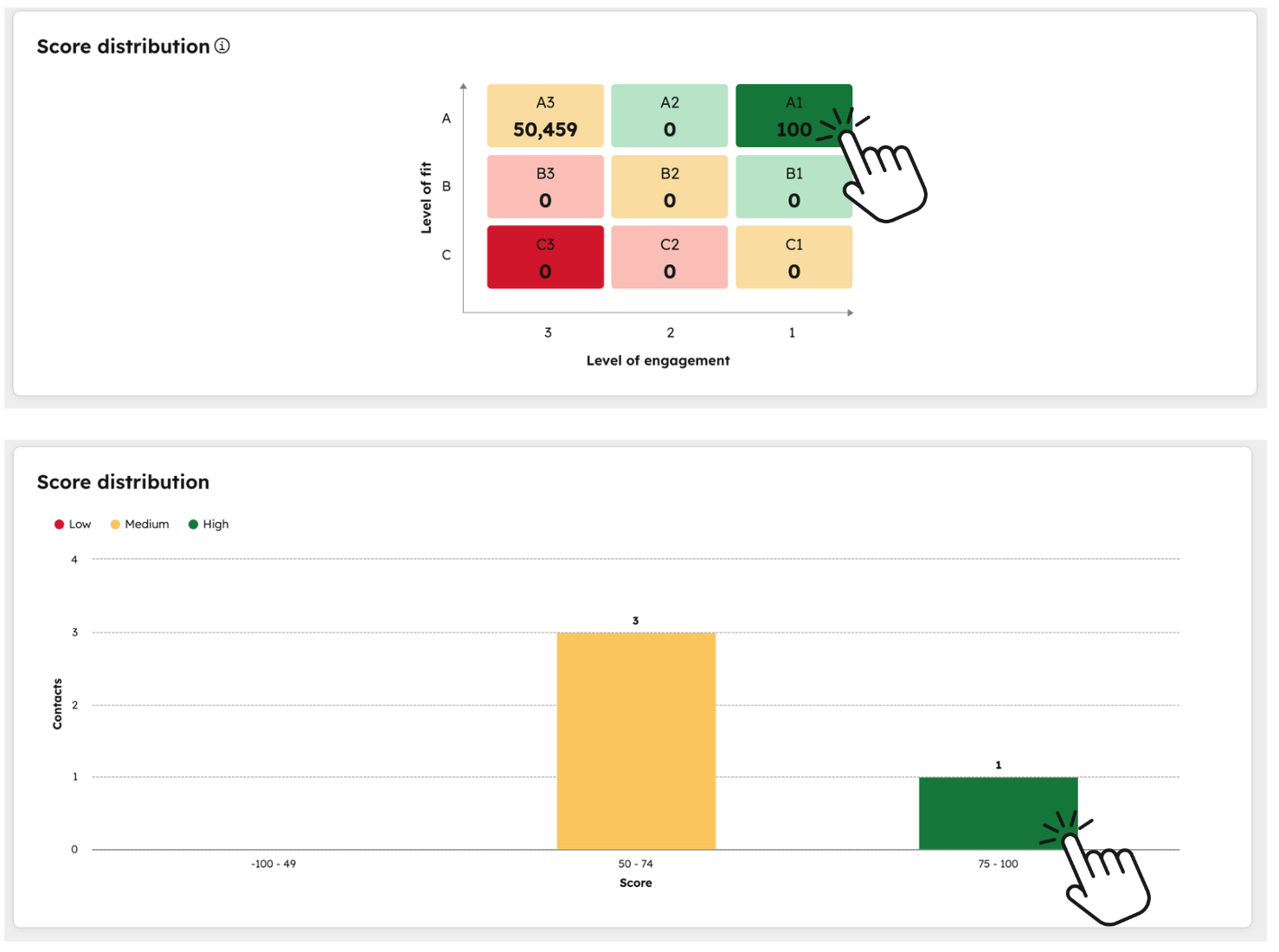
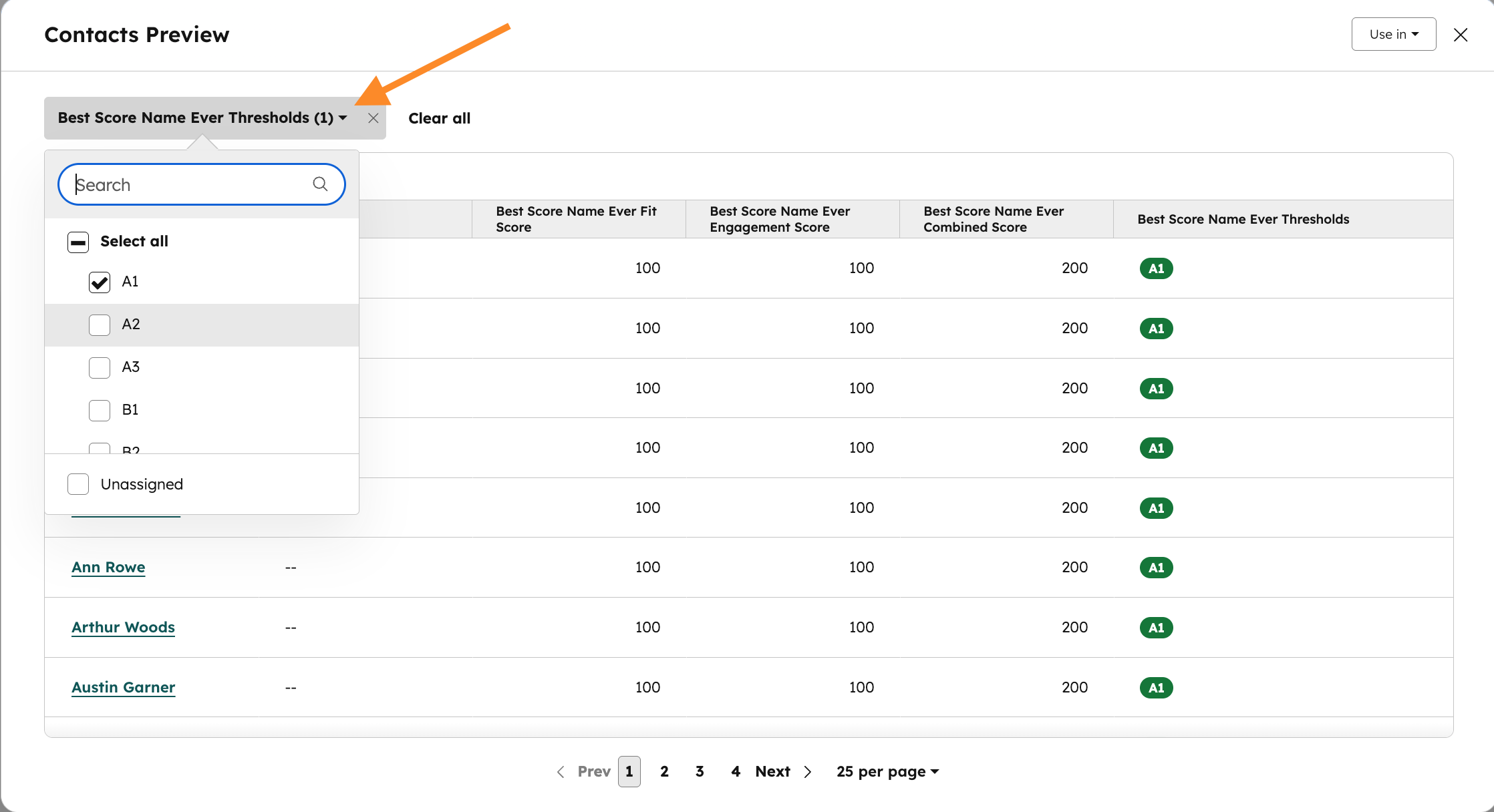
- Clickable threshold: Once all your contacts have been scored (refresh the page if it’s a new score), click any threshold box or bar to drilldown. Within the preview module, you can add additional thresholds to the threshold filter and sort by the column properties.
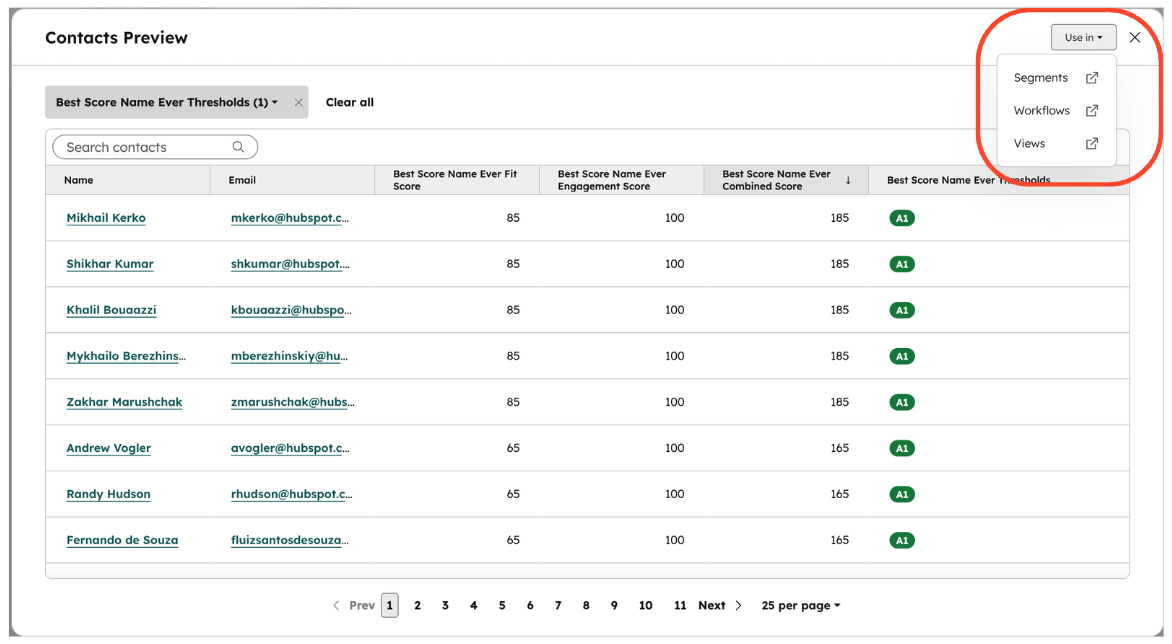
- Use in: After selecting the desired thresholds you’d like to action on, click “Use in” and select Segments, Workflows, or Views. A new window will open with the score threshold already selected as the filter for these apps.
Who gets it?
Marketing Hub Enterprise





.png?width=193&name=jos%20(1).png)




