What is it?
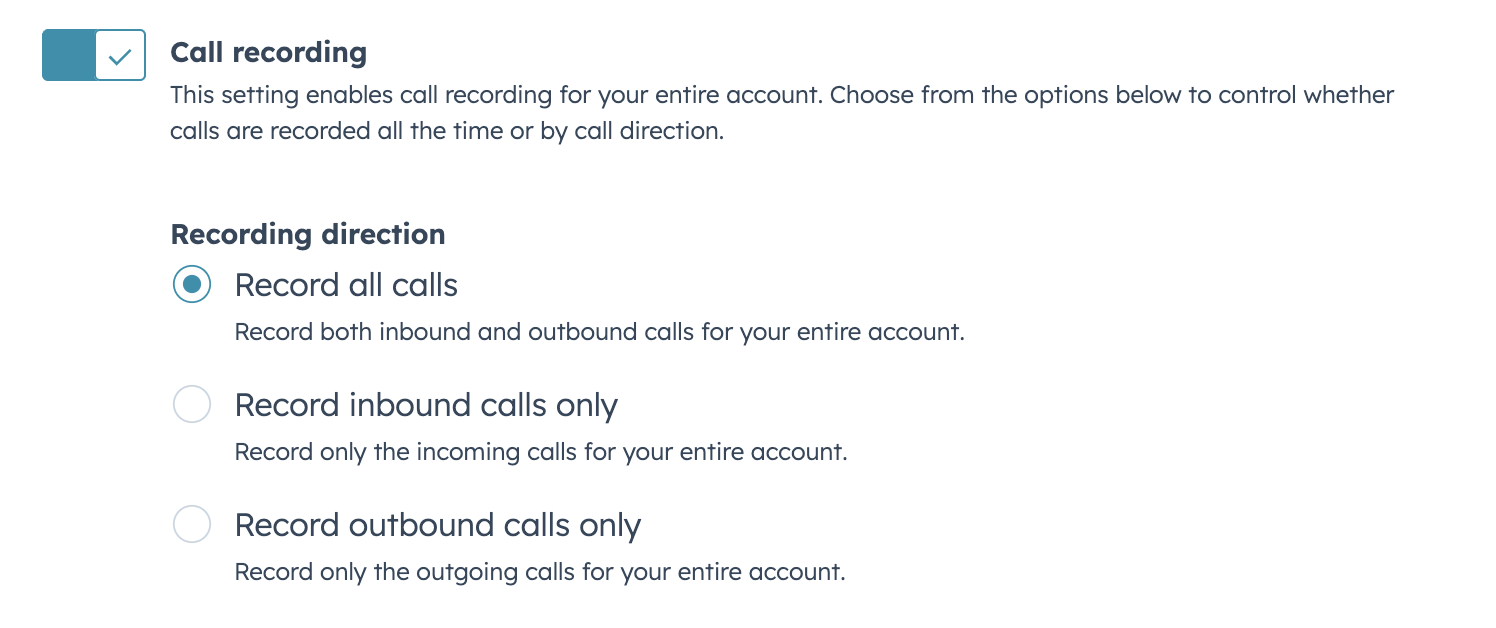
You can now choose to record calls based on the call direction, either inbound or outbound.
Why does it matter?
Call recording often requires compliance with specific regulations. This feature allows you to selectively record calls, helping you adhere to legal requirements while still capturing important conversations. For example, you can choose to record only inbound support calls for quality assurance, or limit recording to outbound sales calls for training purposes.
How does it work?
To configure call recording settings:
- Go to Settings > Call Setup > Call Configurations tab
- Locate the call recording options (enabled by default for new HubSpot accounts)
- Choose to record all calls, or select only inbound or outbound calls
Who gets it?
This feature is available for HubSpot Customer Platform Starter, Professional, and Enterprise; HubSpot Sales Hub Starter, Professional, and Enterprise; and HubSpot Service Hub Starter, Professional, and Enterprise.





.png?width=193&name=jos%20(1).png)




