What is it?
Customer Agent can now find and send invoices directly inside a conversation. When a customer asks about a past or upcoming invoice, including what they're being charged for or how to pay it, the agent will query the right invoice, explain what's on it, and send a copy — along with its secure checkout — in the same chat, email, or WhatsApp thread.
Why does it matter?
Invoice lookup and explanation are two of the most common requests handled by billing teams, and they rarely need a human unless there's a discrepancy. Letting Customer Agent resolve them directly gives your team back the hours they spend on invoice triage and gives your customers an immediate, in-channel response instead of waiting for a support ticket. Because the agent can also share the checkout link alongside the invoice, it closes the gap between explaining the invoice and the customer paying it.
How does it work?
Watch demo here!
The Find Invoices action lives alongside your other actions in Customer Agent. The action can be enabled from the Actions library by selecting "Add action" or "View all actions". There's no per-invoice setup, and it's available by default for any account with HubSpot-originated invoices.
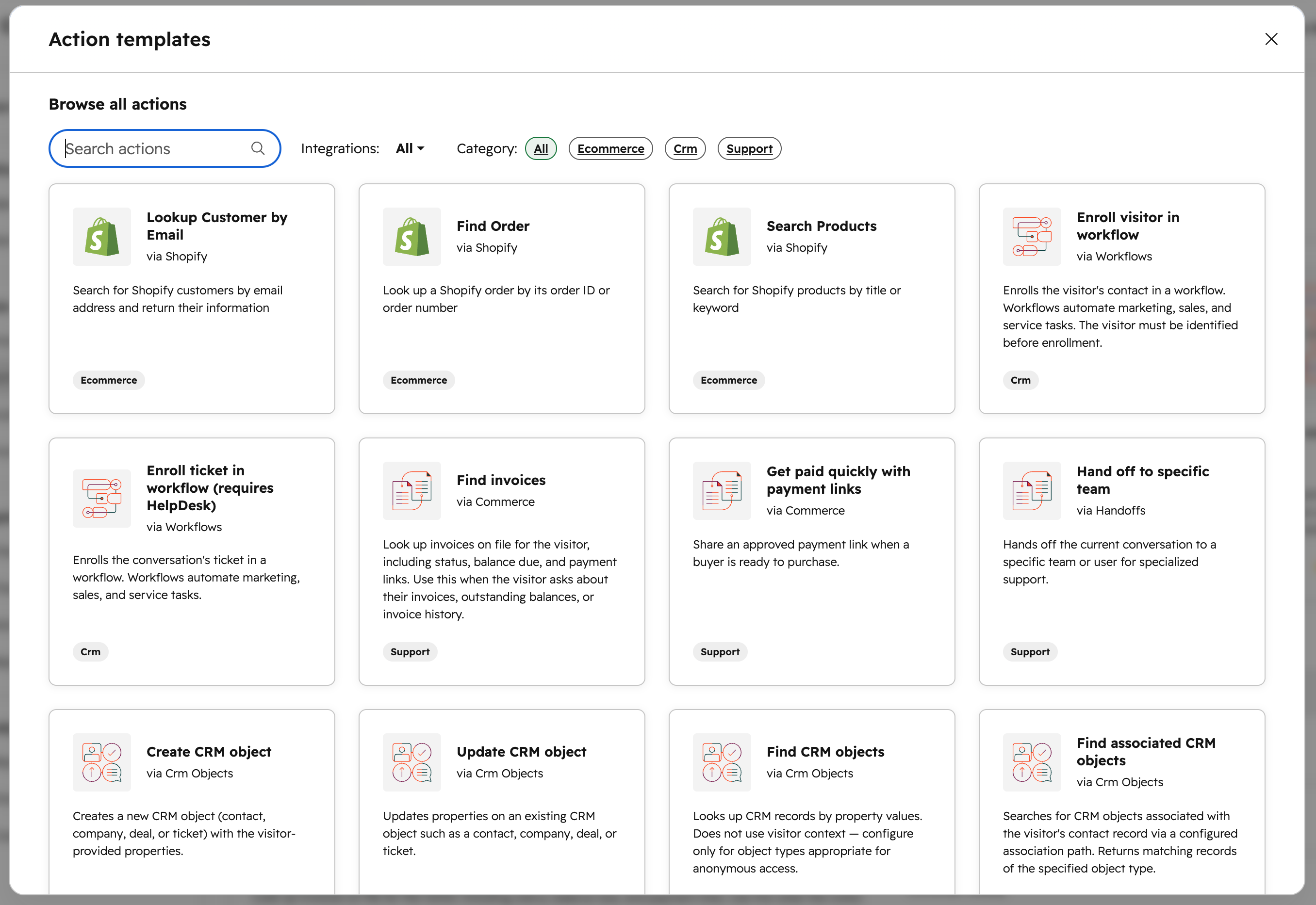
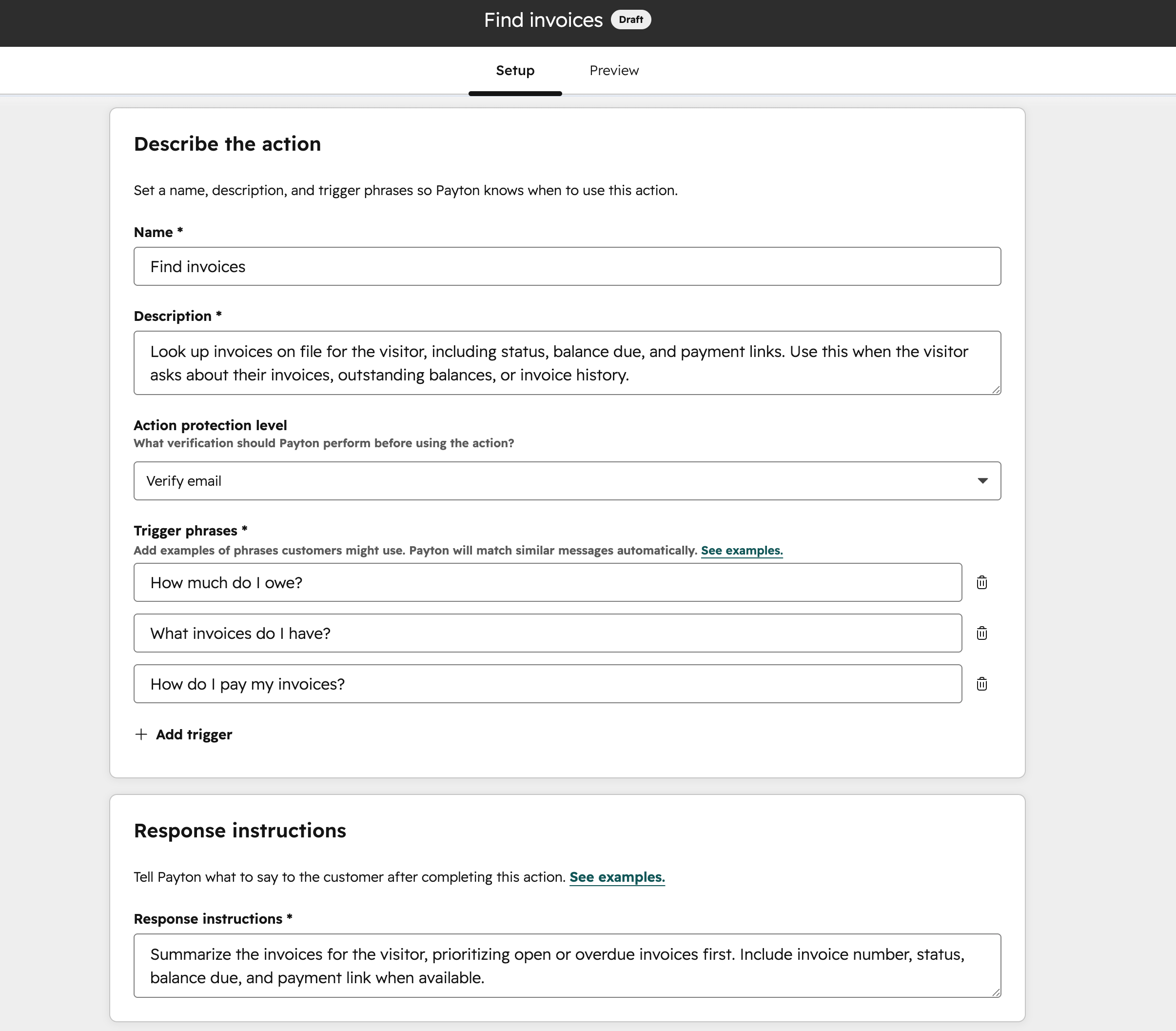
You can edit the action name and description to suit your internal naming conventions. You can also edit and add up to five trigger phrases. These trigger phrases are used to match customer inquiries to execute. You can also edit the response instructions to control how the agent responds.
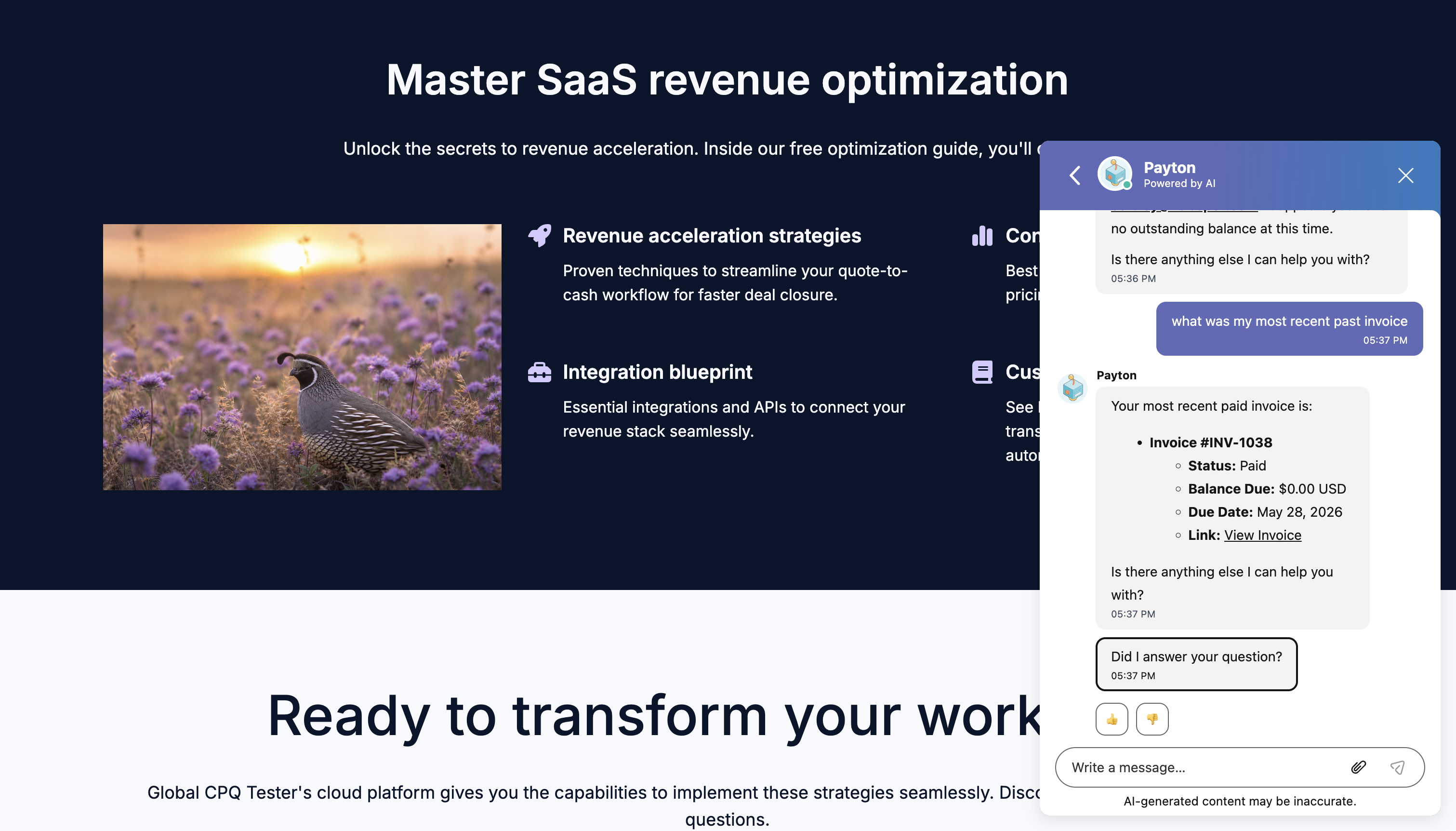
When a customer asks about an invoice in a Customer Agent conversation, the agent will:
- - Look up invoices associated with that customer — by invoice number if they reference one, or by parameters such as recency or open balance
- - Explain the invoice in plain language, including what the charge is for, when it's due, and what's still owed if the invoice is open, with line-item detail where available.
- - Send a copy of the invoice to the customer through the conversation, regardless of channel
- - Invoices include the secure checkout link so the customer can pay without leaving the conversation
Security: Invoice inquiries require email verification. The agent only shares invoice details after authentication through email verification, and only provides invoices associated with that email. The agent never changes the contents of an invoice — it can look up, explain, and resend, but can't modify amounts, line items, or invoice status.
Who gets it?
All hubs and tiers





.png?width=193&name=jos%20(1).png)




