Note
What is it?
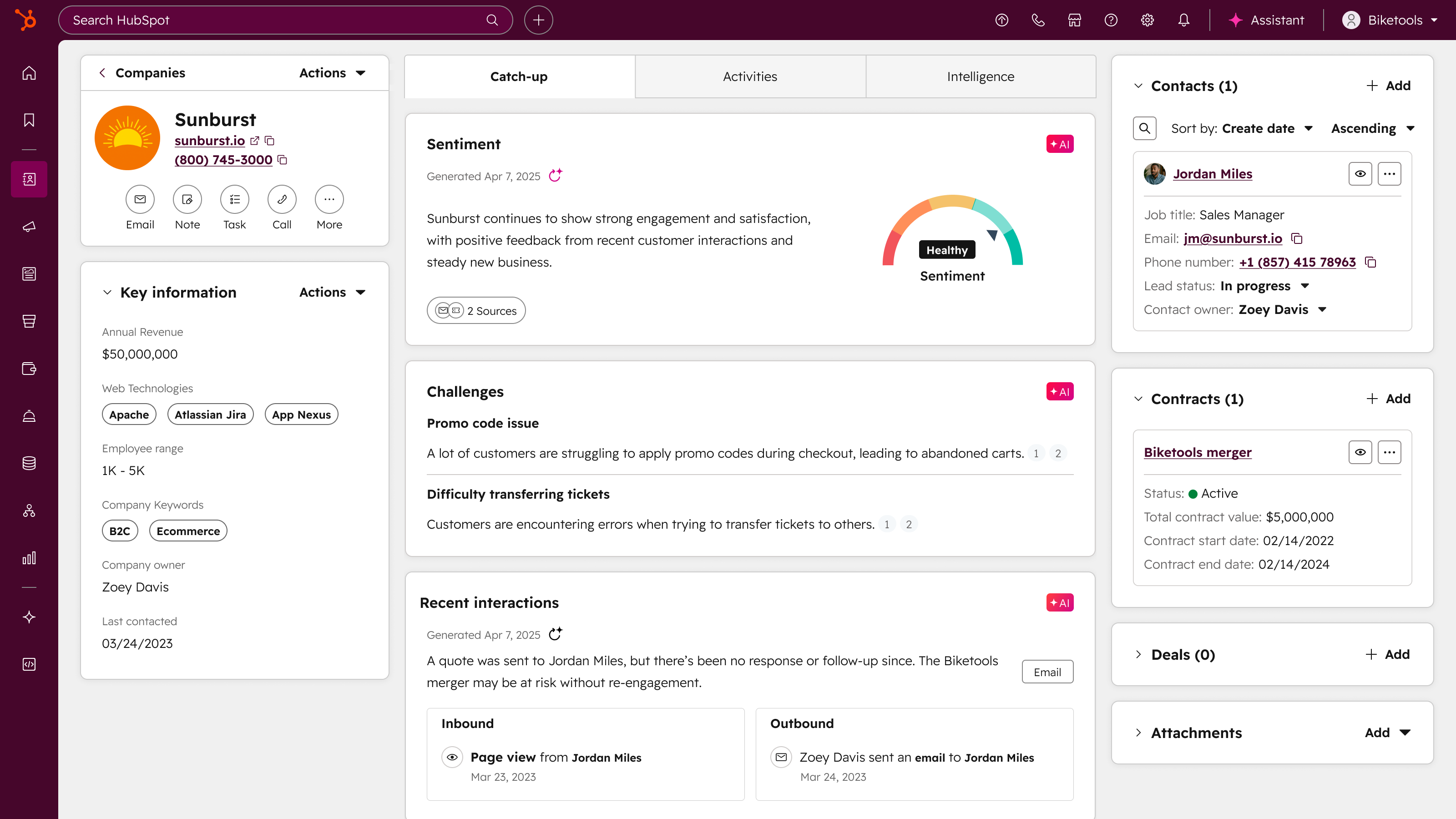
Starting on March 23rd, Contact and Company records will have redesigned default views with a new layout that includes the following:
- New default tabs:
- Catch-up with new Smart CRM cards, powered by Breeze, providing intelligent summaries and insights. These cards surface critical information, flag potential issues, and suggest actionable next steps to help you quickly understand what's happening with each record.
- About for strategic context, Activities for a unified timeline, and Revenue for financial data.
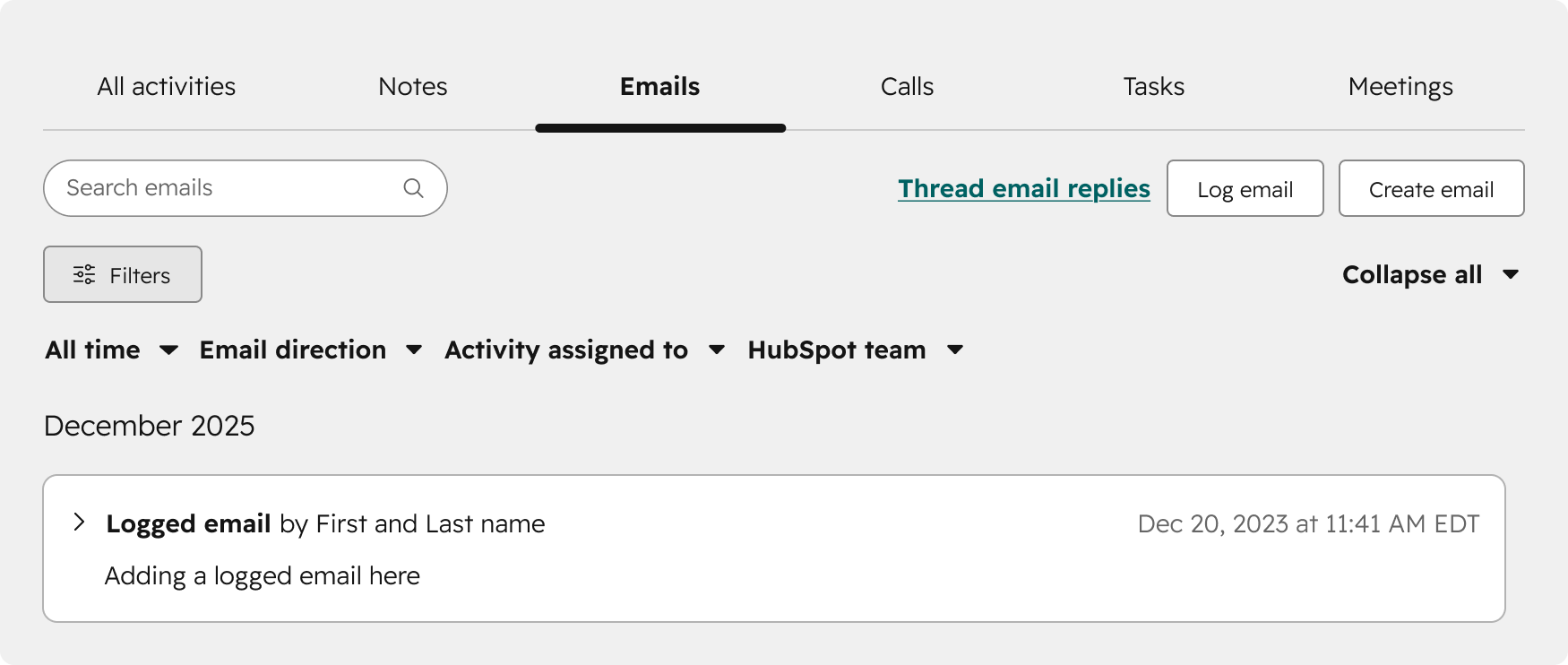
- Improved CRM record timeline (available across all CRM objects): Powerful new filtering options and a dedicated overdue tasks section help you quickly surface the right activities and stay on top of what needs action.
- New customization options: Sections will be available in the middle column where cards can be collapsed, repositioned side-by-side, or organized into custom sections.
New filters will appear here:
Why does it matter?
We’re introducing a redesigned record layout that reduces clutter and highlights the most important information, so your team can find what they need faster. Smart CRM cards will provide early alerts and clear next steps to help you stay ahead of potential issues. We’re also enhancing the activity timeline to make it faster, more intuitive, and more powerful—so your team can work with greater clarity and efficiency.
How does it work?
Starting on March 23rd, you will be able to reset your record layout to the new default view:
- In your HubSpot account, click the Settings icon in the top navigation bar
- In the left sidebar, navigate to Objects > Contacts (or Companies; etc.)
- Click the Record Customization tab
- In the Default view row, click the three dots icon and select Reset default view
- In the dialog box, click Reset view
Please note: once you reset a customized view to the system defaults, you cannot undo this action.
Who gets it?
All Professional and Enterprise subscriptions





.png?width=193&name=jos%20(1).png)




