What is it?
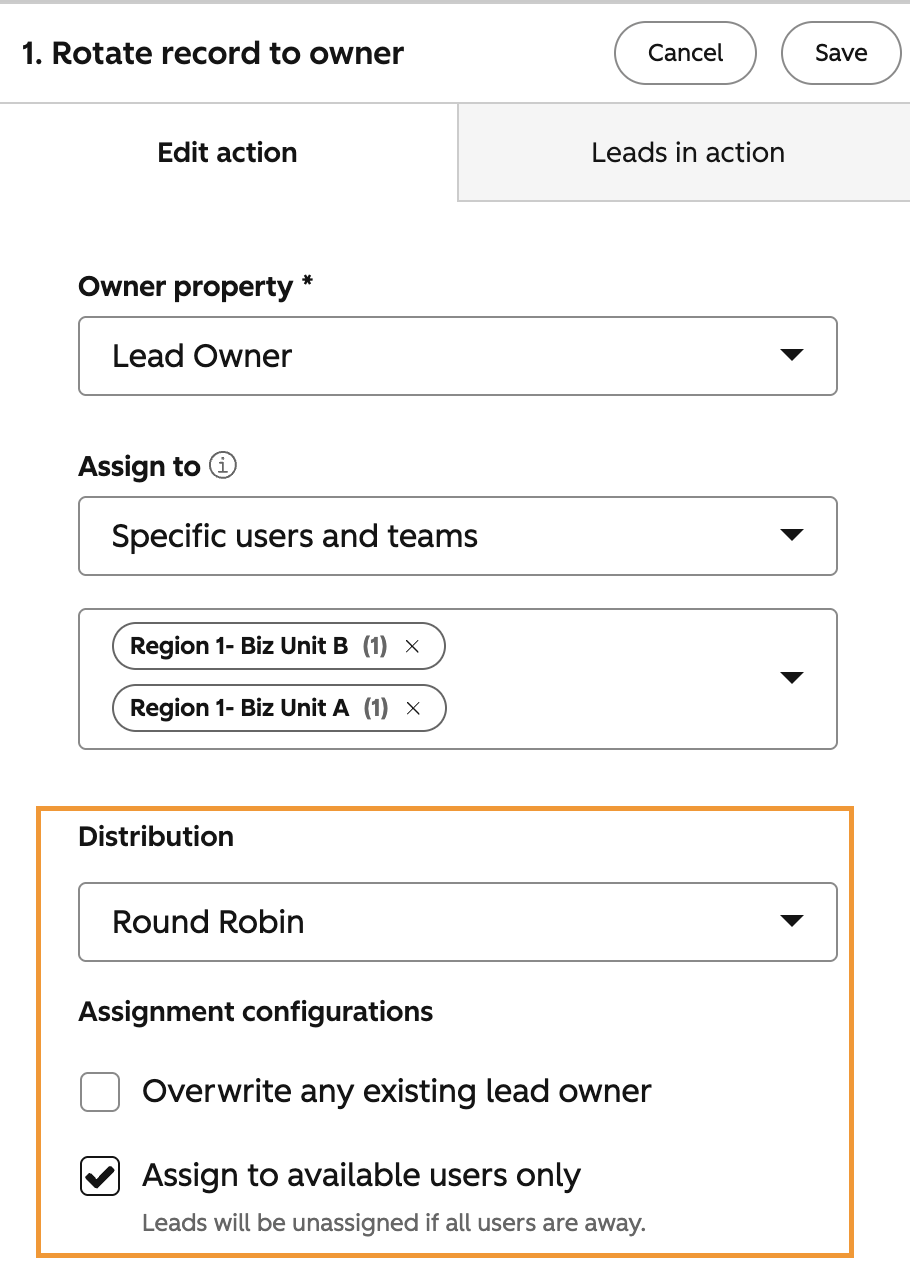
When using the Rotate record to owner action in a lead-based workflow, you can now choose a distribution model (Round Robin, Balanced, or Random), as well as configure user availability for lead assignment.
Why does it matter?
Assigning leads fairly and strategically is critical for sales teams. Until now, the Rotate record to owner action for the Leads object didn't support the same distribution controls already available for other objects. Without these options, teams had to work around using manual processes, custom-coded actions, or third-party tools. Now you can easily automate it.
You can:
- - Distribute incoming leads evenly across your team using Round Robin
- - Route leads to the rep with the lightest current load using Balanced distribution
- - Assign leads unpredictably using Random distribution
- - Automatically skip users who are unavailable so leads don't land in an unworked queue
How does it work?
- In your HubSpot account, navigate to Automation > Workflows.
- Open an existing lead-based workflow or create a new one.
- Click the + icon to add an action, then select Rotate record to owner under the CRM section.
- In the Owner property dropdown, select Lead Owner.
- In the Assign to dropdown, select Specific users and teams, then add the users or teams to include in rotation.
- Under Distribution, choose your preferred model:
- Round Robin — assigns leads in sequence, based on assignment count for this action
- Balanced — assigns leads to the user with the fewest current leads
- Random — assigns leads randomly
- Under Assignment configurations, check Assign to available users only if you want to skip users who are away. Note: if all users are away, the lead will be unassigned.
Note:
- - You will need to disable Sync lead owner with contact or company owner in your Lead Object settings
- - Users must have an assigned Sales or Service Seat to be eligible for lead rotation.
Who gets it?
Marketing Hub Professional, Marketing Hub Enterprise, Data Hub Professional, Data Hub Enterprise, Service Hub Professional, Service Hub Enterprise, Sales Hub Professional, Sales Hub Enterprise, Smart CRM Professional, Smart CRM Enterprise





.png?width=193&name=jos%20(1).png)




