What is it?
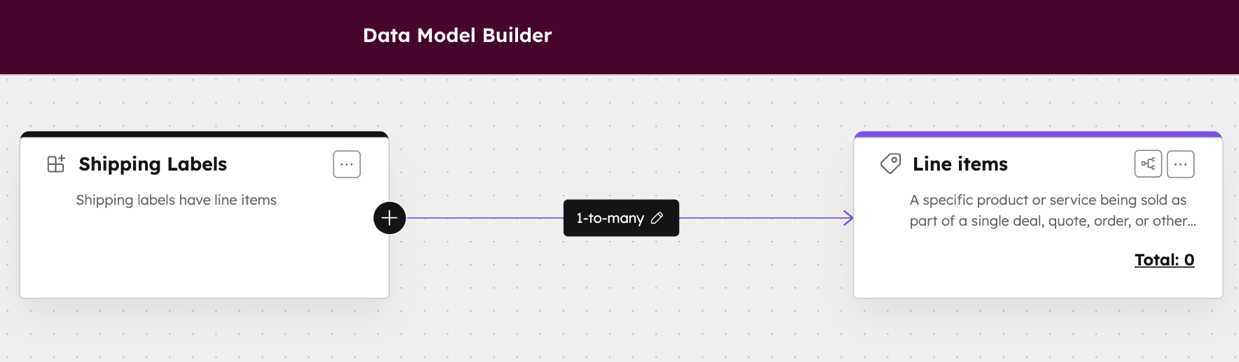
Line items now support associations with custom objects. The associations can be configured in the Data Model tool.
Screenshot of custom object with associated line items:
Why does it matter?
Line items can now be associated with custom objects. With this update, it's easier to configure the data relationships that matter most to your business from a centralized location.
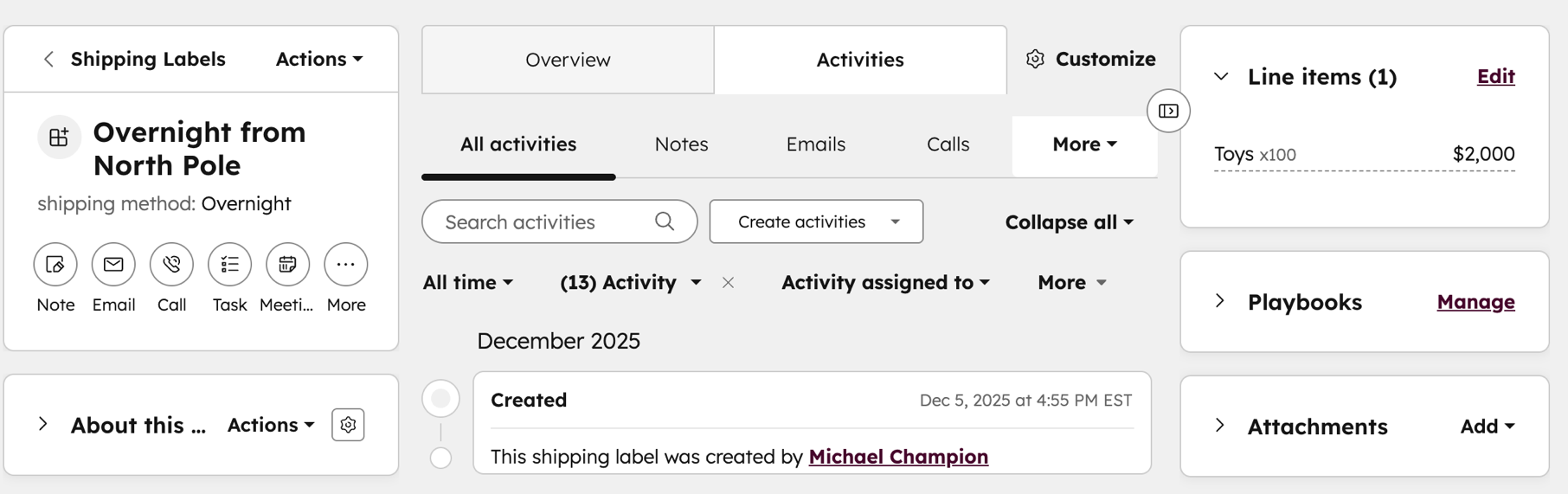
Once an association is defined, the line items sidebar card provides an editor to configure the line items connected to the custom object. From the API, new or existing line items can be associated with custom objects. This expands what is possible to model with custom objects.
Screenshot of custom Object with Line Items card:
How does it work?
- Navigate to Data Management > Data Model
- Click on the Overview tab
- Click on Edit Data Model
Within the data model builder space, you'll be able to:
- Review line item properties and associations
- Create associations to custom objects, custom association labels, and limits
Who gets it?
All hubs and tiers, Starter Customer Platform, Professional Customer Platform, Enterprise Customer Platform, Commerce Hub Professional, Commerce Hub Enterprise, Content Hub Starter, Content Hub Professional, Content Hub Enterprise, Marketing Free, Marketing Hub Starter, Marketing Hub Professional, Marketing Hub Enterprise, Data Free, Data Hub Starter, Data Hub Professional, Data Hub Enterprise, Sales Free, Sales Hub Starter, Sales Hub Professional, Sales Hub Enterprise, Service Free, Service Hub Starter, Service Hub Professional, Service Hub Enterprise, Smart CRM Free, Smart CRM Starter, Smart CRM Professional, Smart CRM Enterprise





.png?width=193&name=jos%20(1).png)




