What is it?
You can now manage line item properties directly in Data Management, just like you do for Contacts, Companies, and Deals.
This includes:
- Creating custom properties on the line item object
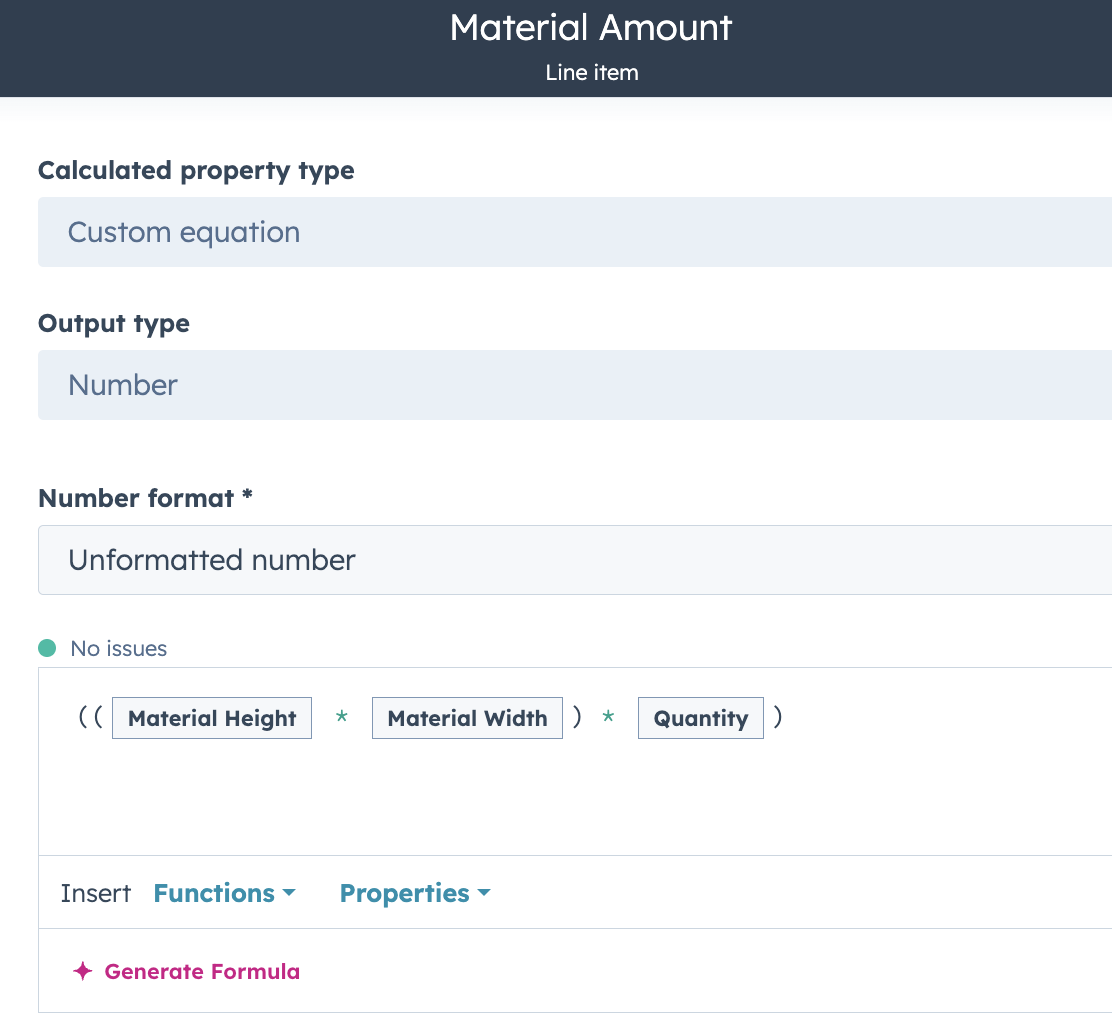
- Defining calculated and conditional properties
This gives you the flexibility to extend line item data to match your business workflows in a familiar, centralized interface.
Why does it matter?
Previously, line items were rigid and custom properties were only available by defining a custom property on Products. Now, you can:
- Customize line items to your sales process without workarounds
- Add logic-based fields like margin, fees, or discounts
- Unify how you manage data across all your core CRM objects
This simplifies quoting, improves data consistency, and enables richer automation and reporting.
How does it work?
To get started:
- Go to Settings > Data Management > Properties
- Select Line Item properties from the object dropdown
- Click “Create Property” to add a custom property. Choose from the field type options, including “Calculation”, “Property Sync”, or any standard field types.
- Use these properties in the line item editor on quotes, deals, or in reporting and workflows.
Who gets it?
All hubs and tiers


.png?width=193&name=jos%20(1).png)




