What is it?
You can now restrict access to specific line item properties (like name, unit price, or discount) by user or team. This gives you greater control and security within your quoting and sales workflows.
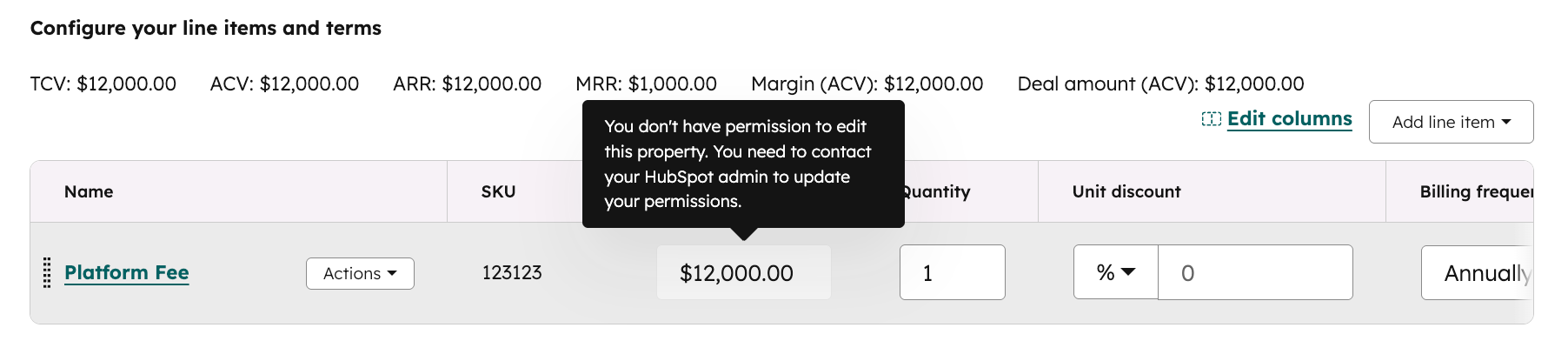
Why does it matter?
Until now, line items didn’t support field-level permissions—creating risk and operational inefficiencies for teams needing more control. With this update, you can:
- Prevent reps from editing sensitive fields (like product name or unit price)
- Give finance or RevOps teams exclusive access to key pricing data
- Align permissions on line items with how you already manage deals, contacts, and other records
- Reduce errors and manual oversight by locking down what should stay fixed
How does it work?
To set permissions:
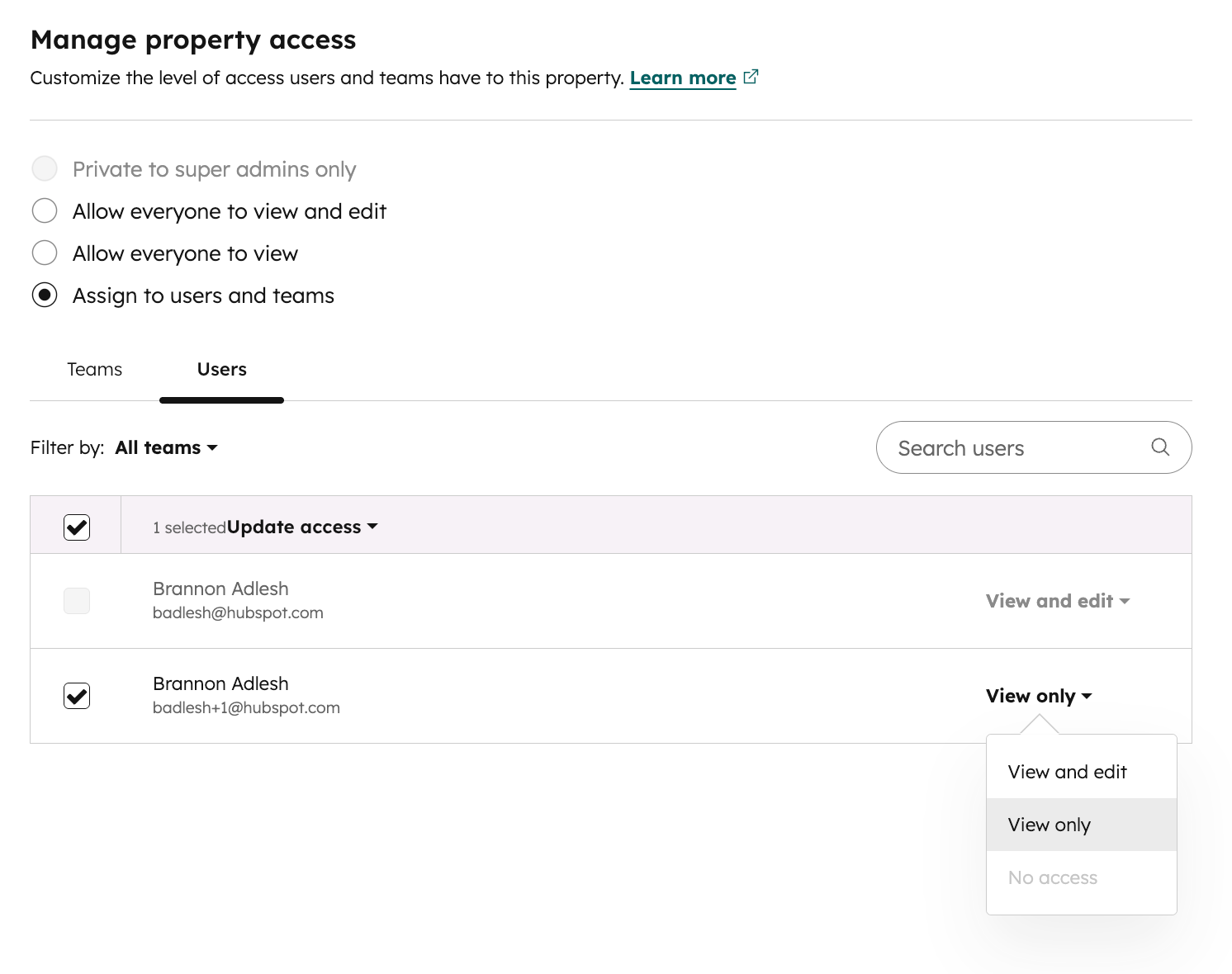
- Go to Settings > Properties > Select an object: Line item properties
- Choose a property and click Manage permissions
- Define who can view and edit the property by team or user.
Managing Permissions on Line Item Properties - Watch Video
👉 See full instructions in our knowledge base
Key Details
- Available for Enterprise customers
- Applies to both standard and custom line item properties
- Controlled via the same interface you use for other HubSpot object permissions
Who gets it?
Commerce Hub Enterprise, Content Hub Enterprise, Marketing Hub Enterprise, Data Hub Enterprise, Sales Hub Enterprise, Service Hub Enterprise





.png?width=193&name=jos%20(1).png)




