What is it?
You can now review Prospecting Agent contacts and suggested companies directly from the CRM views you already use every day.
Why does it matter?
Reviewing prospecting agent activity previously required navigating to the Prospecting Workspace app. When that step isn't part of the daily CRM workflow, contacts go unreviewed and recommended companies don't receive follow-up. These views bring prospecting agent activity into the CRM so reps can act on it where they already work.
How does it work?
Available to:
- - The Contact View ("Prospecting Agent contacts") is available to all customers as the Prospecting Agent is in GA
- - The Company View ("Prospecting Agent") is available to all customers on the new Prospecting Agent Beta
How to Add the View:
- - In the CRM for Contacts/Companies go to "Add View" and you will see it under HubSpot Provided
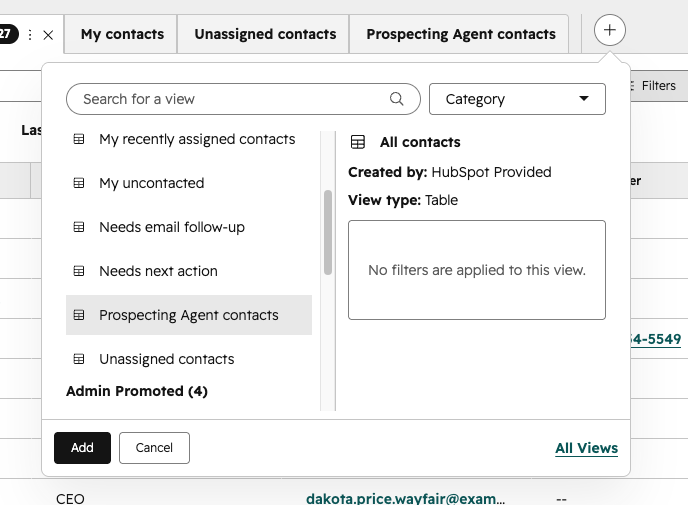
New Columns (Contacts):
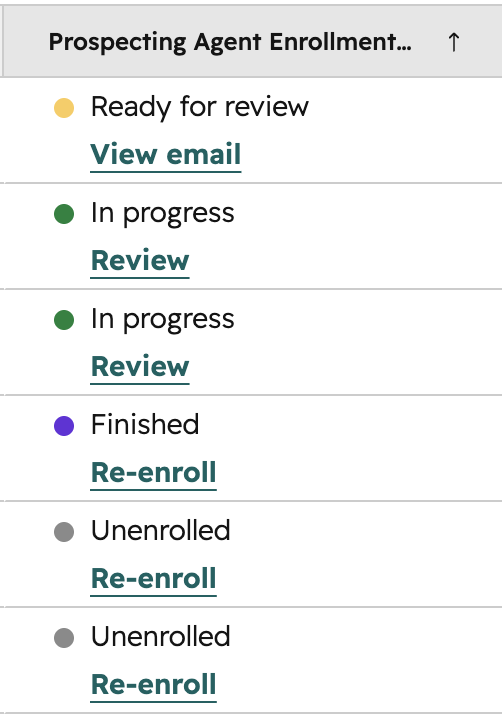
- - Prospecting Agent Enrollment Status (available in any CRM view) shows whether someone is enrolled currently in the Agent and lets you review their emails.
New Columns (Companies):
- - Suggested Contact Count (available in any CRM view) lets you quickly see whether a company has recommended contacts. From there, you can review both the suggested contacts and the outreach the Prospecting Agent has prepared.
- - Max Recommendation Score (available in any CRM view) shows how strongly the Prospecting Agent recommends a company as a prospect, helping you prioritize where to focus your efforts.
- - Reason to Reach Out (available in any CRM view) provides the rationale behind each recommendation, giving reps the context they need to understand why a company is a good fit and how to approach the conversation.
Who gets it?
Prospecting agent is available in Sales Hub Starter, Professional, and Enterprise
NOTE: Company View is only available if portal is signed up for Smarter Prospecting Agent Public Beta





.png?width=193&name=jos%20(1).png)




