What is it?
You can now connect your Microsoft Ads account to HubSpot to view reporting and attribution data alongside your other ad channels.
Why does it matter?
Microsoft Ads is one of the predominant ads channels, especially since Bing Ads can act as a lower-cost, higher ROI alternative for Google Ads. Microsoft also offers high-growth ad formats, such as video & CTV, with partnerships with Netflix, Max, Hulu, Roku, etc.
Connecting your Microsoft ads account to HubSpot will allow you to have all of your ads data in one unified place. You can also view how many contacts have interacted with your ads and the ROI of your ads from associated deals, which can not be measured using Microsoft Ads alone.
How does it work?
Creating or Connecting a Microsoft Account
If you're new to the ads tool, navigate to Marketing > Ads, then click Get started with ads. Select the Microsoft icon and follow the authentication flow.
If you've used the ads tool before, navigate to Marketing > Ads and click the Settings gear in the top right. Click Connect account, select the Microsoft icon, and follow the authentication flow.
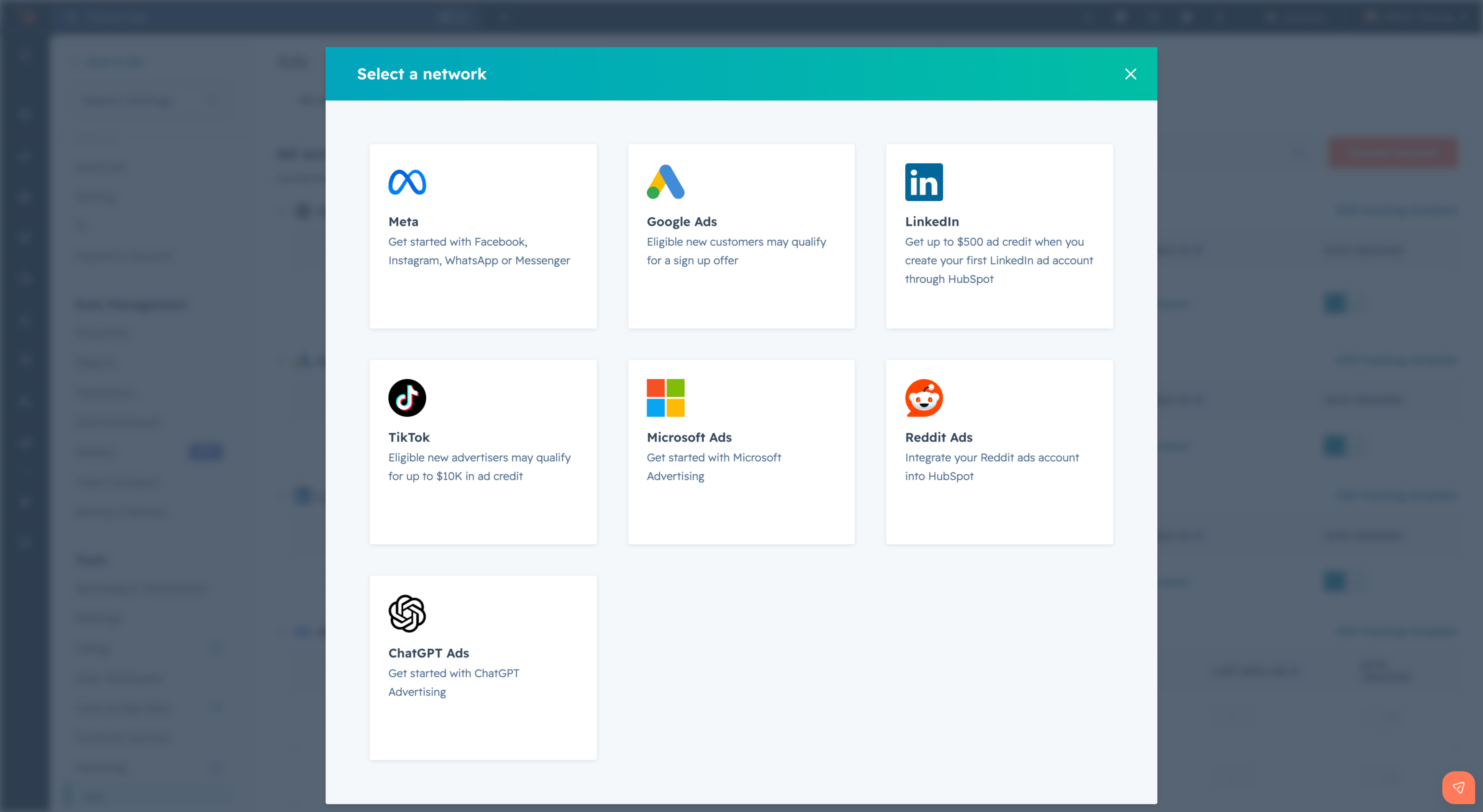
Reporting
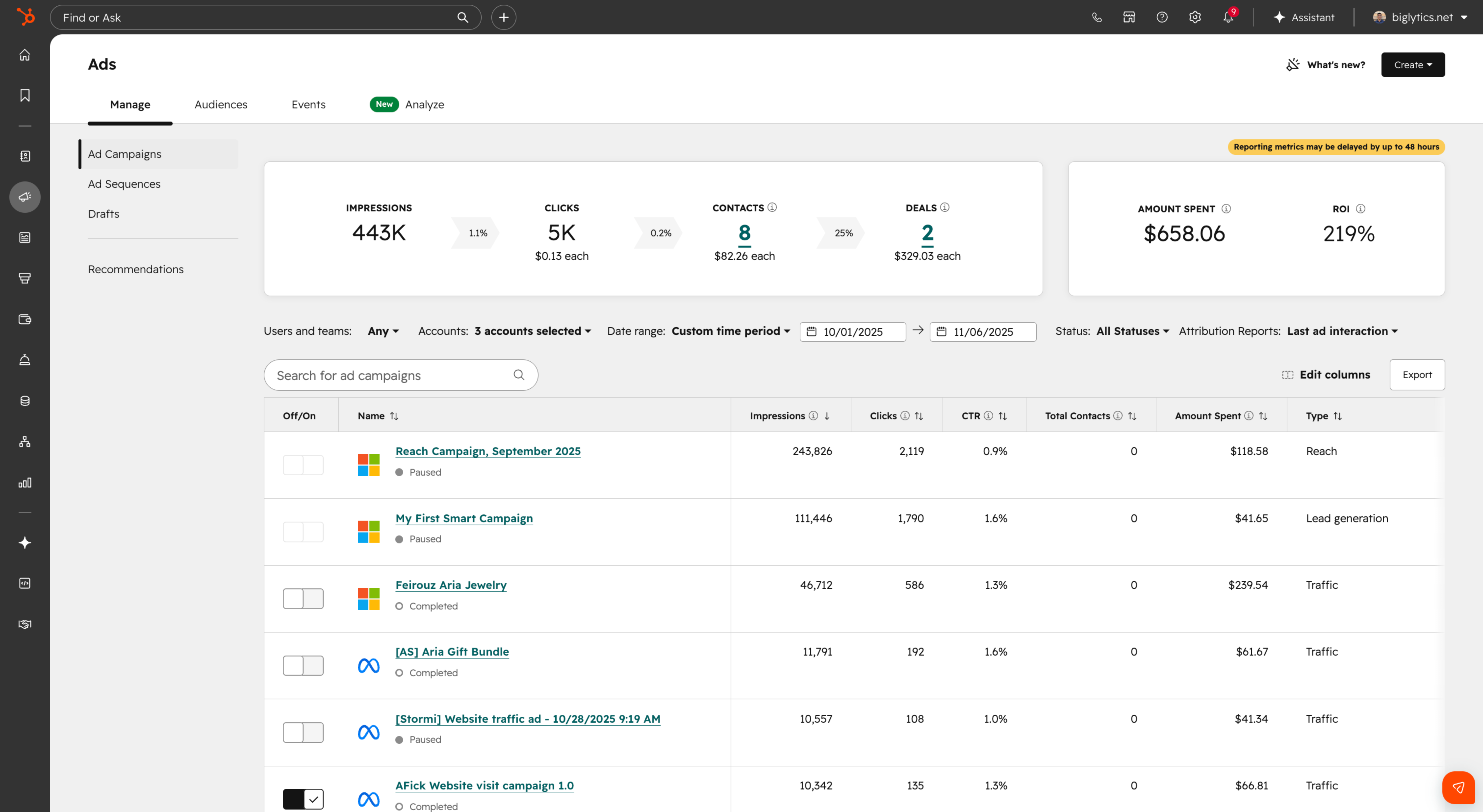
Once connected, your Microsoft campaigns will appear automatically in the Manage and Analyze tabs alongside your other ad networks. Campaign, ad group, and ad-level reporting are available in the same locations as for other networks.
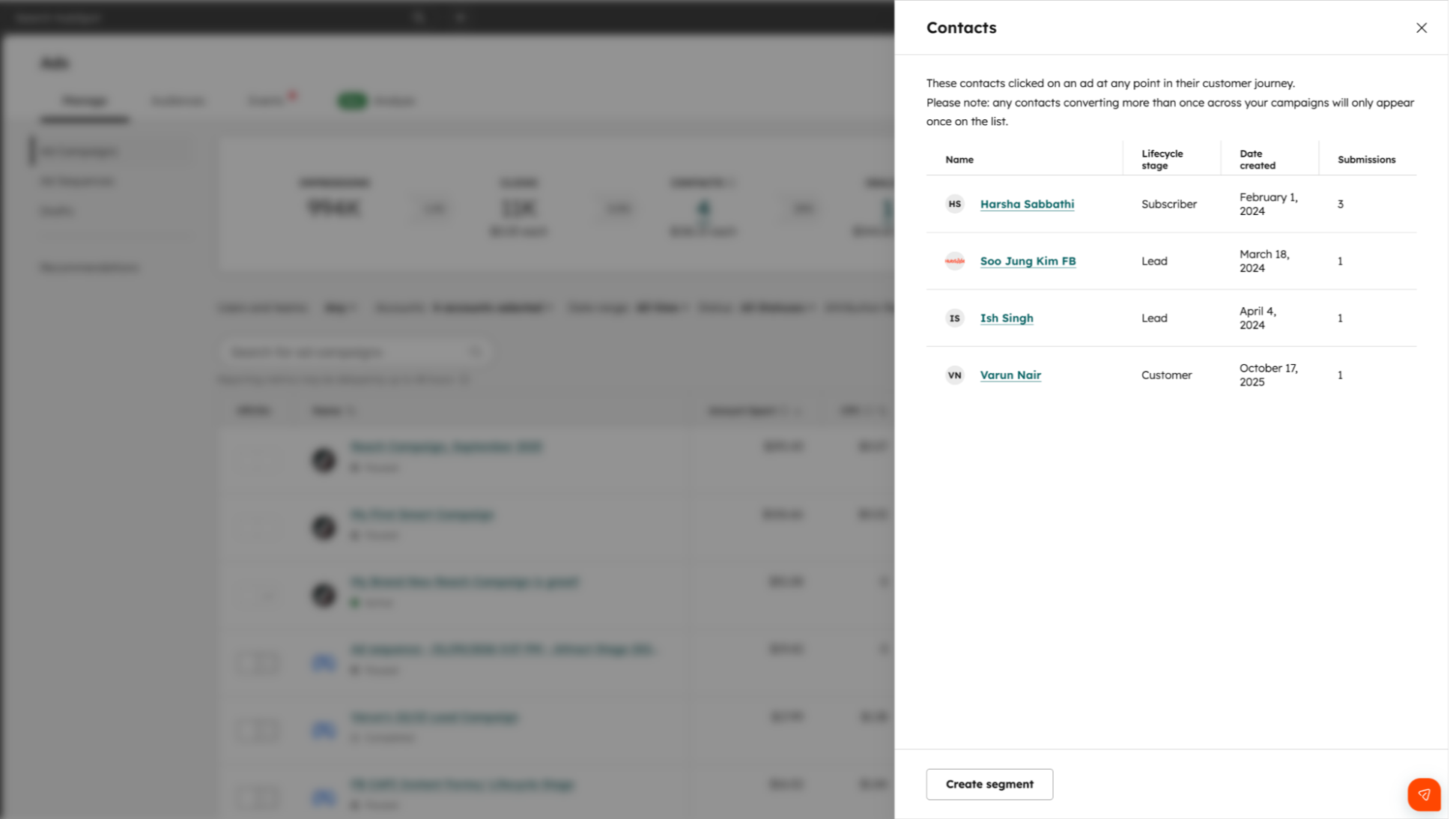
Attribution
When you enable auto-tracking, HubSpot automatically appends UTM parameters to your Microsoft ad URLs. This lets you see which contacts clicked your Microsoft ads, how many deals resulted from those clicks, and your total Microsoft Ads ROI.
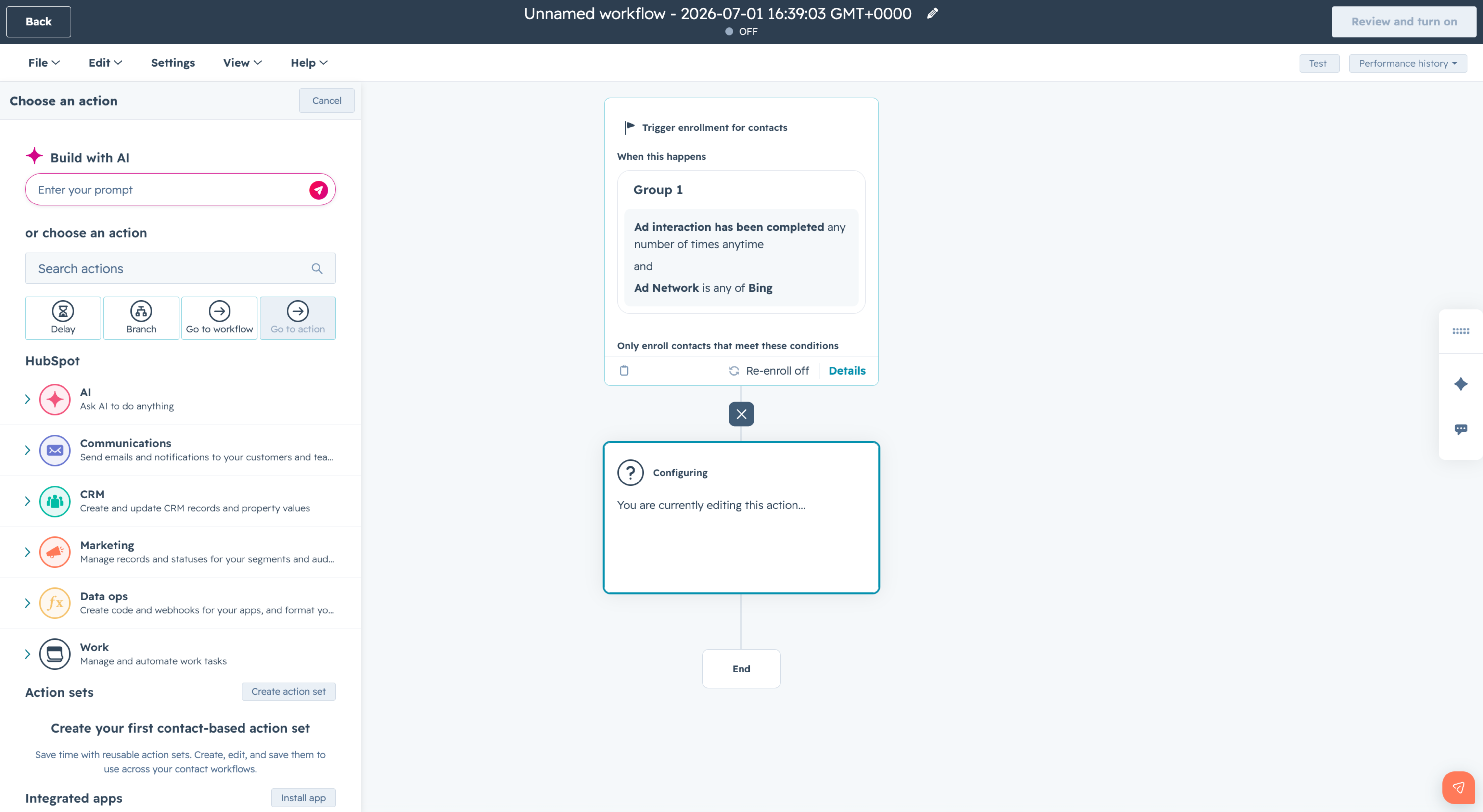
Workflow Enrollment
Contacts who interact with your Microsoft ads can be automatically enrolled in HubSpot workflows, enabling personalized follow-up triggered directly by ad engagement.
Who gets it?
This feature is available for all HubSpot hubs and tiers.





.png?width=193&name=jos%20(1).png)




