What is it?
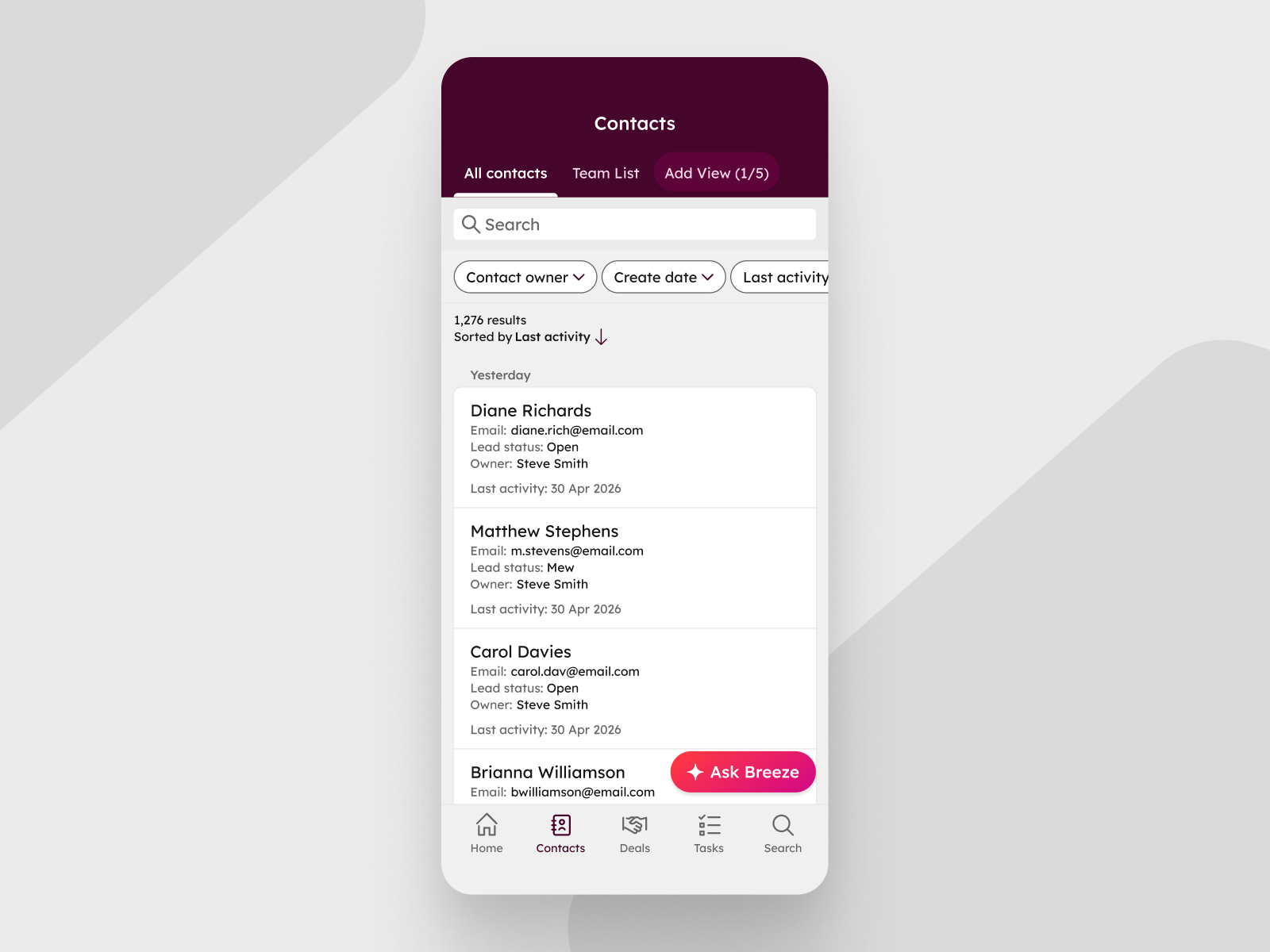
Mobile list views in the HubSpot app now display the same properties you've configured in the corresponding desktop table view, up to 20 properties, starting from the left.
Why does it matter?
Until now, mobile list views showed a fixed set of properties with no way to customize what appeared, which meant the data you configured on desktop didn't carry over when you switched to your phone. Now, when you open a list view on mobile, you see the same properties in the same order as the matching desktop table view. You can scan deal amounts, close dates, custom priority fields, or whatever matters most to you, without having to tap into individual records.
How does it work?
When you open a list view in the HubSpot mobile app — for example, Deals or Contacts — the record cards automatically display the properties from the corresponding desktop table view configuration:
- - Mobile shows up to 20 properties per record, starting from the leftmost column in the desktop table view.
- - If you reorder columns on desktop, the mobile list view updates automatically to reflect the new order.
- - The active sort property also appears on each record card, unless it's already included among the displayed properties.
To control what you see on mobile, update your desktop table view column configuration at Settings > Objects > [Object type] or directly from the index page on desktop.
Who gets it?
This feature is available to all hubs and tiers in the HubSpot mobile app for both iOS and Android users. Download the latest version from the Apple App Store or Google Play Store to get access to this new feature.





.png?width=193&name=jos%20(1).png)




