What is it?
Data Studio users can now target multiple objects and create associations between them as they sync data from their datasets to the CRM within Data Studio.
Why does it matter?
Multi-object syncs allow you to more accurately sync your external data within Data Studio to the CRM -- including the ability to create associations between these objects. It also unlocks additional objects within sync to CRM that are dependent on an association to another object, such as line items.
How does it work?
Once you've finished creating your dataset, select Use In > Sync to CRM. In the corresponding side modal, you'll now be able to choose multiple objects as the destination for your sync.
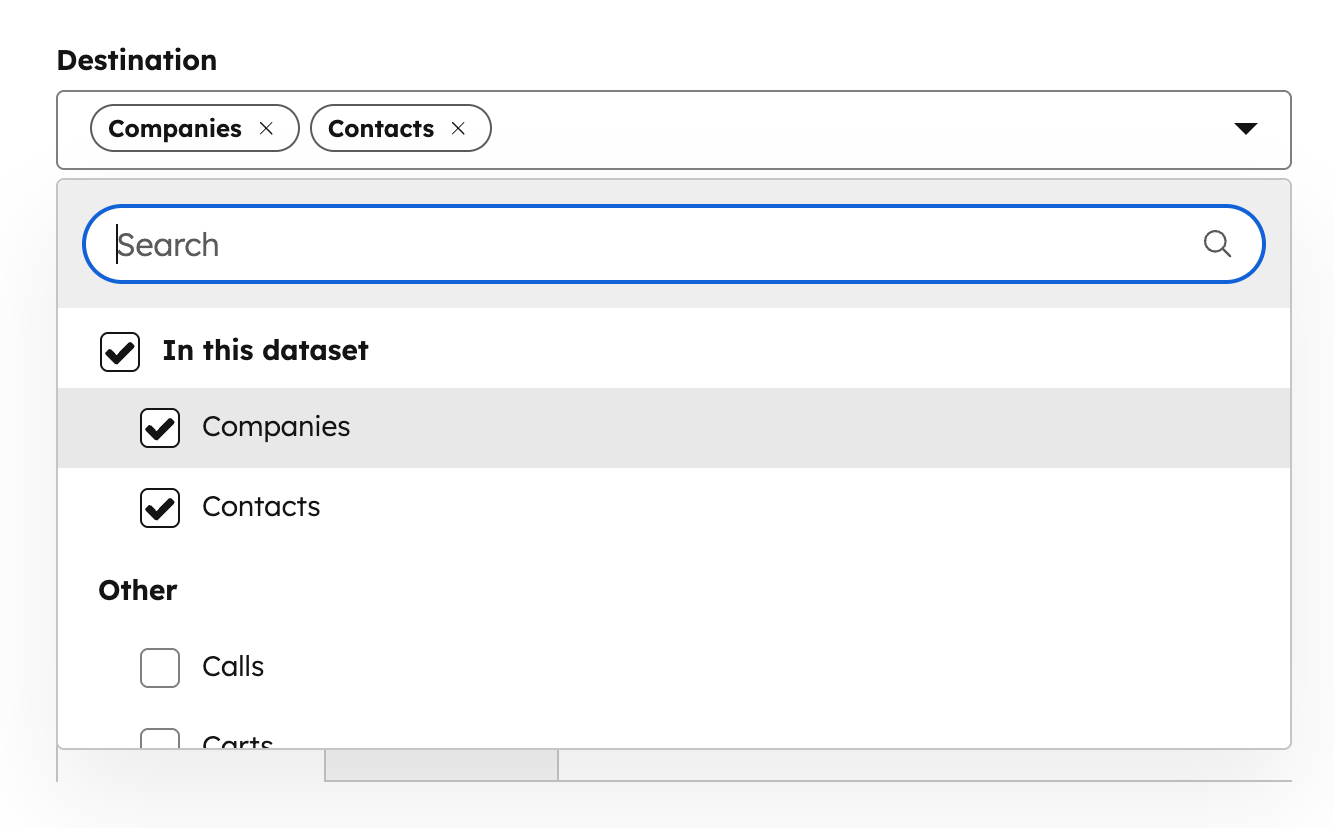
Each object you select will now have a corresponding tab where you can map fields in your dataset to properties in the CRM.

When creating 1:many relationships, there may be cases where a dataset field can only be mapped to a specific object. For example, when mapping deals and line items, you may not be able to map a “Price” field to the deal object because a single deal can have multiple line items with different prices. Instead, you can either: (1) map the field to the line item object, or (2) create an aggregated field in your dataset (such as total price) that can be properly mapped to the deal object. Note that when working with line items, you must select deals first.
Also note that multi-object syncs will create associations between the objects you're targeting with your sync.
Who gets it?
Data Hub Professional, Data Hub Enterprise





.png?width=193&name=jos%20(1).png)




