What is it?
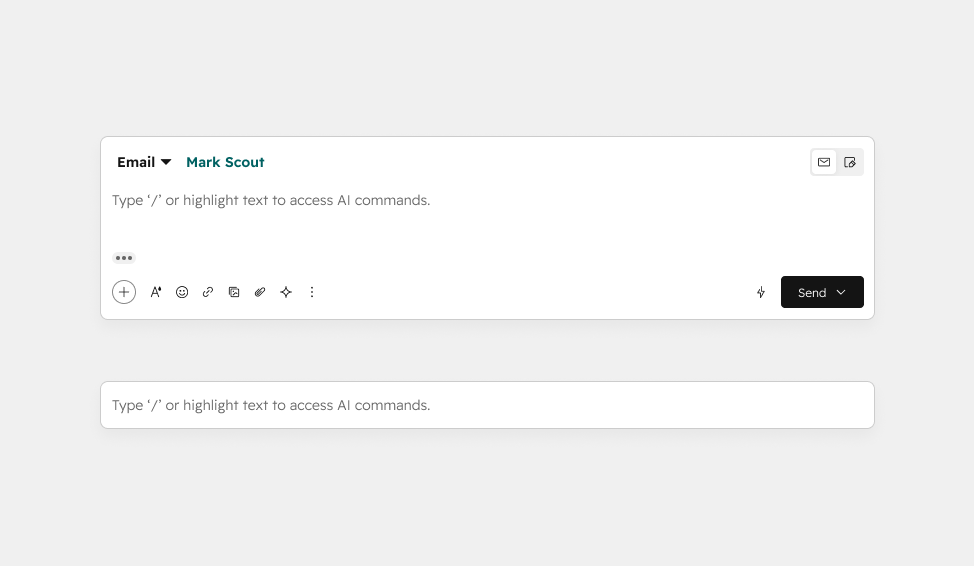
Support reps in help desk now have access to a streamlined, modern reply editor with a refreshed layout, less clutter, and advanced formatting options. Users can opt into the new experience to try it today.
Why does it matter?
Reps working in help desk struggle with visual clutter, inefficient layout, and missing features in the current composer. This leads to slower workflows and cognitive fatigue. This update reduces friction, speeds up responses, and improves rep efficiency.
How does it work?
The help desk reply editor is getting a visual refresh focused on reducing clutter, improving usability, and creating a clearer, more streamlined experience.
Key Updates
- New functionality
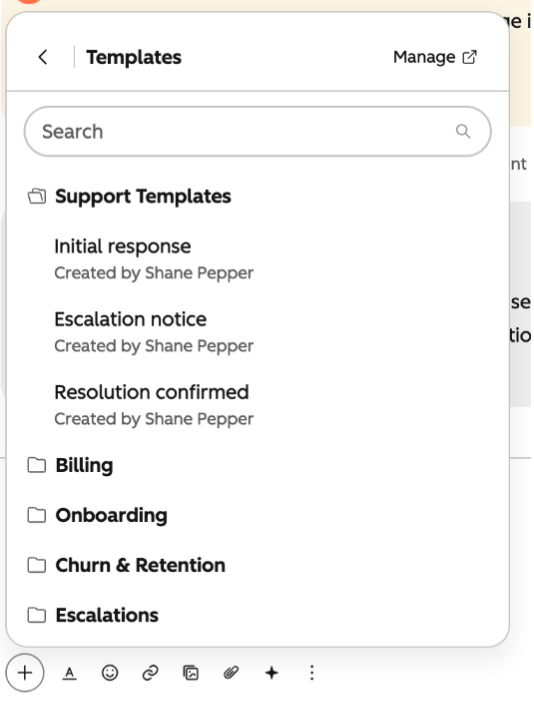
- - Folder support for snippets and templates: if you organize your snippets and templates in folders, those folders will be available in help desk
- - "Enter to send" control for live chat: individual users can select whether or not hitting "enter" sends a live chat message. (Note: selecting this only changes the behavior for you, not for any other users in the portal.)
- - @mention support: @ mentioning a contact in the body of your email automatically adds them as a recipient (email only).
- - A new rich text editor with advanced formatting options:
- - Codeblocks: the reply editor now supports codeblocks. Select the </> icon in the text formatting tray or type three backticks (``) to create a code block with monospace font. You can also type backticks around a section of text to convert it to monospace code font.
- - Support for pasting tables and markdown: when you copy and paste text formatted as a table or in markdown into the reply editor, that formatting will persist.
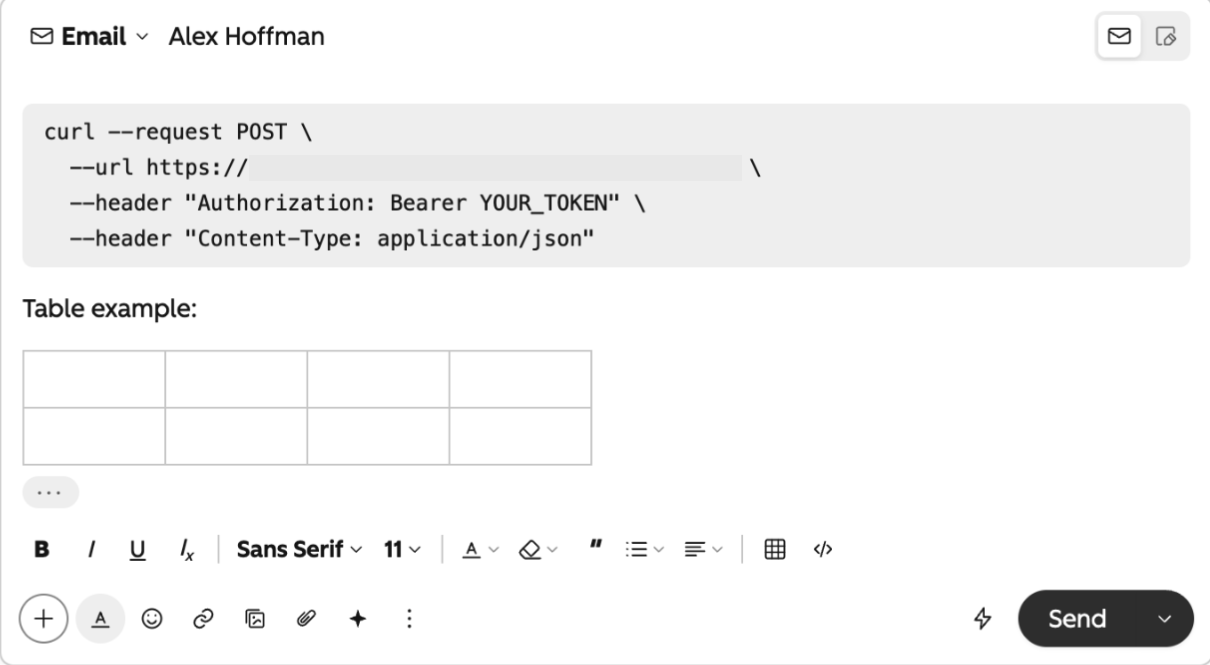
- A redesigned experience:
- - A new reply > note switching icon, with your most recent selection remembered upon return to a ticket.
- - Streamlined controls for inserting content, formatting text, and managing attachments.
- - Updated editor actions and icons.
- - Improved recipient detail experience that makes it easier to know who's part of the conversation.
Who gets it?
Service Hub Professional, Service Hub Enterprise





.png?width=193&name=jos%20(1).png)




