What is it?
HubSpot phone number acquisition is now available in additional countries:
- Netherlands
- Finland
- Poland
- Belgium
- Thailand
You can submit business documentation for these countries, and acquire a HubSpot phone number that can be used for inbound and outbound calling, Team Calling in Help Desk, IVR, and more!
Why does it matter?
Calling users with global business locations must acquire a number in their locality. HubSpot is adding number acquisition for five additional countries, allowing you to better solve for their calling needs in more regions.
In response to evolving regulatory landscapes, many countries are intensifying their enforcement of telecom regulations. This includes mandates for verifying the legitimate users of phone numbers and validating business locations. To streamline this process, HubSpot has a documentation flow within our platform, allowing you to effortlessly submit the necessary regulatory documents, ensuring compliance and facilitating seamless number acquisition in these countries.
How does it work?
Enroll in the public beta by following the steps here.
Once enrolled in the public beta, follow step below to start your number acquisition:
- In your HubSpot account, click the settings settings icon in the top navigation bar.
- In the left sidebar menu, navigate to Calling > Call Setup.
- On the Phone numbers tab, click Get a HubSpot number.
- In the right panel, review the information then click Next.
- Use the dropdown menus to select a country, number type, and prefix.
- Based on the country you selected, you will need to validate your business by submitting regulatory documents providing proof of business in the selected country. Click Get started to complete the verification process.
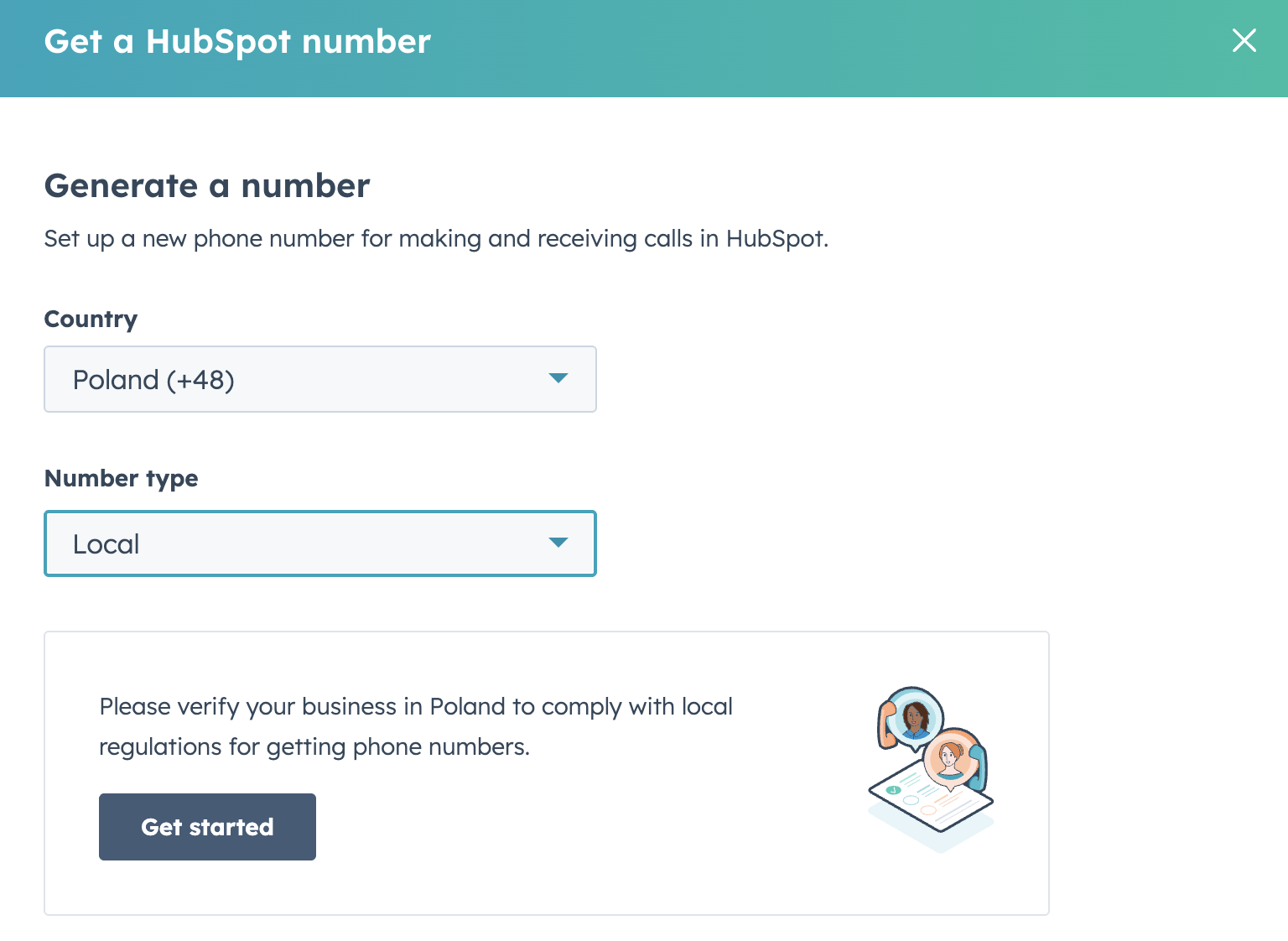
7. In the verification flow, follow the steps to enter your company information and attach the requested documents. Once you click submit, it can take 3-4 business days for verification approval.
8. Once approved, you will see a banner in your account notifying of the country approval. This approves your company to be able to acquire phone numbers for that country.
Once your business verification is complete, return to call settings to acquire your phone numbers.
- Click Get a HubSpot number.
- In the right panel, select your approved country.
- Fill out the fields:
- Main business use case for these numbers
- Specify business use cases
- Number of phone numbers you are requesting
- Select preferred Area Code/Prefix
- Main business use case for these numbers
- Click "Request Number"
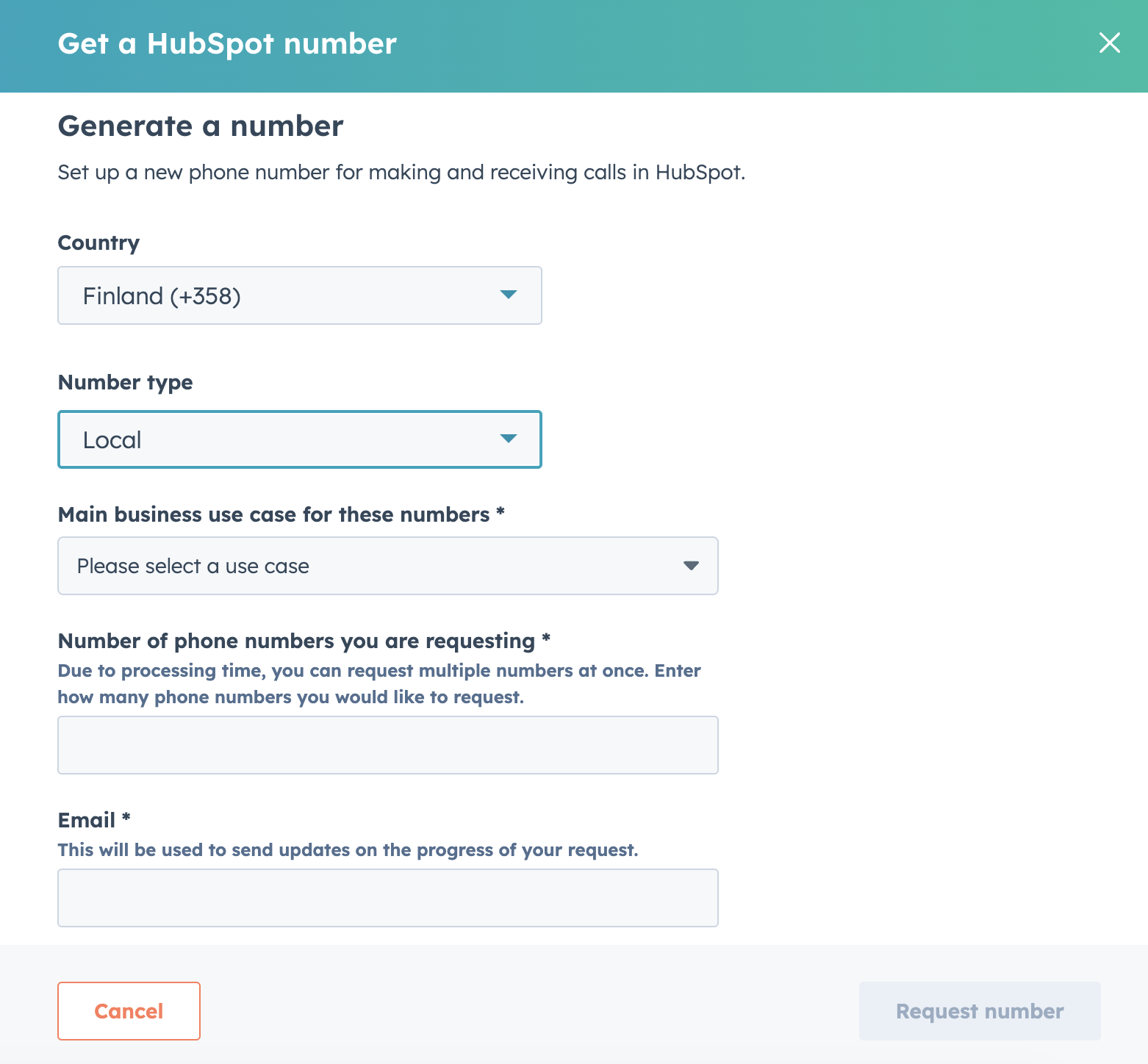
Once submitted, it can take 2 - 4 weeks for the requested phone numbers to be acquired. You will be notified via email once the requests is approved and numbers are ready for usage in your HubSpot account.
Who gets it?
Starter Customer Platform, Professional Customer Platform, Enterprise Customer Platform, Sales Hub Starter, Sales Hub Professional, Sales Hub Enterprise, Service Hub Starter, Service Hub Professional, Service Hub Enterprise





.png?width=193&name=jos%20(1).png)




