What is it?
Every sales opportunity counts. HubSpot's new smarter sales meetings gives you a single place to manage meetings with prospects - providing pre-meeting insights to help you prepare, post-meeting summaries to help you review, and AI-generated follow-up actions to keep deals moving forward and make sure no follow-up actions are forgotten.
Why does it matter?
Sales success depends on making the most of every conversation. HubSpot supports you throughout the entire meeting lifecycle so you feel prepared going into conversations and know exactly what steps to take during follow-up, increasing your chances of closing deals.
How does it work?
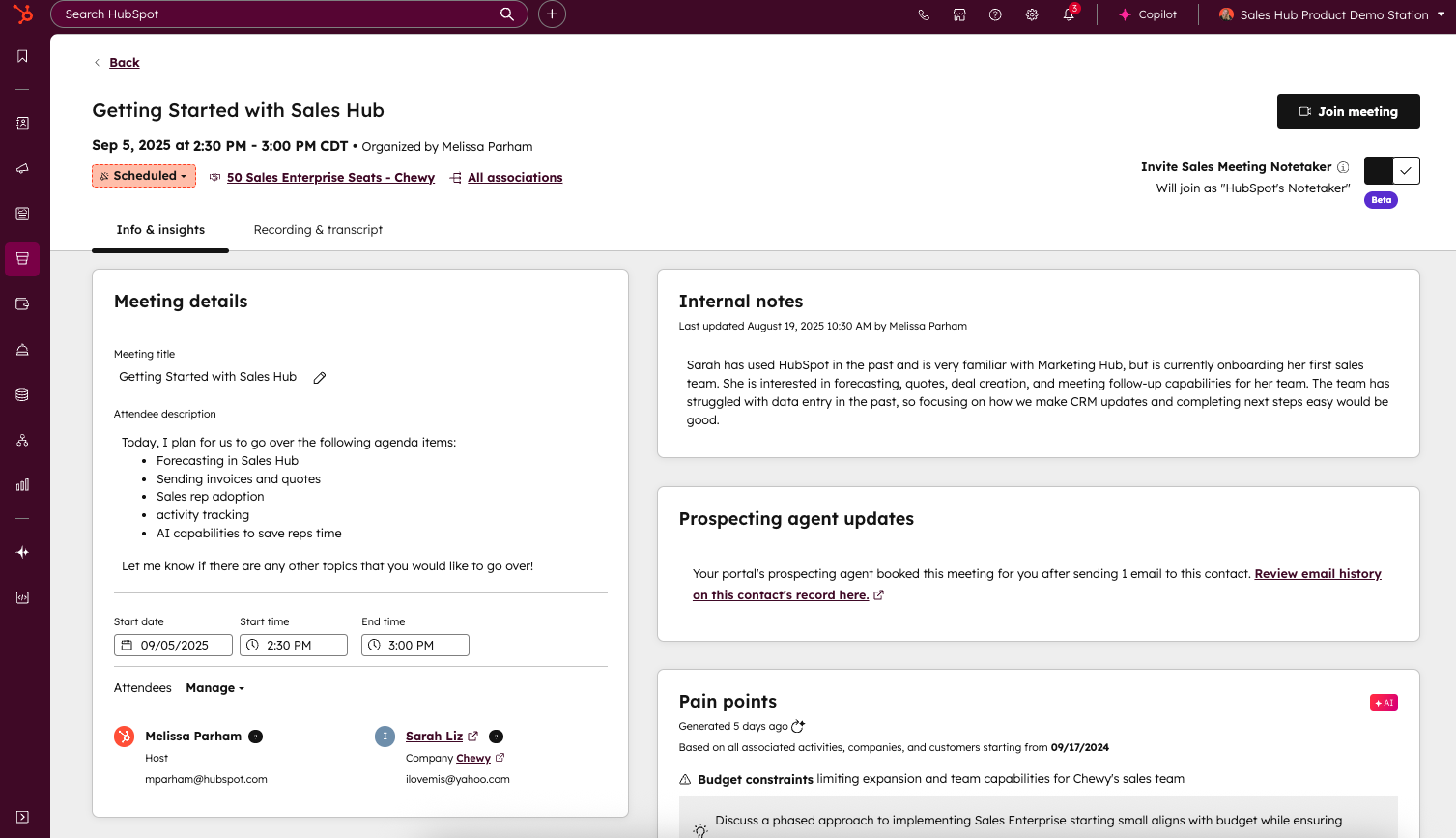
New meeting record:
The meeting record centralizes all your meeting details, account insights, and follow-up materials in one place, eliminating the need to switch between tools.
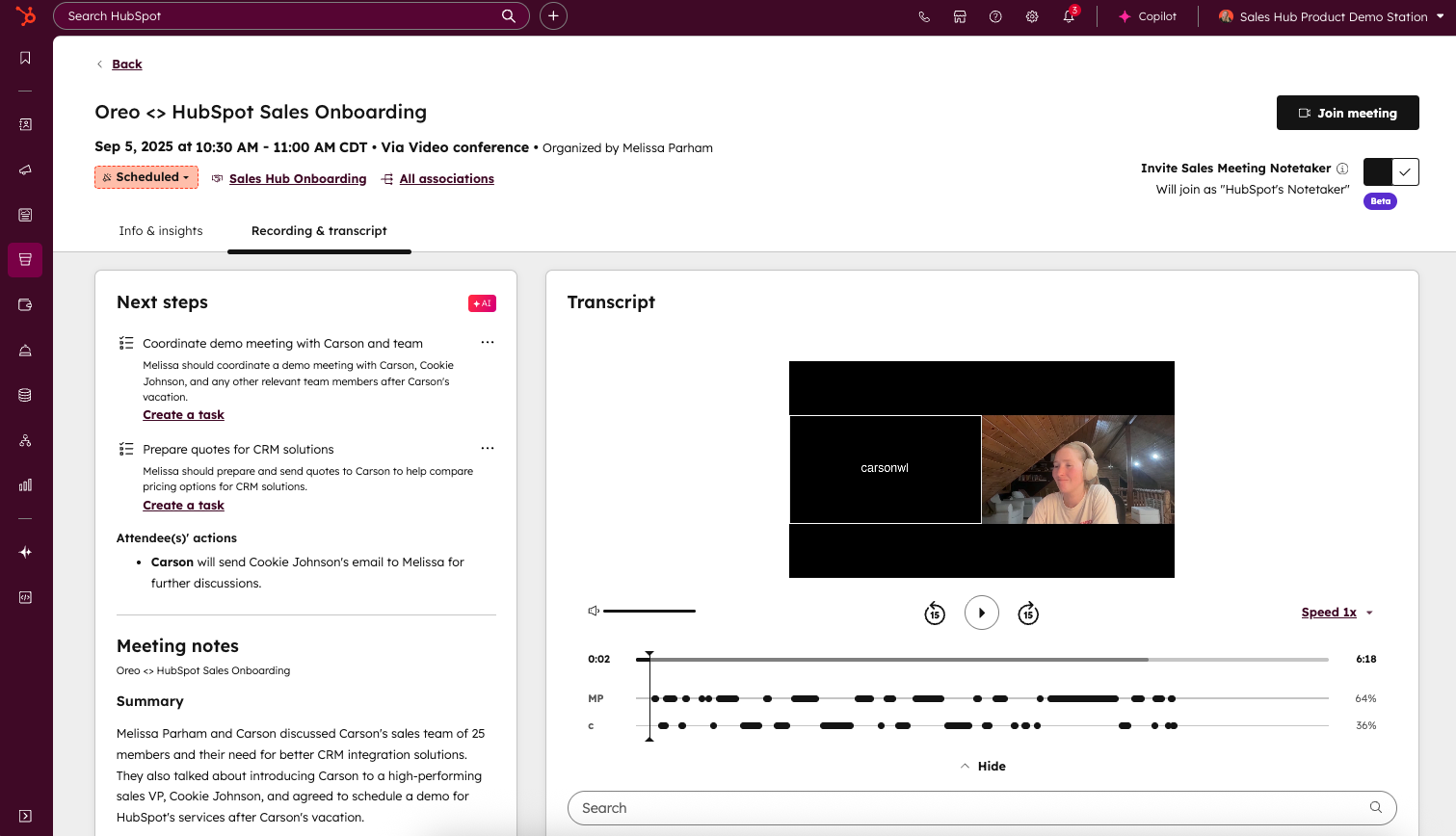
Next Steps show reps what to focus on next:
After the meeting, you receive AI-powered follow-up actions based on the meeting transcript.
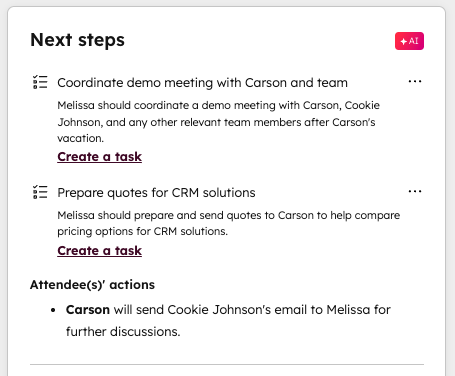
These suggested actions help you prioritize your follow-up activities:
- Send meeting summaries to attendees, ensuring all parties are aligned on key discussions and takeaways
- Click the follow-up link to easily navigate to email, call, or sequence options
- Create tasks or immediately execute on action items extracted from the conversation
To access the new meeting record in HubSpot, either:
- Navigate to the Sales Workspace and click on a meeting from the summary tab
- Navigate to the Sales Workspace > Schedule tab and select a meeting record to view
- Click the "view meeting" button on a meeting activity card in the CRM timeline
The new meeting record contains two tabs:
- Info & Insights: Your pre-meeting hub for attendee statuses, meeting details, and conversation insights.
- Meeting details card for managing description, attendees, and timing. Insights include:
- Internal notes: Private information visible only to HubSpot users with permissions
- Prospecting agent updates: View previous prospect interactions with your Prospecting Agent
- Pain points and tips: Pain points detected from previous conversations with the propsect and tips based on industry data and previous engagements
- Web page visits: Recent prospect activity to understand their interests
- Recent activity: Five most recent participant engagements to keep you informed
- Recording & Transcript: Your complete conversation record
- Next steps: Follow-up items and recommended actions based on the conversation
- Follow-up guided action: Navigate to email, call, or sequence options to keep opportunities moving
- Create task guided actions: Act immediately or create future tasks based on conversation points
- Meeting summary: a detailed AI-generated summary of your conversation, including specific topics that were discussed
- Watch the recording
- View the transcript of the conversation
Who gets it?
Sales Pro, Sales Enterprise
Also, check out another beta that makes recording even easier - Sales Meeting Notetaker:
Automatically capture every conversation. Admins can enable Sales Meeting Notetaker to automatically record, transcribe, and store all sales conversations with contacts in HubSpot, giving reps and managers easy access to conversation history.
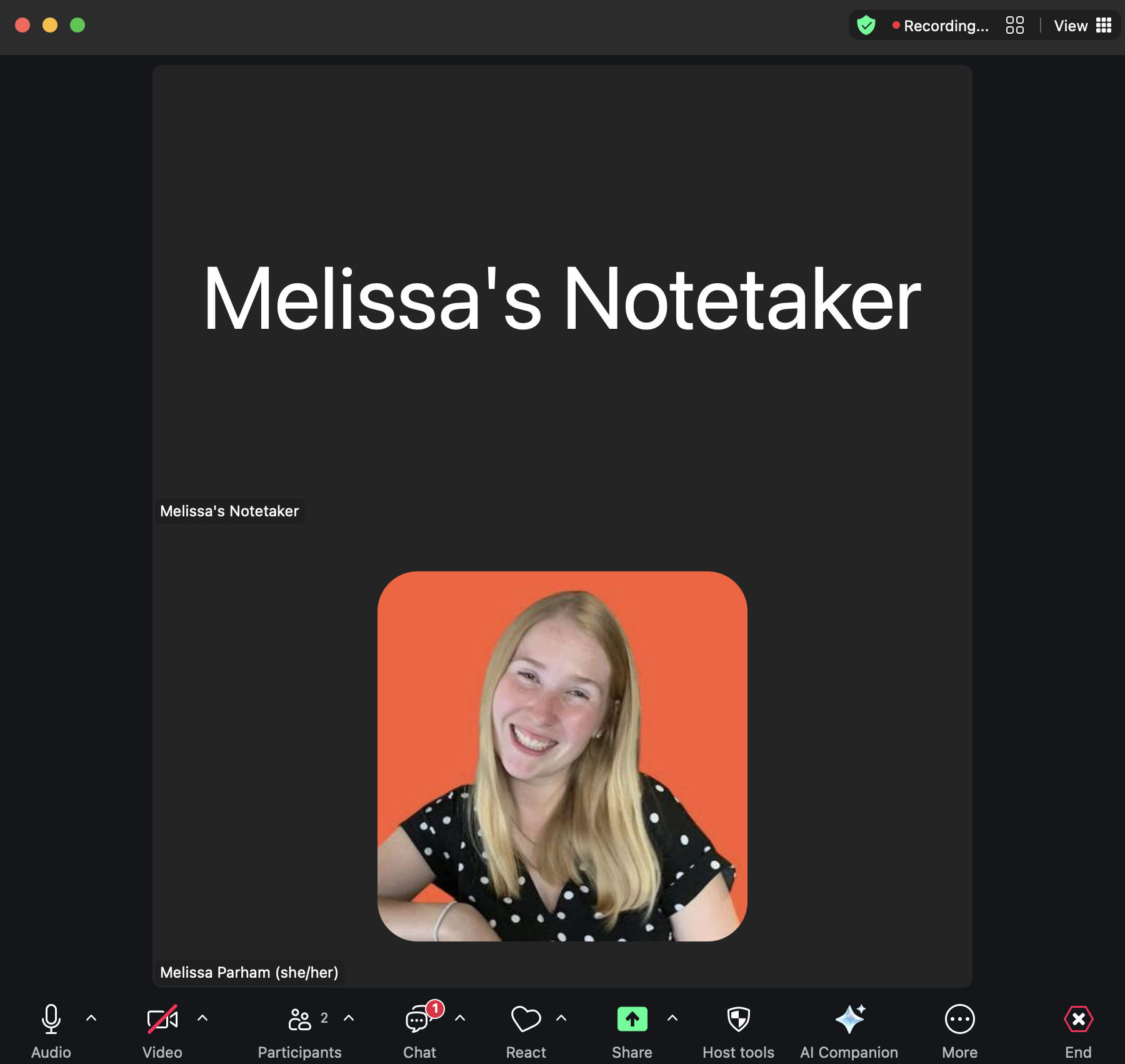
With Sales Meeting Notetaker, sales reps can fully focus on the conversation rather than having to take detailed notes. Notes are automatically logged in HubSpot immediately after the meeting to be reviewed anytime.





.png?width=193&name=jos%20(1).png)




