What is it?
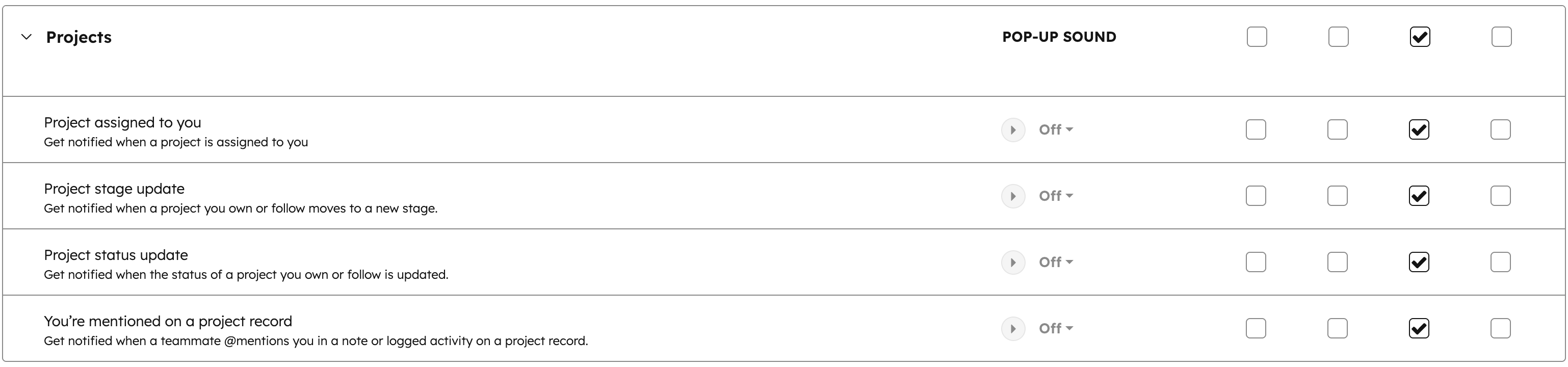
You can now configure notifications for project records, including when a project is assigned to you, when project stages or statuses update, and when you're mentioned on a project.
Why does it matter?
Stay informed about projects relevant to your work without checking records manually. You'll know immediately when projects need your attention or when key milestones are reached.
How does it work?
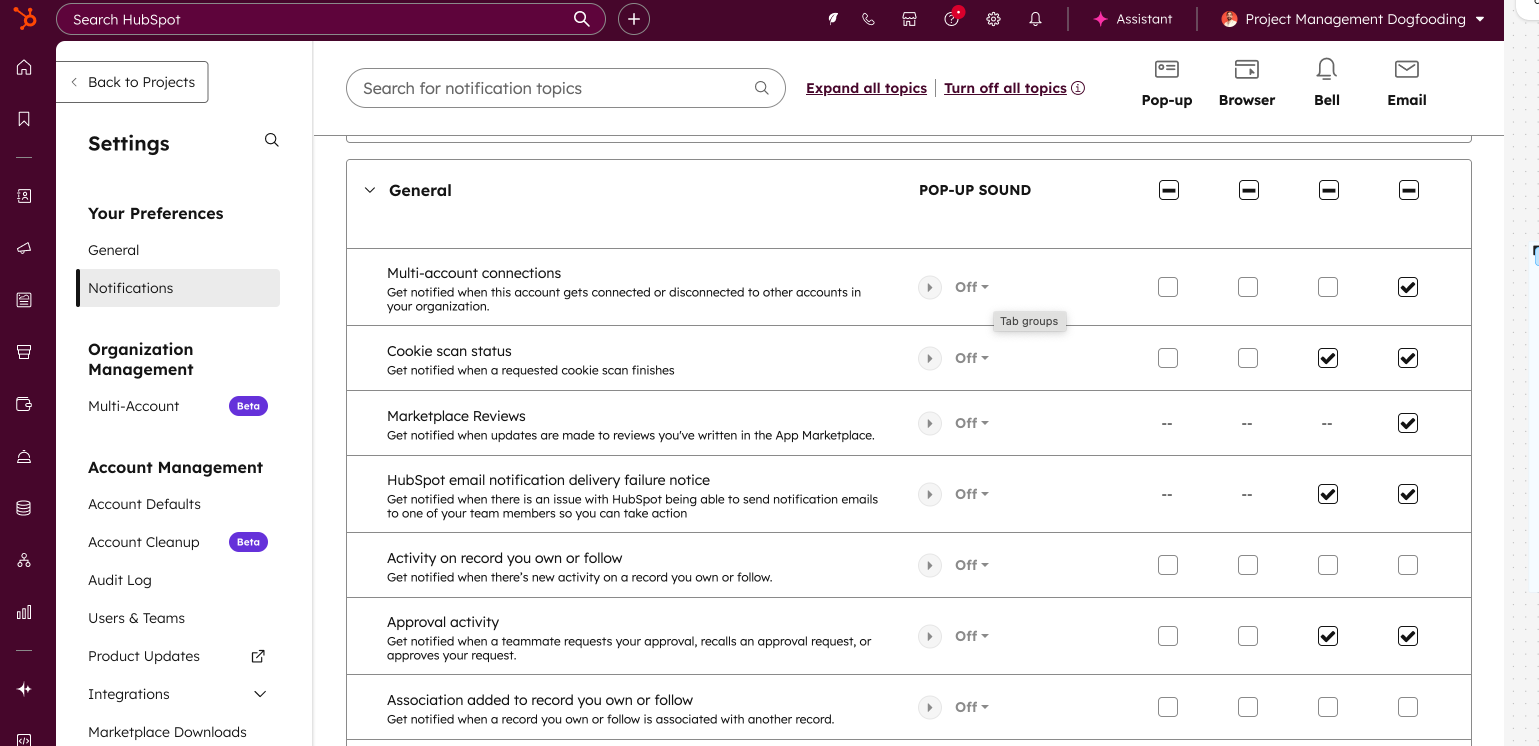
To configure project notifications, navigate to Settings > Notifications > Projects.
Under the Projects section, you can enable notifications for:
- - Project assigned to you
- - Project stage update
- - Project status update
- - You're mentioned on a project record
To receive notifications when associations are added to projects you own or follow, navigate to Settings > Notifications > General and enable Association added to record you own or follow.
Who gets it?
All hubs and tiers





.png?width=193&name=jos%20(1).png)




