What’s changed?
What is it?
Please note that this public beta is strictly confidential under HubSpot's Beta Services Terms.
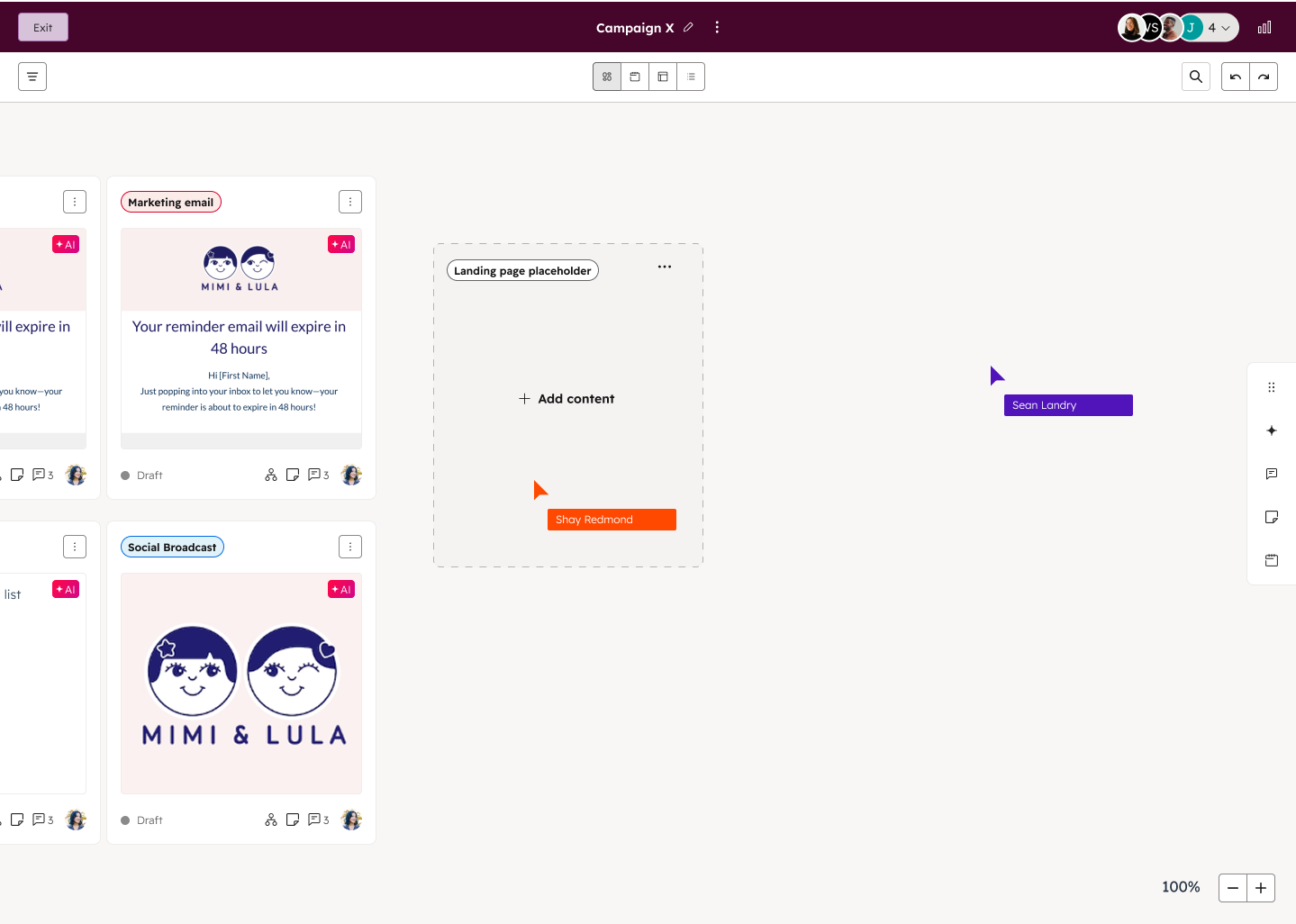
Launch campaigns faster than ever with AI that plans, creates, and connects everything in one workspace. Built for collaboration, creativity, and AI-powered speed, Marketing Studio is your all-in-one workspace for campaign success.
Check out this loom for a full walk through.
Why does it matter?
You can now fully plan and build campaigns from a single tool—no more jumping between marketing platforms.
With Marketing Studio, you can quickly launch multi-channel campaigns without juggling spreadsheets, docs, and endless tool-hopping. The visual collaborative canvas and AI help draft content so your team can plan and launch campaigns faster than ever.
Instead of fragmenting campaigns across HubSpot and external apps, Marketing Studio pulls everything into one visual, AI-powered workspace with integrated planning and collaboration.
How does it work?
For details on how to use Marketing Studio, please refer to this Knowledge Base article.
Create a new campaign with the power of AI
In your HubSpot account, navigate to Marketing > Marketing Studio.
- - To create a campaign from scratch, in the top right, click Create campaign. Then, set up the following details for your campaign brief:
- - Tell us about your campaign: enter a description for your campaign. This description will be used to create your campaign brief and associated campaign assets.
- - To use AI to generate a description for your campaign, in the top left, click Help me prompt. Then, select one of the suggested prompts.
- - Images: add images for your generated campaign assets. You can use existing image files or upload new images.
- - Campaign documents: upload supporting documents for the campaign, such as an existing campaign brief. You can upload files in docx, pptx, or pdf format.
- - In the bottom right, click Create campaign. In Marketing Studio, assets will be automatically created based on the details for your campaign brief.
Plan and build your campaign in marketing studio
Set up your campaign in the canvas view. In the canvas view, structure your campaigns and create and review assets directly in Marketing Studio.
- - In the left sidebar menu, click the + add icon.
- - Click and drag the content type onto the canvas.
- - To add content to each of your content type cards. click + Add content. You can also add sticky notes to add comments to the canvas and collaborate with your team.
- - Then, select from the following:
- - Generate with AI: use AI to generate a new asset for the selected content type.
- - Create: create a new asset for the selected content type.
- - Associate Content: associate an existing asset for the selected content type. Learn more about associating assets with campaigns.
- - To upload existing files from your device to your campaign, you can drag and drop the file directly onto the canvas
- - To group assets together, click and drag the selection area to include the cards you’d like to group, and click the group icon.
You can also use the collaboration sidebar to add comments to the campaign or specific campaign assets. Learn more about adding comments with the collaboration sidebar.
How to get access
Please note that this beta is available for customers with Marketing Hub Professional or Enterprise.
You can access Marketing Studio by clicking on 'Join beta' below.
Once joined, navigate to Marketing > Marketing Studio and click on either 'Create Campaign' to start building a new campaign with Marketing Studio, or click one of your existing campaigns in the Manage tab to access the beta.
We value your specific feedback—we hope you'll provide us with some! Please book a feedback call with our team to talk about your experience using Marketing Studio.





.png?width=193&name=jos%20(1).png)




