What is it?
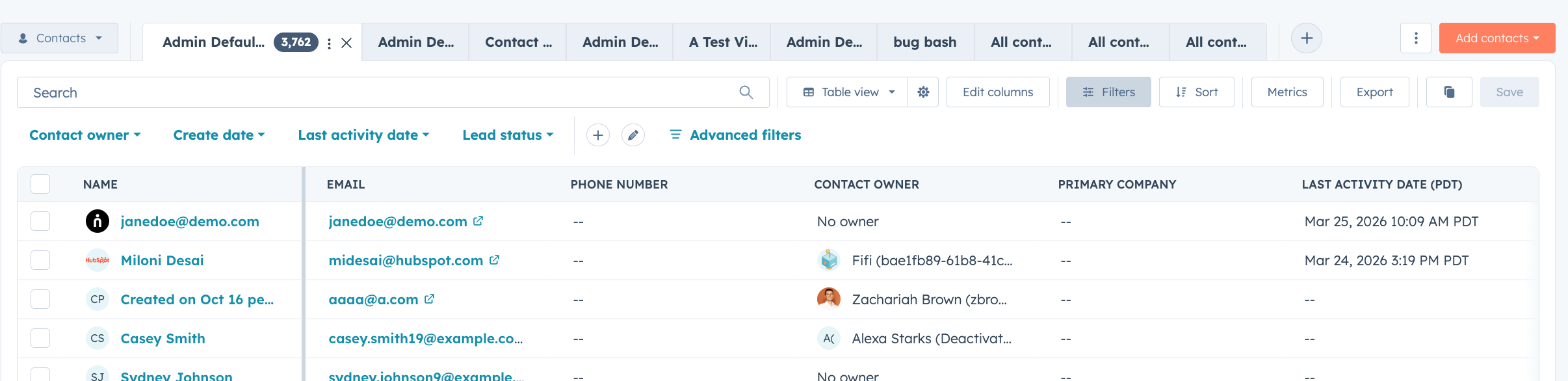
The quick filter bar on CRM index pages has been redesigned to make filtering faster, clearer, and easier to manage as your filter set grows.
Why does it matter?
Filtering is one of the most common actions across CRM views, and small inefficiencies add up. With the redesigned quick filter bar, active filters now appear at the beginning of the bar so you always know what's shaping your current view. A more intuitive filter picker makes it easier to find and add the right filters, and a cleaner editing experience helps you manage multiple filters without losing context.
How does it work?
You’ll notice a few key improvements to the quick filter bar:
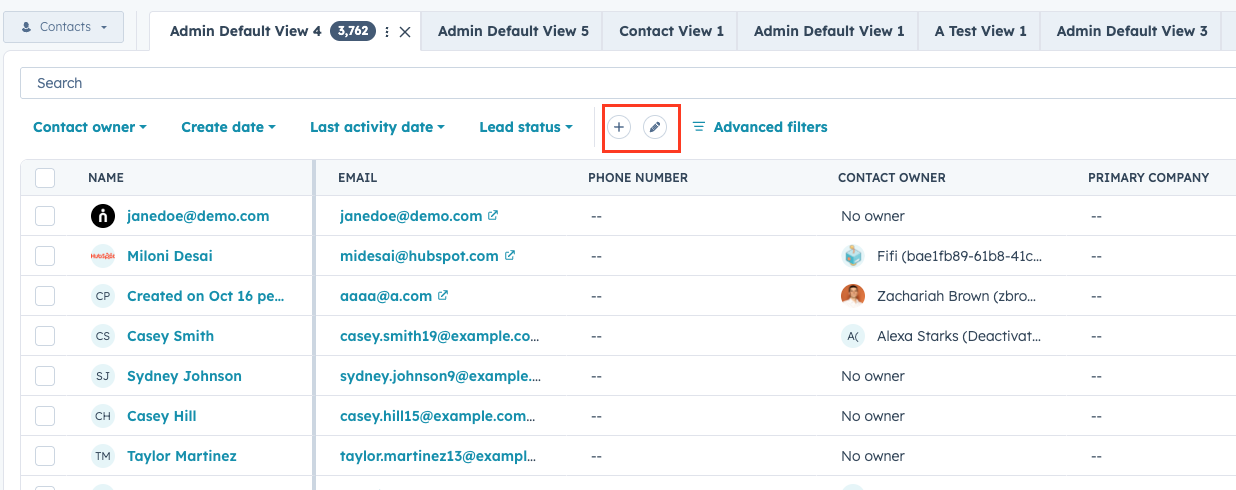
- Active filters surface first. Any filters you've applied automatically move to the beginning of the bar, keeping your most relevant filters front and center.
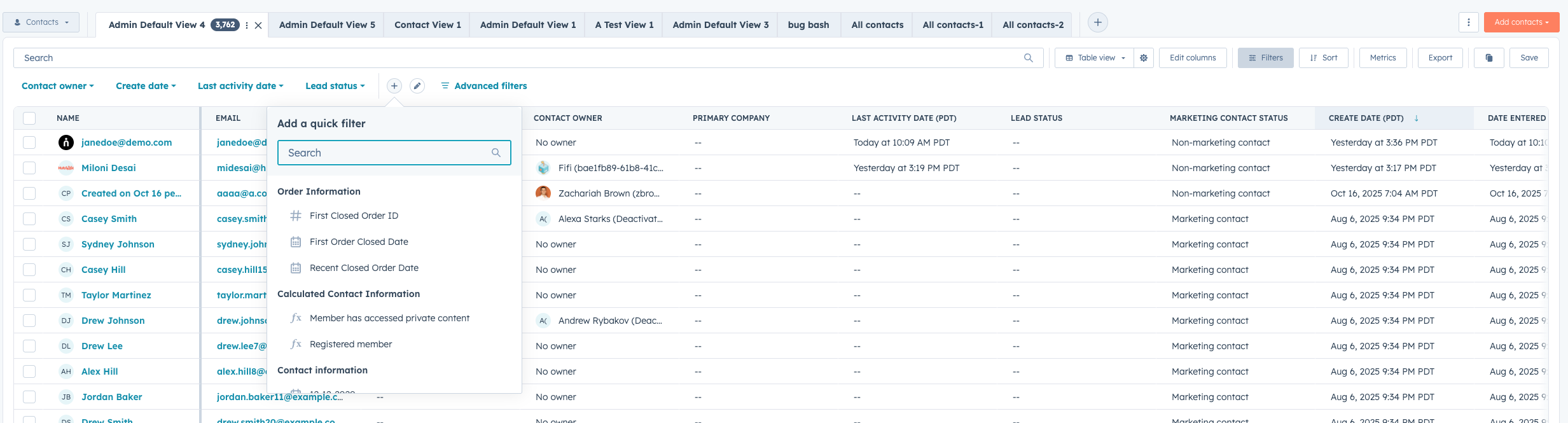
- Redesigned filter picker. Click Add quick filter to open a searchable list of properties, now organized by property group (e.g., Order Information, Calculated Contact Information) so you can find and apply filters faster.
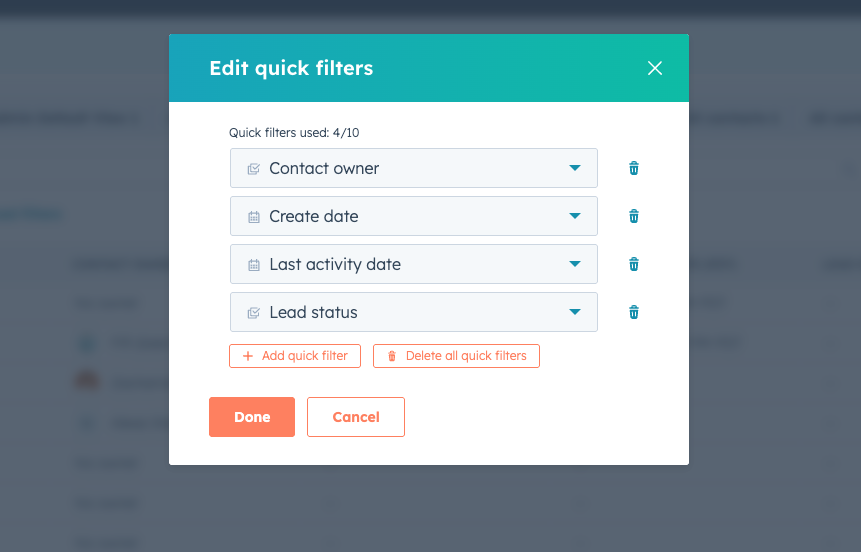
- Streamlined filter management. Click Edit quick filters to open an updated modal where you can view all applied filters, remove or reorder them, and see filter limits at a glance.
- Cleaner inline interactions. Filters are easier to scan, remove, and adjust directly in the bar, with reduced visual clutter and accessible controls.

Who gets it?
All hubs and tiers





.png?width=193&name=jos%20(1).png)




