What’s changed?
What is it?
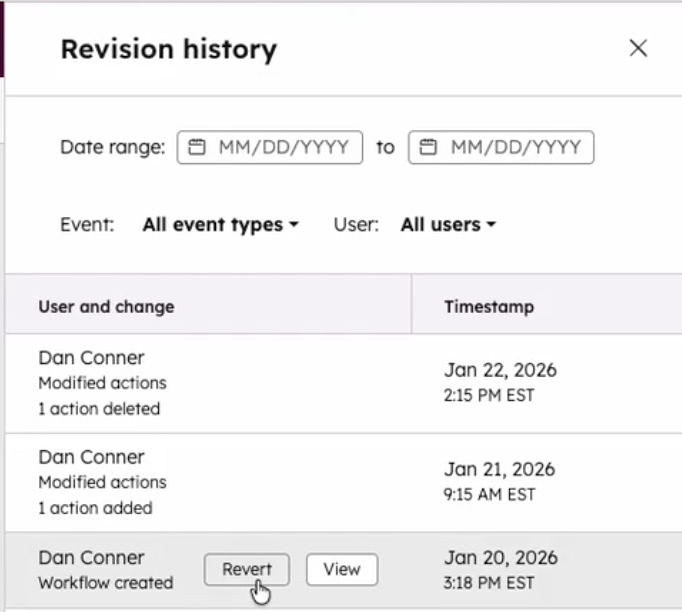
You can now revert your workflows to a previous version using revision history! If a change doesn’t work as expected, you can quickly restore an earlier revision and continue building from there.
Why does it matter?
Workflows often evolve over time and even small edits can have downstream effects. This update gives you more confidence when making changes by letting you easily undo mistakes, recover from accidental deletions, and return to a known working version without rebuilding your workflow from scratch.
How does it work?
From the workflow editor, open View > Revision history to see a list of past changes. You can review who made each change and when, then select 'Revert' to restore that version. Reverting creates a new revision that matches the selected version, so you can always go back again if needed.
Note: Reverts are not supported for Webhook and Custom Code actions.
Who gets it?
Marketing Hub Professional, Marketing Hub Enterprise, Data Hub Professional, Data Hub Enterprise, Sales Hub Professional, Sales Hub Enterprise, Service Hub Professional, Service Hub Enterprise, Smart CRM Professional, Smart CRM Enterprise





.png?width=193&name=jos%20(1).png)




