What is it?
HubSpot Breeze Studio already makes it easy to hire, customize, and deploy AI-powered agents to help your business run more efficiently. But today, we’re taking that power to the next level.
Introducing the new “Run Agent” Workflow Action: a powerful way to orchestrate your AI agents directly within the Workflows app, alongside your CRM data and automation logic.
This new workflow actions lets you trigger an agent directly within a HubSpot workflow. You can configure which agent to run, what information it receives, and how its output feeds back into your HubSpot ecosystem - whether that’s updating a record, triggering a follow-up, or informing another step in your automation.
Why does it matter?
Until now, automating an agent was only possible through triggers in Breeze Studio - powerful, but somewhat limited in flexibility. The new workflow action takes agent automation to the next level by bringing it seamlessly into the Workflows app.
Now you can:
- Use any Workflows trigger to deploy your agents
- Orchestrate multiple agents together
- Pass outputs from an agent to any subsequent agents or automation actions
- Easily update your CRM data with the help of agents
- And so much more!
How does it work?
- Open the Workflows app
- Add the Run Agent action
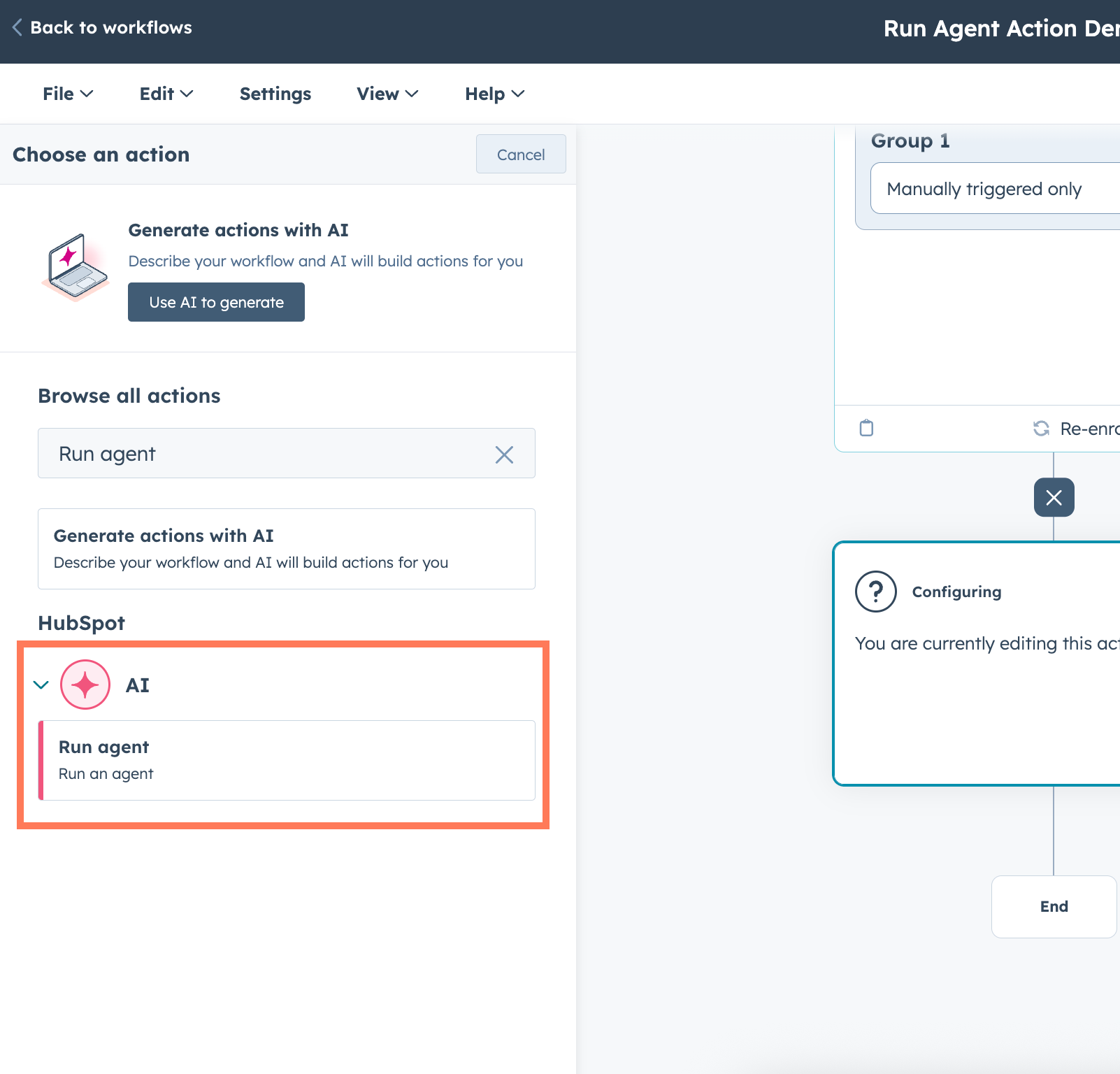
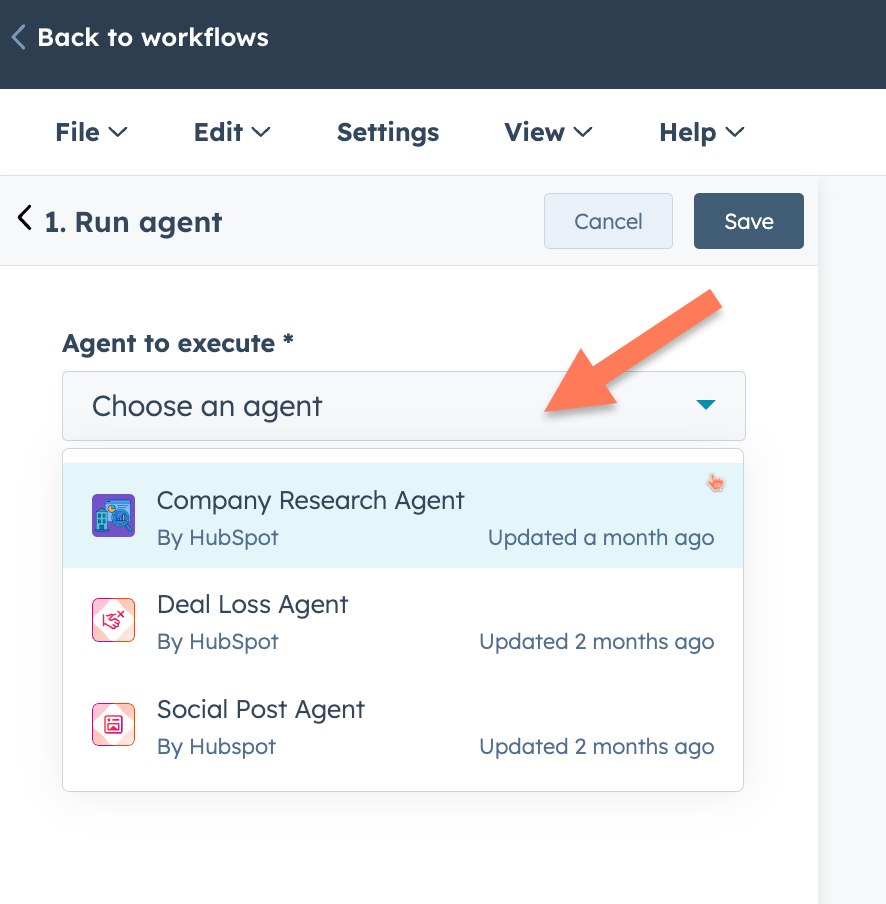
- Select the agent you want to add to the Workflows app
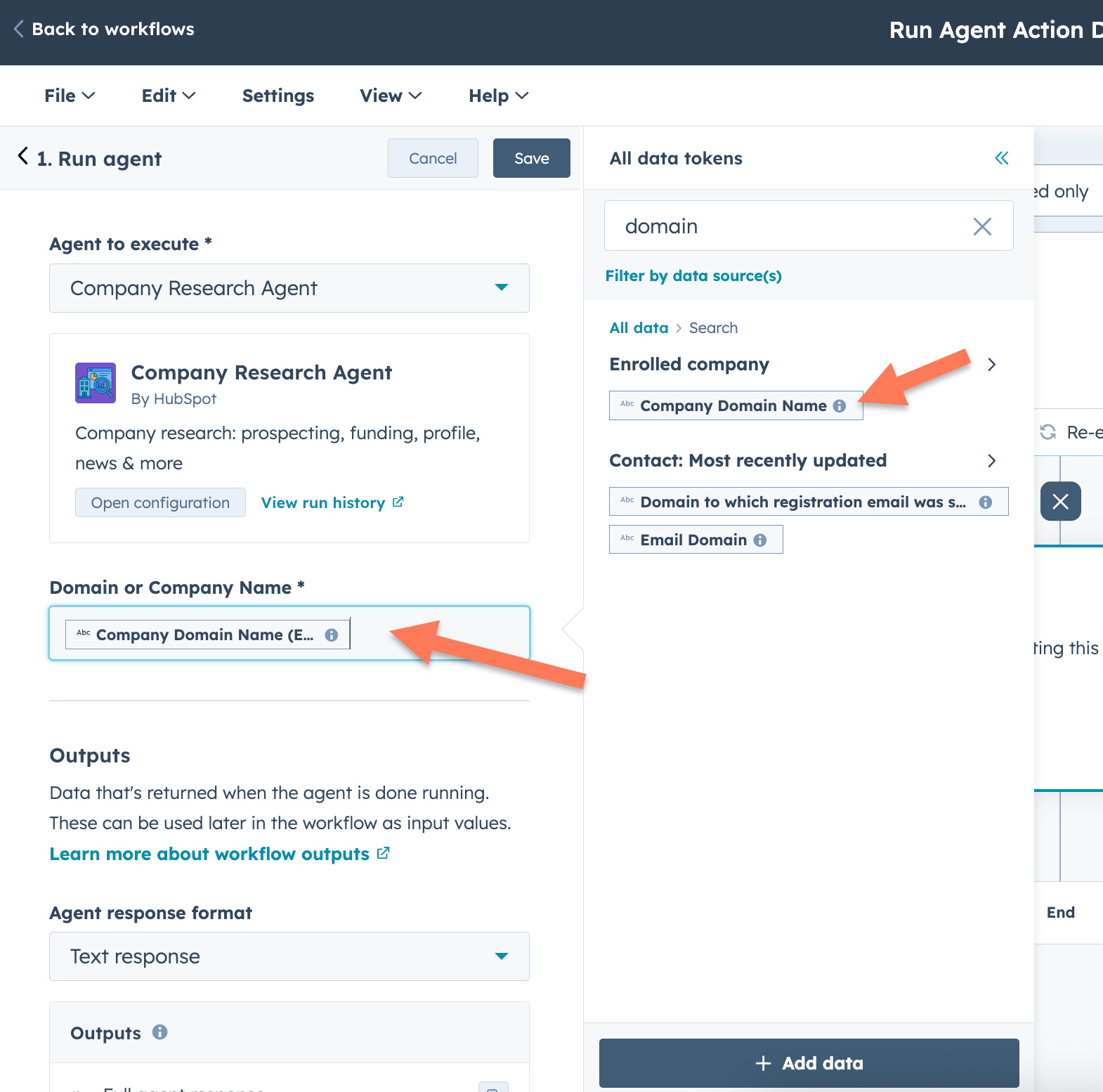
- Select the relevant properties to send to the agent as inputs.
- Define agent outputs
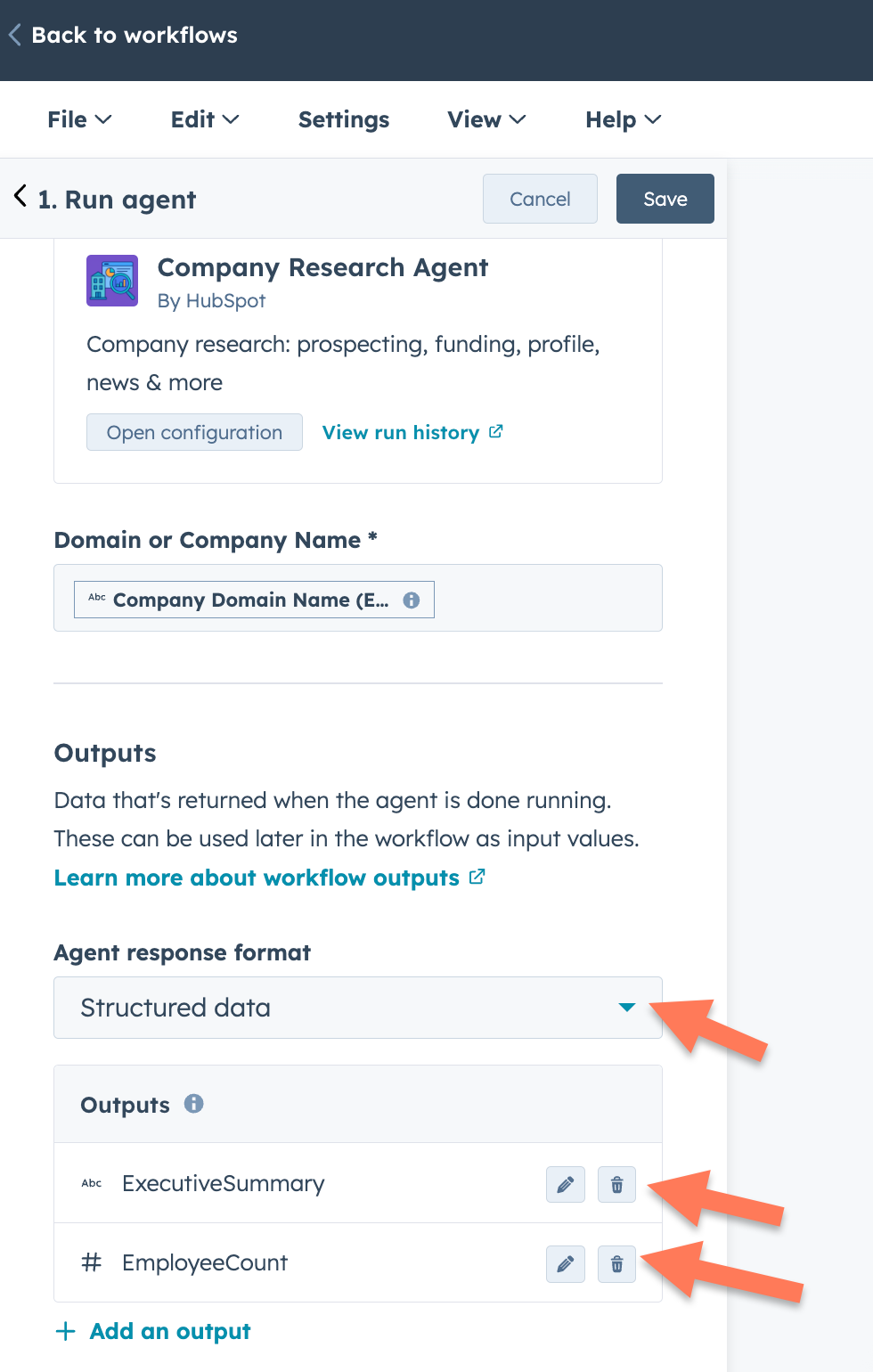
- You can use the agent outputs in subsequent workflow actions
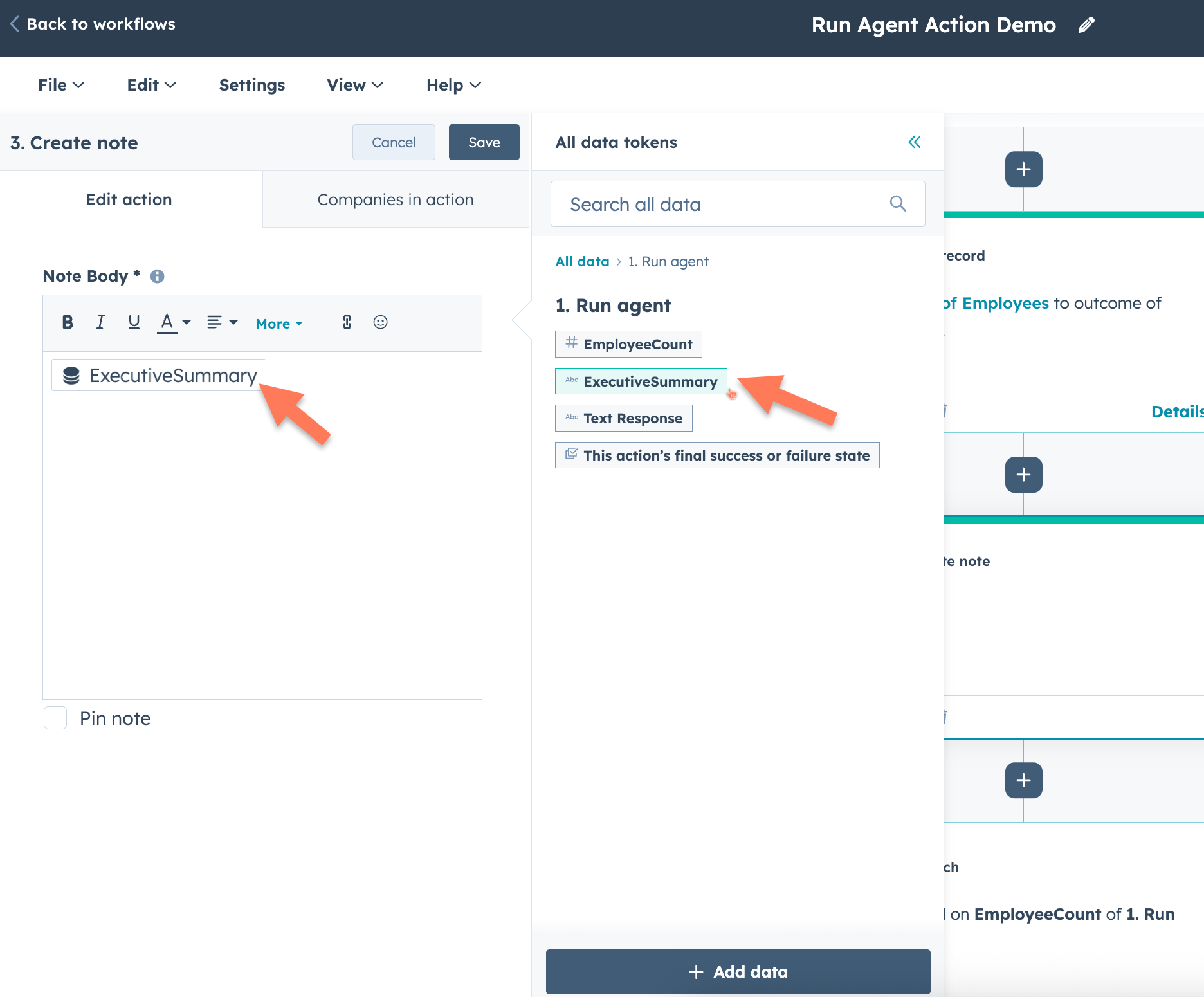
Tada!
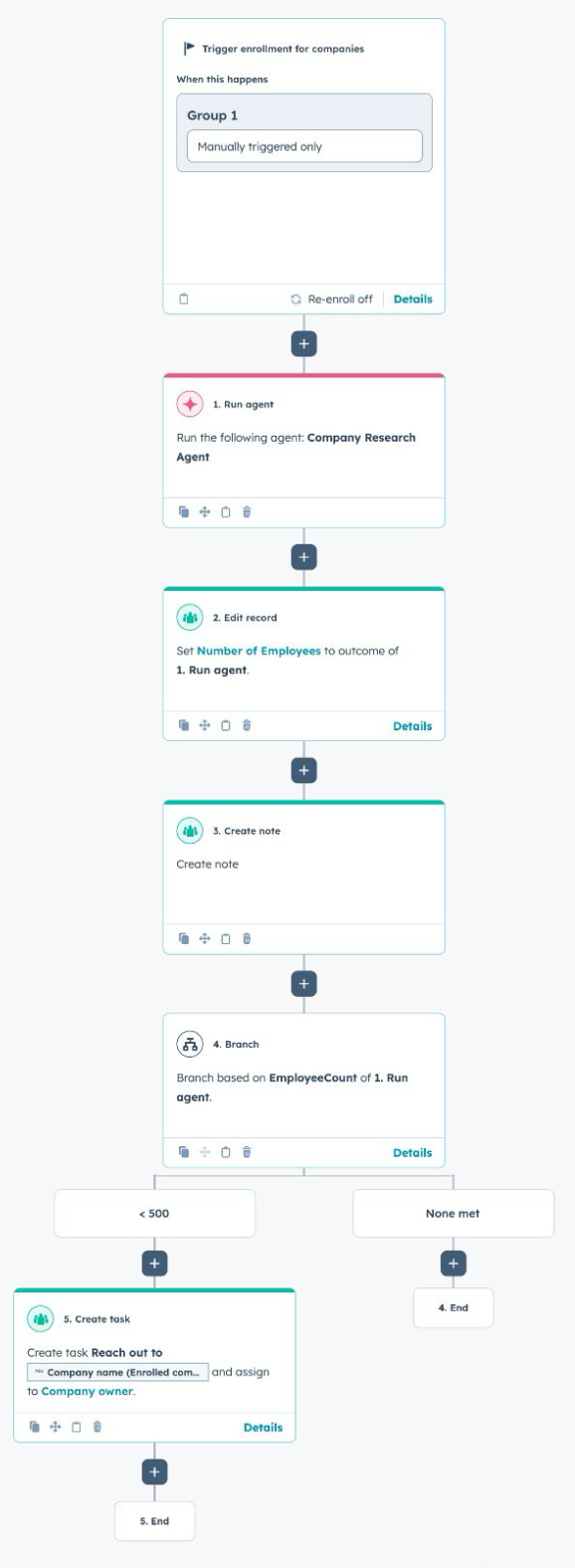
Learn more?
The private beta knowledgebase has some helpful information to get started:
- URL: https://knowledge.hubspot.com/workflows/run-agents-using-workflows
- Password: Workflows_260937
Here's a demo video that showcases a use case and walks through how to use the action. It's slightly outdated (we've since updated the UX/UI to make it more intuitive), but it's still a wonderful artifact to reference.
Who gets it?
Professional Customer Platform, Enterprise Customer Platform, Marketing Pro, Marketing Enterprise, Data Pro, Data Enterprise, Sales Professional, Sales Enterprise, Service Professional, Service Enterprise, Smart CRM Professional, Smart CRM Enterprise





.png?width=193&name=jos%20(1).png)




