What is it?
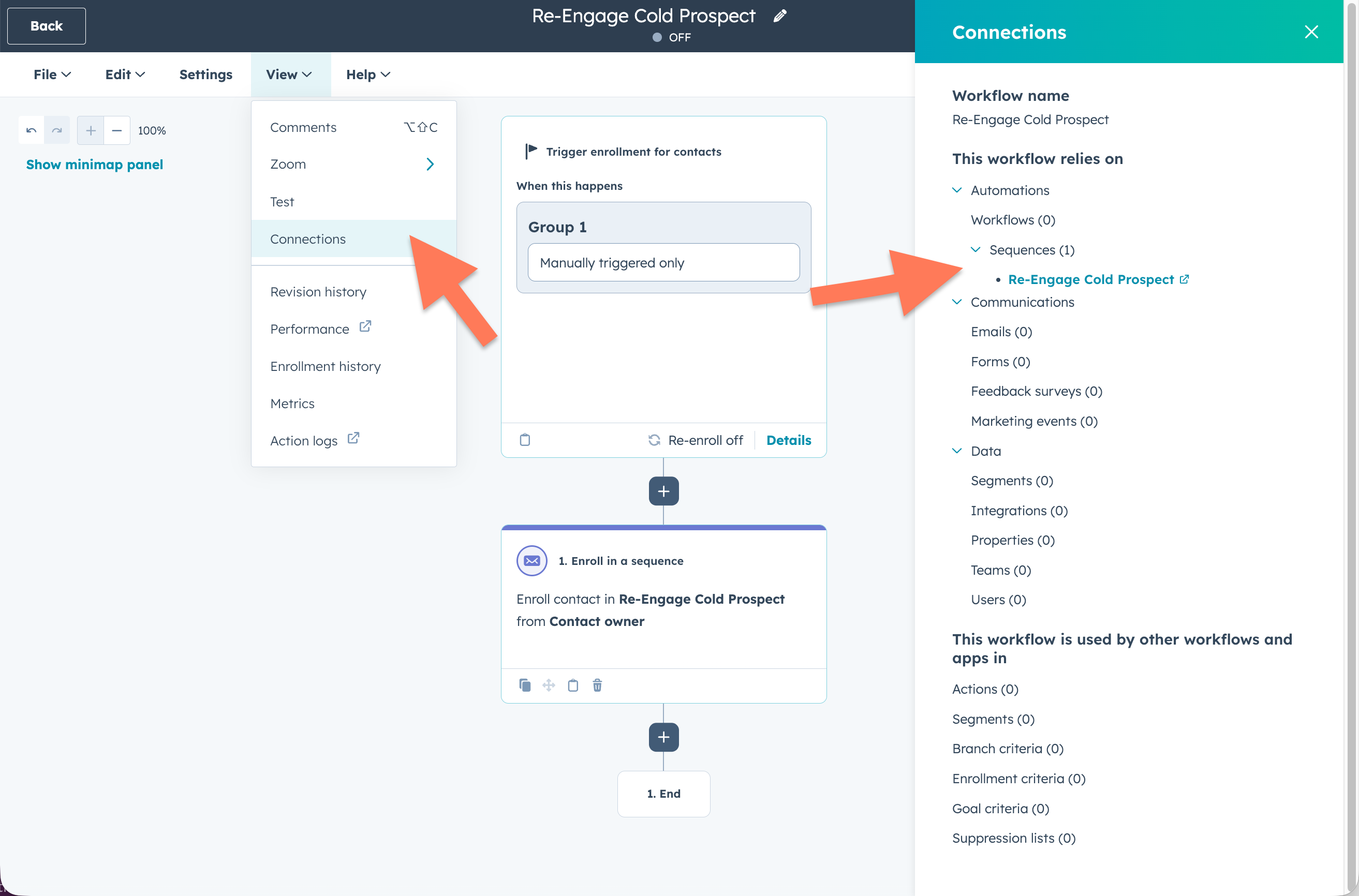
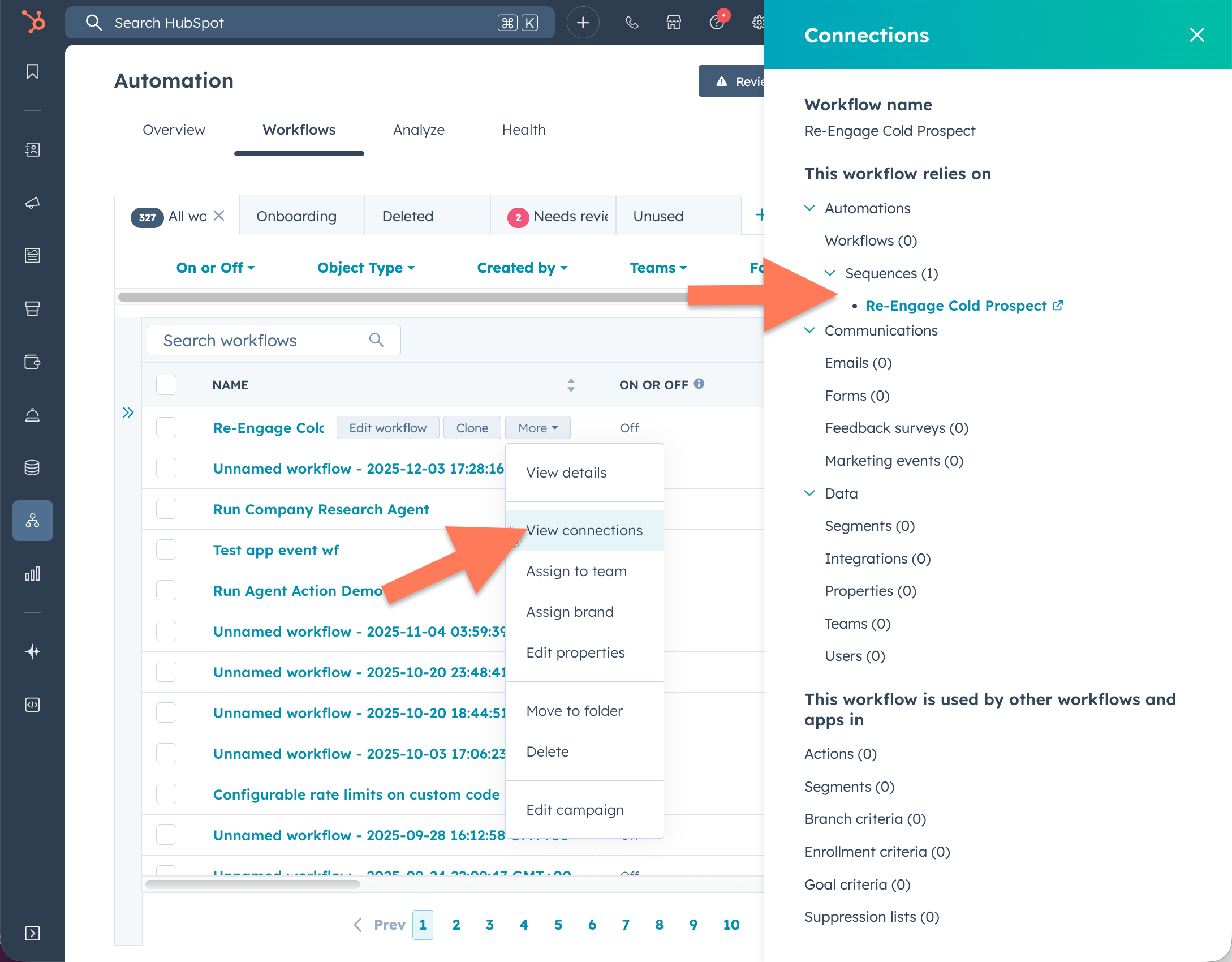
We’ve expanded the Connections panel in Workflows to give you even greater visibility into the assets your automation relies on. In addition to Emails, Forms, Segments, and Integrations, the panel now also surfaces Sequences.
Why does it matter?
This means that whenever a workflow references a Sequence—such as when using the Enroll in sequence action—you’ll now see it clearly listed in the Connections panel, making it easier than ever to audit, manage, and understand your workflow dependencies.
How does it work?
You can view your workflow connections by clicking View > Connections from the canvas.
You can also access the connections panel from the workflows index page by clicking More > View Connections.
Who gets it?
Sales Hub Professional, Sales Hub Enterprise, Service Hub Professional, Service Hub Enterprise





.png?width=193&name=jos%20(1).png)




