What is it?
You can now share individual activities — calls, meetings, emails, tasks, and notes — with specific users and teams, similar to how you share individual Contact records today.
Why does it matter?
Today, activity permissions work at broad levels: you can access your own activities, your team's activities, or all activities. That's often too wide for businesses that want to keep activities private by default but still collaborate on specific ones. Sharing individual activities gives you the flexibility to grant access to exactly the activities that need collaboration, without opening up visibility to everything.
How does it work?
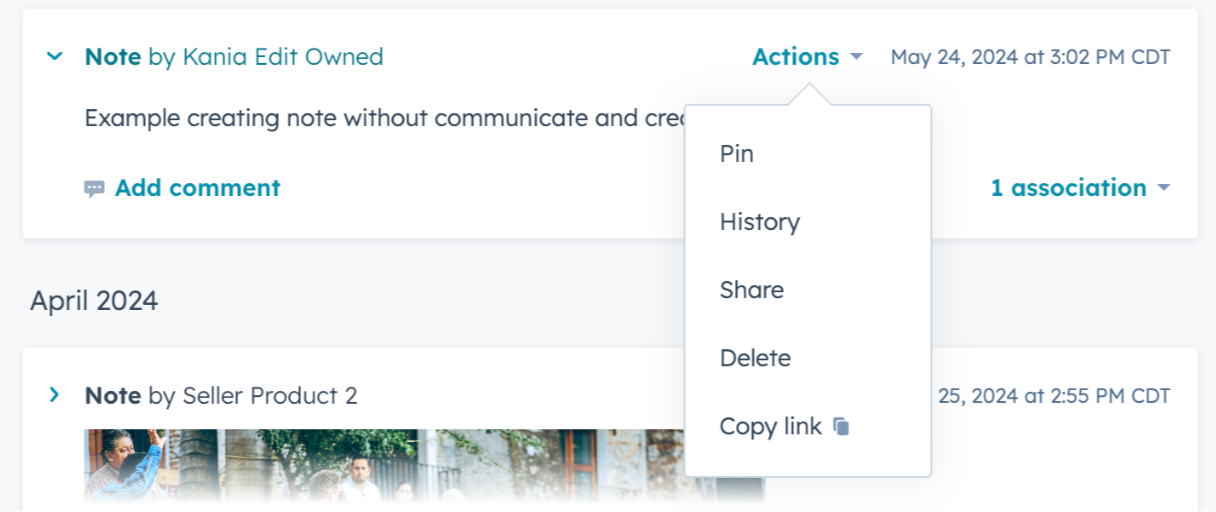
- Navigate to an individual activity (call, meeting, email, task, or note).
- From the Actions dropdown, select Share.
- Add the users or teams you want to share the activity with.
Shared activities become visible to users who have "view owned only" access for that activity type. Without being shared, those users would not be able to see the activity.
Who gets it?
Commerce Hub Enterprise, Content Hub Enterprise, Marketing Hub Enterprise, Data Hub Enterprise, Sales Hub Enterprise, Service Hub Enterprise, and Smart CRM Enterprise





.png?width=193&name=jos%20(1).png)




