What is it?
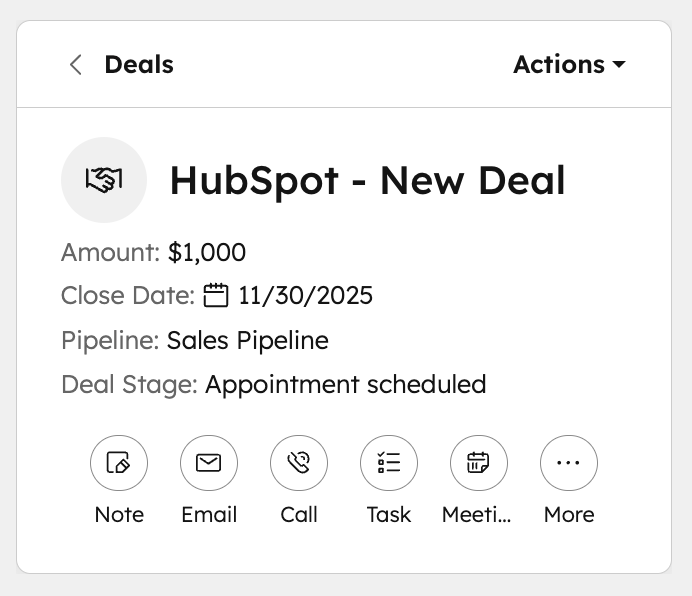
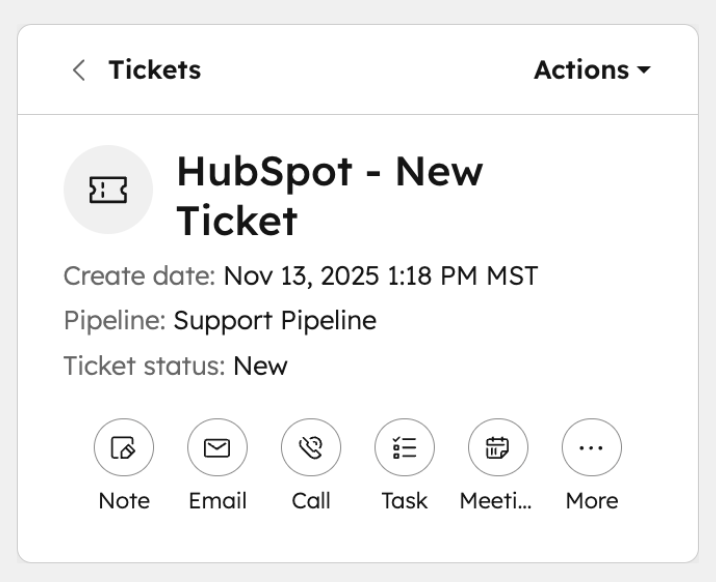
The highlight card on CRM records now features updated formatting and styling. Contact and Company record pages and preview sidebars showcase avatars, while Deals, Tickets, and custom objects display icons for easier object identification.
Why does it matter?
These visual updates help you quickly identify which type of record you're viewing, reducing confusion when working across multiple objects. Property labels within the card are now more consistent and explicit, making it easier to scan key information at a glance.
How does it work?
The updated highlight card appears in two locations:
- In the top left corner of Contact, Company, Deal, Ticket, and custom object record pages
- At the top of the preview sidebar
The highlight card has refreshed styling, but its core functionality remains the same. Editable properties are not yet available on the card, but will be added in an upcoming release.
Who gets it?
All hubs and tiers





.png?width=193&name=jos%20(1).png)




