What is it?
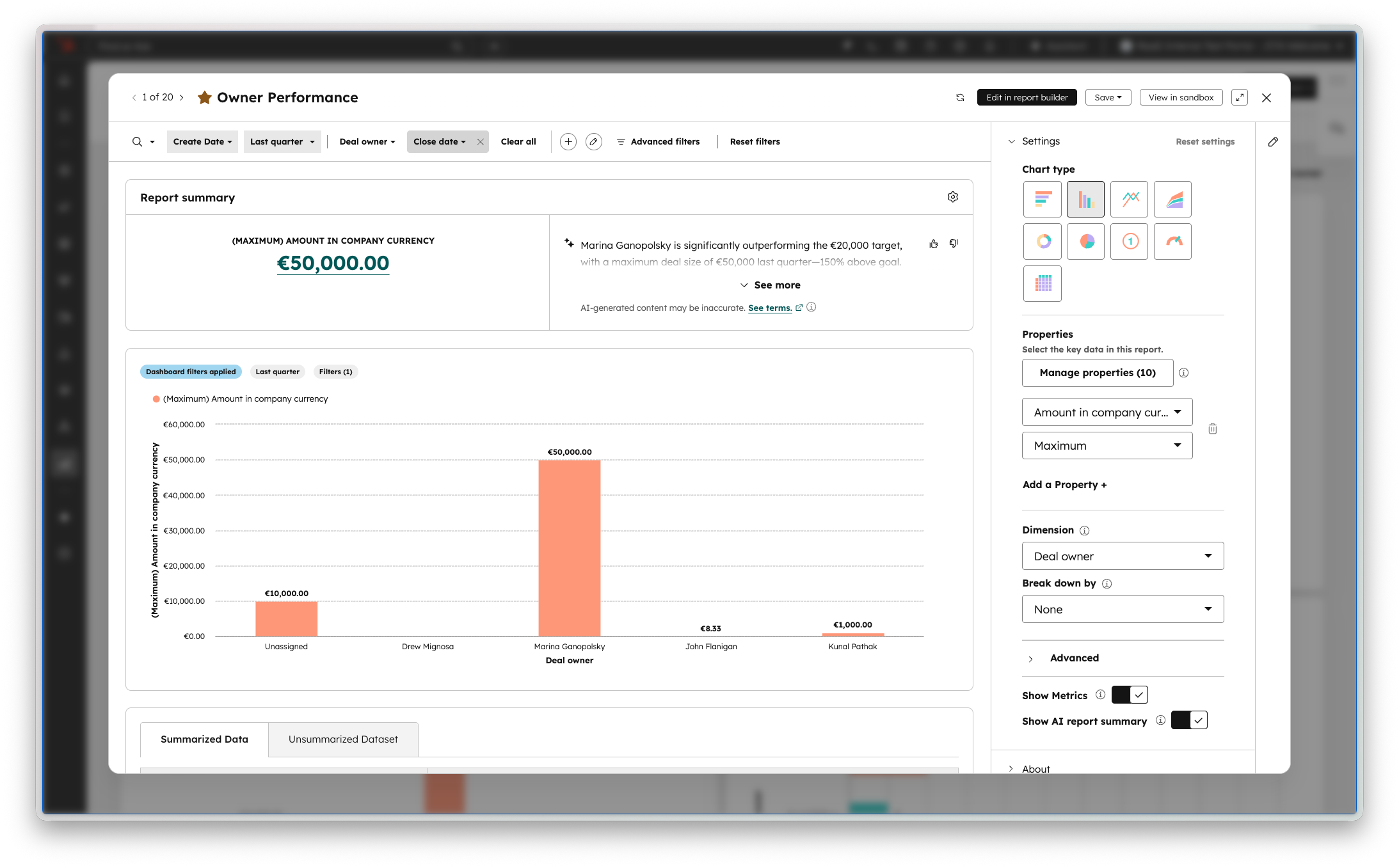
The report quick edit and filter interface on dashboards has been updated for a cleaner, more consistent experience that matches the rest of HubSpot.
Why does it matter?
A streamlined editing and filtering experience means you can get to your answers faster and surface insights without extra clicks or confusion.
How does it work?
Click into the name or filter icon of any report on a dashboard to see the refreshed interface. The largest changes include:
- A consolidated Summary section that displays report content more prominently
- Unified top-line controls that save vertical space and match other HubSpot controls
- A simplified sidebar with vertical sections for Settings, About, and Data Quality
Who gets it?
All hubs and tiers





.png?width=193&name=jos%20(1).png)




