What is it?
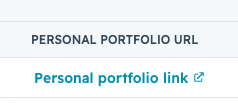
URL properties now support link text. Instead of displaying a raw URL, you can set a default label like "View profile" or "Open listing. This will appear as a clickable link wherever the property renders.
Why does it matter?
When long URLs appear across dozens or hundreds of records in a list or report, the raw links create visual clutter and make data harder to scan. Link text replaces long URLs with short, meaningful labels so you can quickly identify and act on links without the noise.
How does it work?
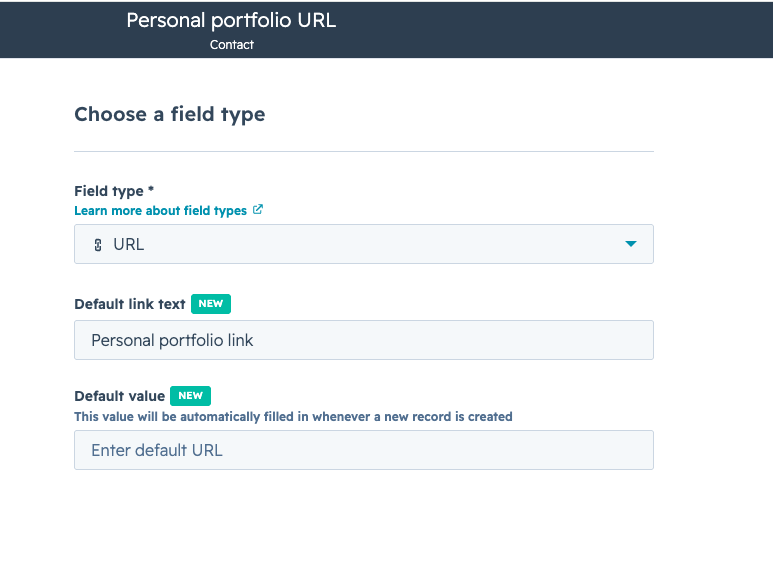
When creating or editing a URL property, you can now set default link text, a short label that appears on every record using that property. For example: "View profile," "Open listing," or "Open document."
The label appears as a clickable link wherever the property renders, including record sidebars and index tables.
Property history and data exports will continue to show the underlying URL value, not the display label.
Who gets it?
All hubs and tiers





.png?width=193&name=jos%20(1).png)




