What is it?
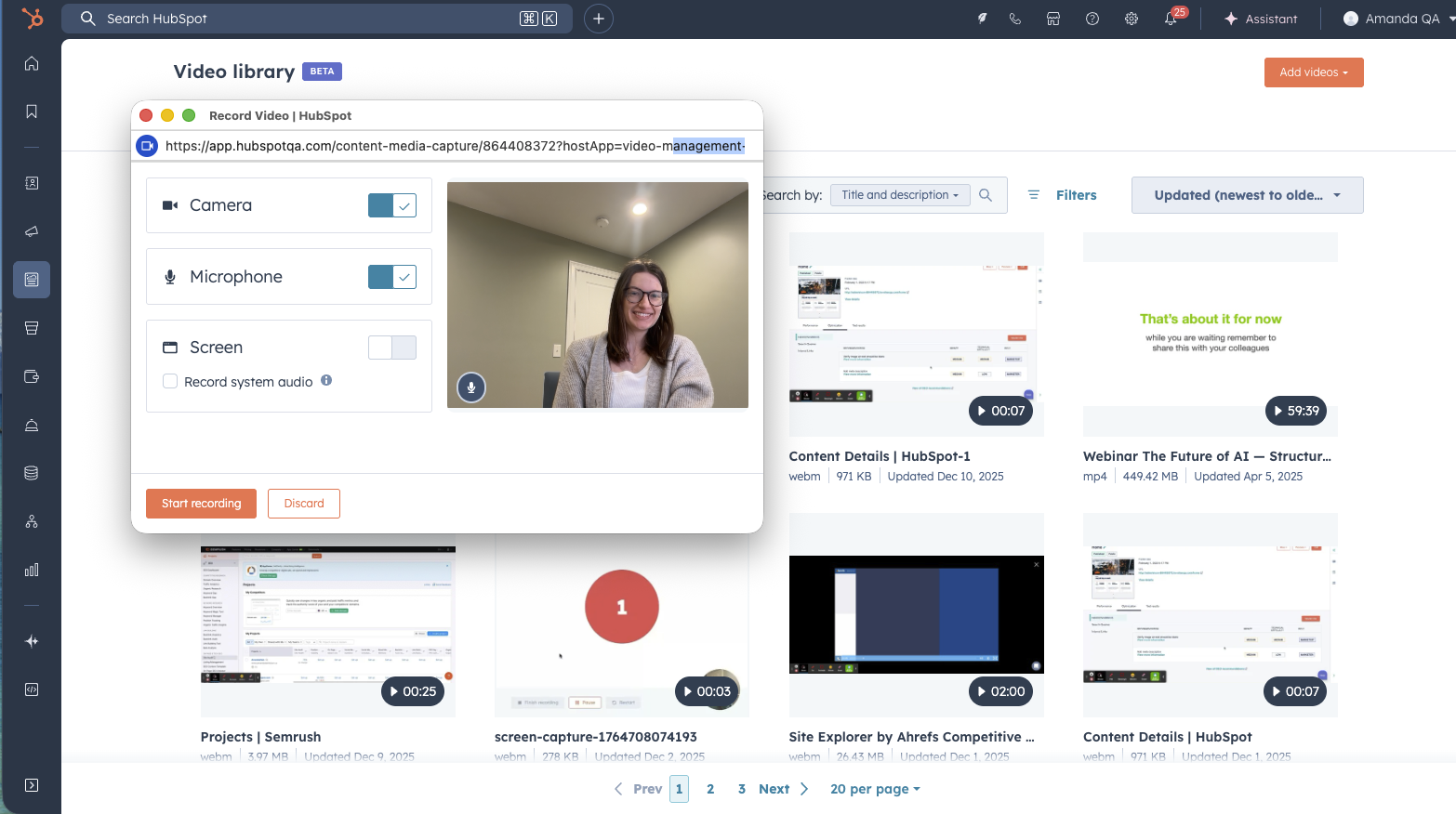
You can now record videos without leaving HubSpot—no third-party apps, uploads, or device switching required.
Why does it matter?
Sales and marketing teams waste time toggling between tools just to create simple videos. This built-in functionality eliminates that friction, saves time, and keeps sensitive work content off personal devices.
Common use cases:
- Personalized bottom-of-funnel sales videos
- Product demos and walkthroughs
- Social media content
- Customer onboarding tutorials
How does it work?
- In the global navigation, go to Content -> Video. Click the "Add videos" button in the upper right, then click "Record video".
- You can also access the video recording tools from the video picker when you go to insert video into apps like website pages or social.
- Choose to record via webcam, screen (current tab, window, or desktop), or combine your screen with a webcam overlay.
- Select audio and camera input, with options to mute/unmute audio or record audio-only.
- Use the on-screen controls to start, pause, stop, save, or delete the recording
- After recording, you can choose to save the video to your video library so you can use it in other HubSpot content.
Who gets it?
Content Hub Professional, Content Hub Enterprise





.png?width=193&name=jos%20(1).png)




