What is it?
Workforce management is a new page in help desk that gives managers a centralized view to monitor and adjust team availability in real time.
Why does it matter?
As support teams grow (especially across time zones) it gets harder to track availability, identify coverage gaps, and make quick adjustments without jumping between tools. Workforce management brings these operations into help desk so you can act without switching context.
How does it work?
You can find Workforce Management in Help Desk beneath the Summary Tab, where it acts as your operational control center for team availability.
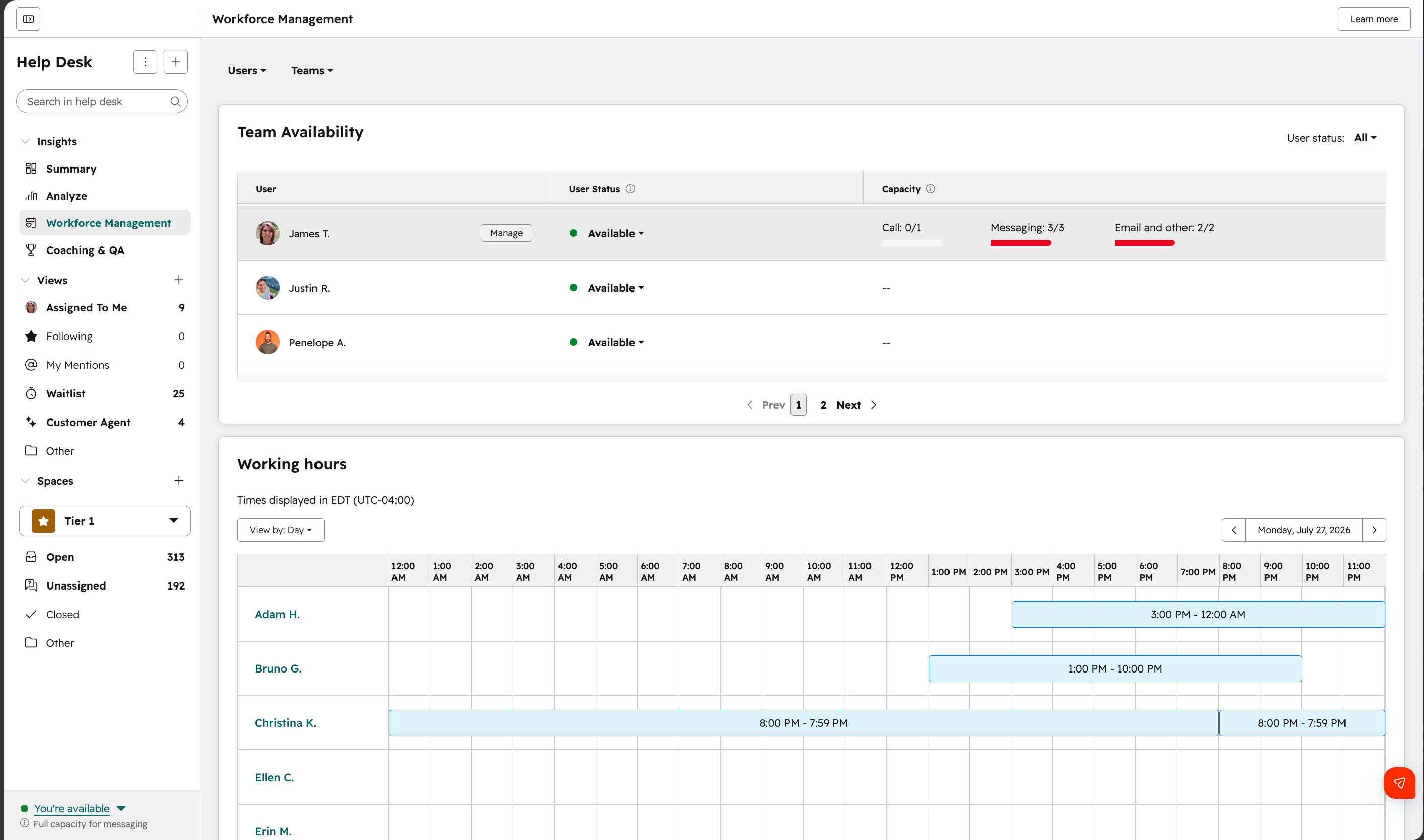
View team availability at a glance
See who is available, away, out of office, or at capacity — along with last active timestamps to understand real-time activity.
Filter and focus on the right teams
Use filters to quickly narrow down large teams and understand coverage in specific regions.
Make quick, intraday updates
CX Managers can adjust another user's availability status, working hours, out-of-office time, and ticket capacity. Changes are reflected immediately, so you can adjust to real-time needs.
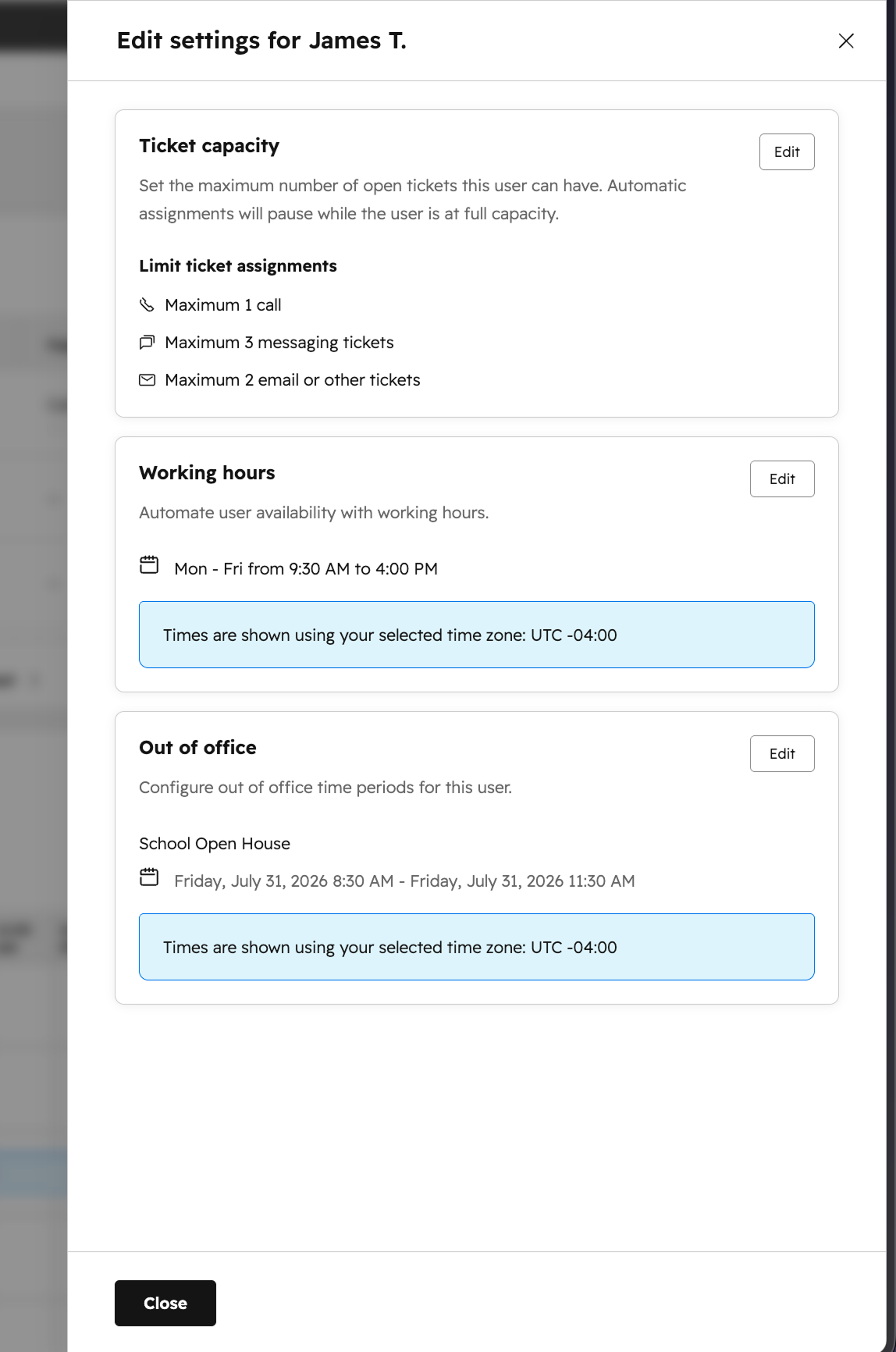
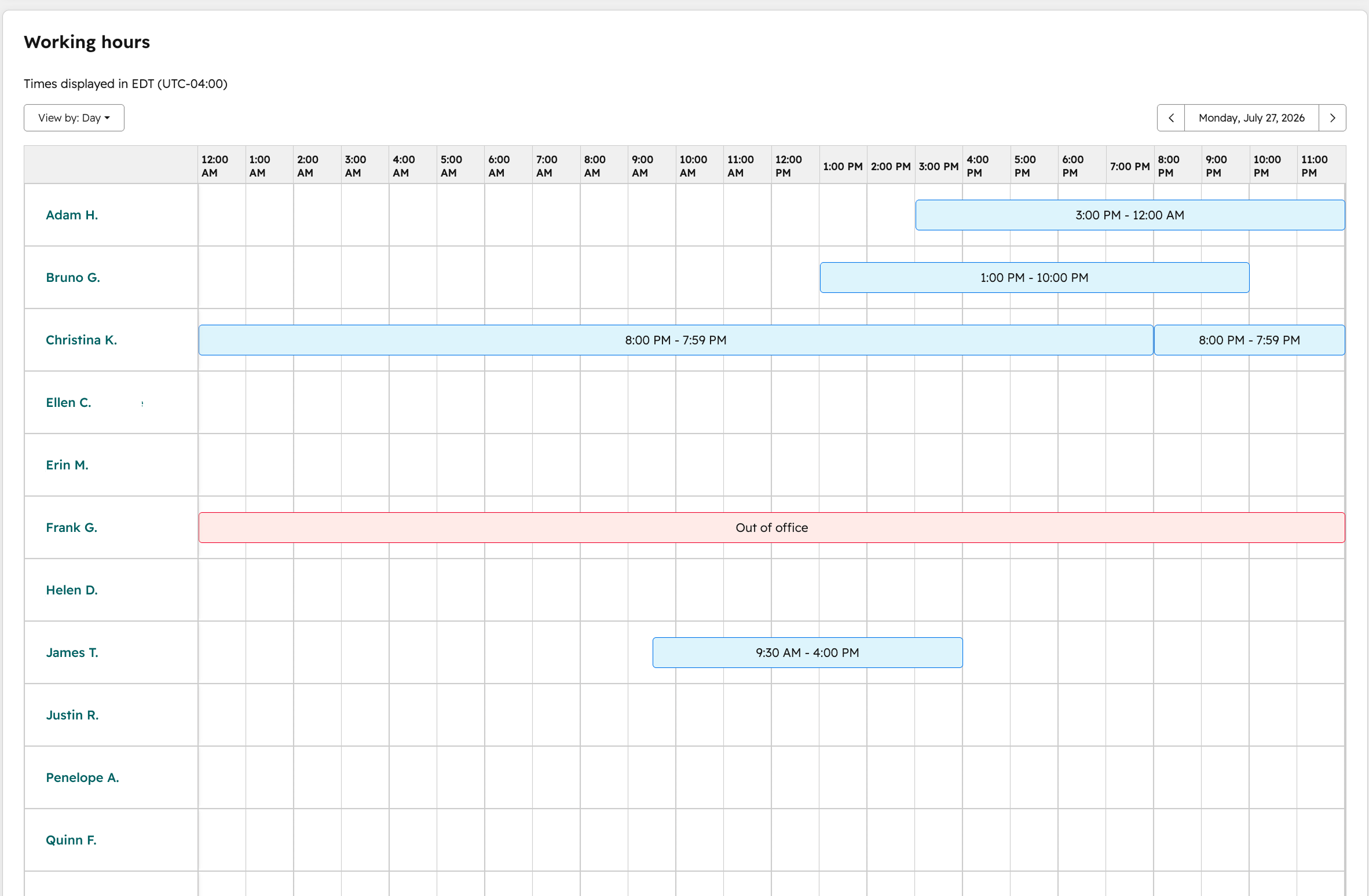
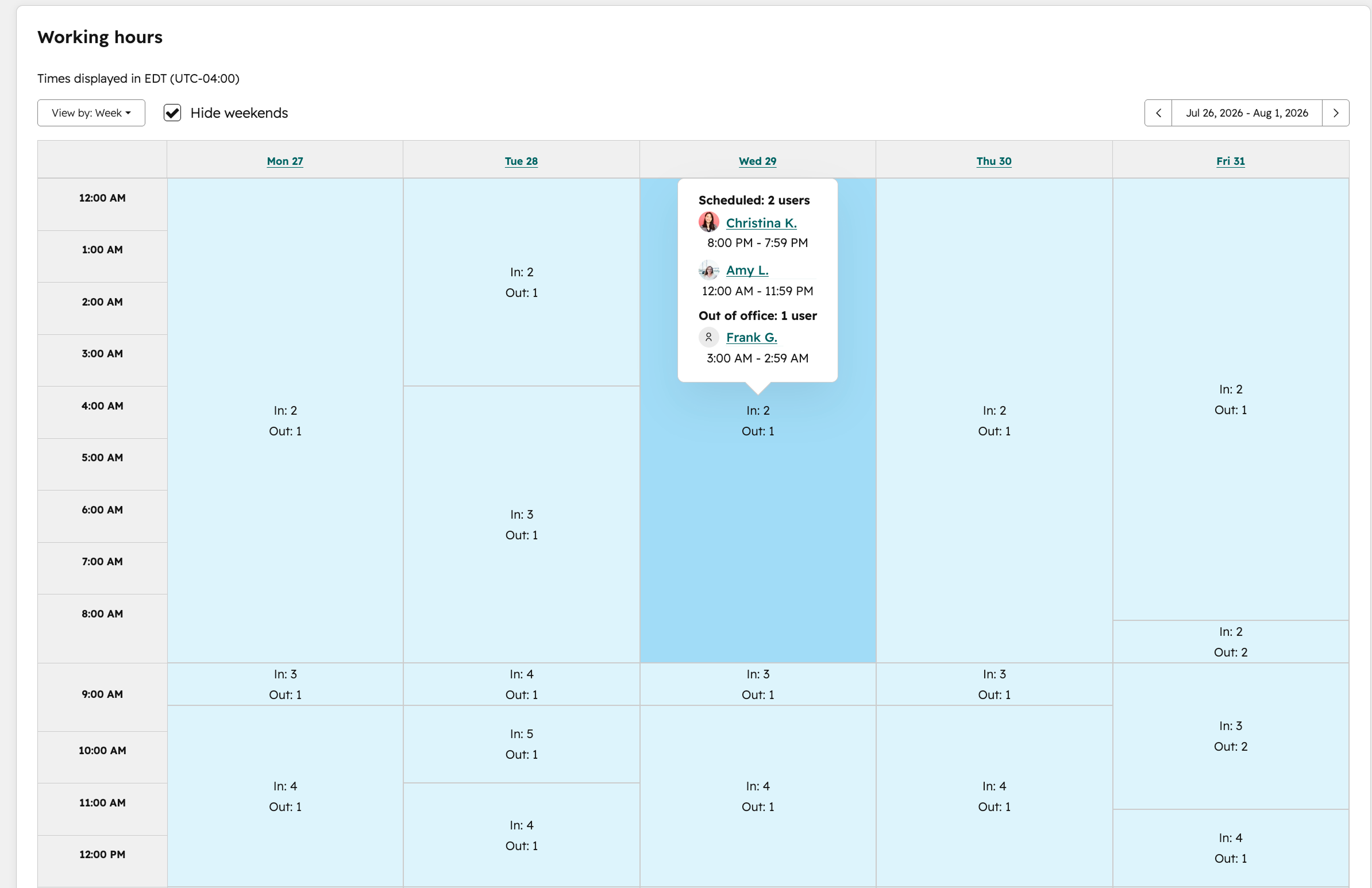
Use the schedule view to understand coverage
Visualize working hours across days and time zones to:
- - Spot coverage gaps
- - Plan shifts during high-volume periods
- - Manage distributed teams more effectively
Day view
Week view
Note: Users with a Service Seat but without the workforce management permission can edit their own working hours, out-of-office settings, and availability status, but can't edit other users' settings.
Who gets it?
Help Desk is available for Service Hub Professional, Service Hub Enterprise





.png?width=193&name=jos%20(1).png)




