What is it?
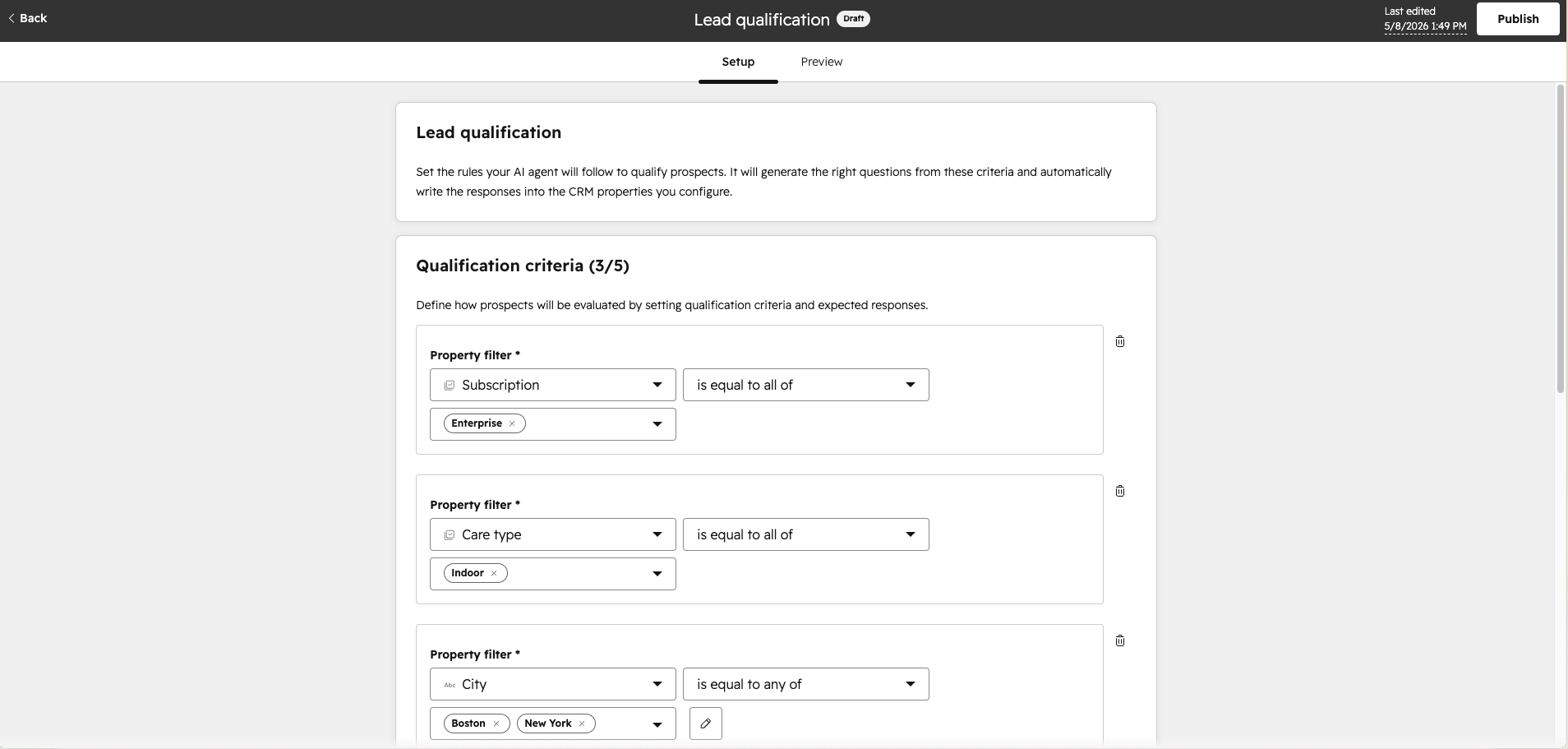
An easier way to define lead qualification criteria in Customer Agent using HubSpot's native CRM filter UI — the same filter experience used across the rest of the platform. Instead of typing free-text criteria, admins can now select CRM properties, operators, and values with structured inputs.
Why does it matter?
The previous criteria setup was text-based, which made it easy to configure incorrectly. CRM Filters bring structure and precision to qualification criteria — so the agent qualifies leads based on exact CRM property matches. This directly improves qualification accuracy and reliability.
How does it work?
- In Customer Agent → Actions → Lead Qualification → Edit, you'll now see a CRM filter editor instead of the text input fields.
- Select any CRM contact property (e.g. "City", "Annual Revenue", "Lead Status"), choose an operator (e.g. "is equal to", "is greater than"), and set a value.
- The agent uses these filters to evaluate whether a visitor qualifies, partially qualifies, or doesn't qualify — and routes them accordingly (book a meeting, update lifecycle stage, or continue the conversation).
Who gets it?
HubSpot Credits, Content Hub Professional, Content Hub Enterprise, Marketing Hub Professional, Marketing Hub Enterprise, Data Hub Professional, Data Hub Enterprise, Sales Hub Professional, Sales Hub Enterprise, Service Hub Professional, Service Hub Enterprise, Smart CRM Professional, Smart CRM Enterprise





.png?width=193&name=jos%20(1).png)




