What is it?
You can now automatically calculate sales tax on quotes in real-time based on your line item's tax category and your buyer's address. This means sales tax is calculated instantly, so you can include accurate sales tax estimates on quotes for your buyers.
Plus, you can enable automated sales tax without enrolling in HubSpot payments or Stripe payments.
Why does it matter?
Stop spending time on manual tax calculations and eliminate costly errors. Automated sales tax instantly applies the correct tax rate to every line item based on your buyer's location, so you can:
- - Create quotes faster and more confidently
- - Stay compliant with local tax regulations
- - Accelerate your quote-to-cash cycle by eliminating errors from manual tax entry
How does it work?
To enable automated sales tax, go to Settings > Revenue > Tax > Automated Sales Tax and click “Set Up Tax”. Finish set up, then turn on automated sales tax using the toggle. Follow this guide for set up support.
When creating a new quote, automated sales tax will calculate in real-time once you:
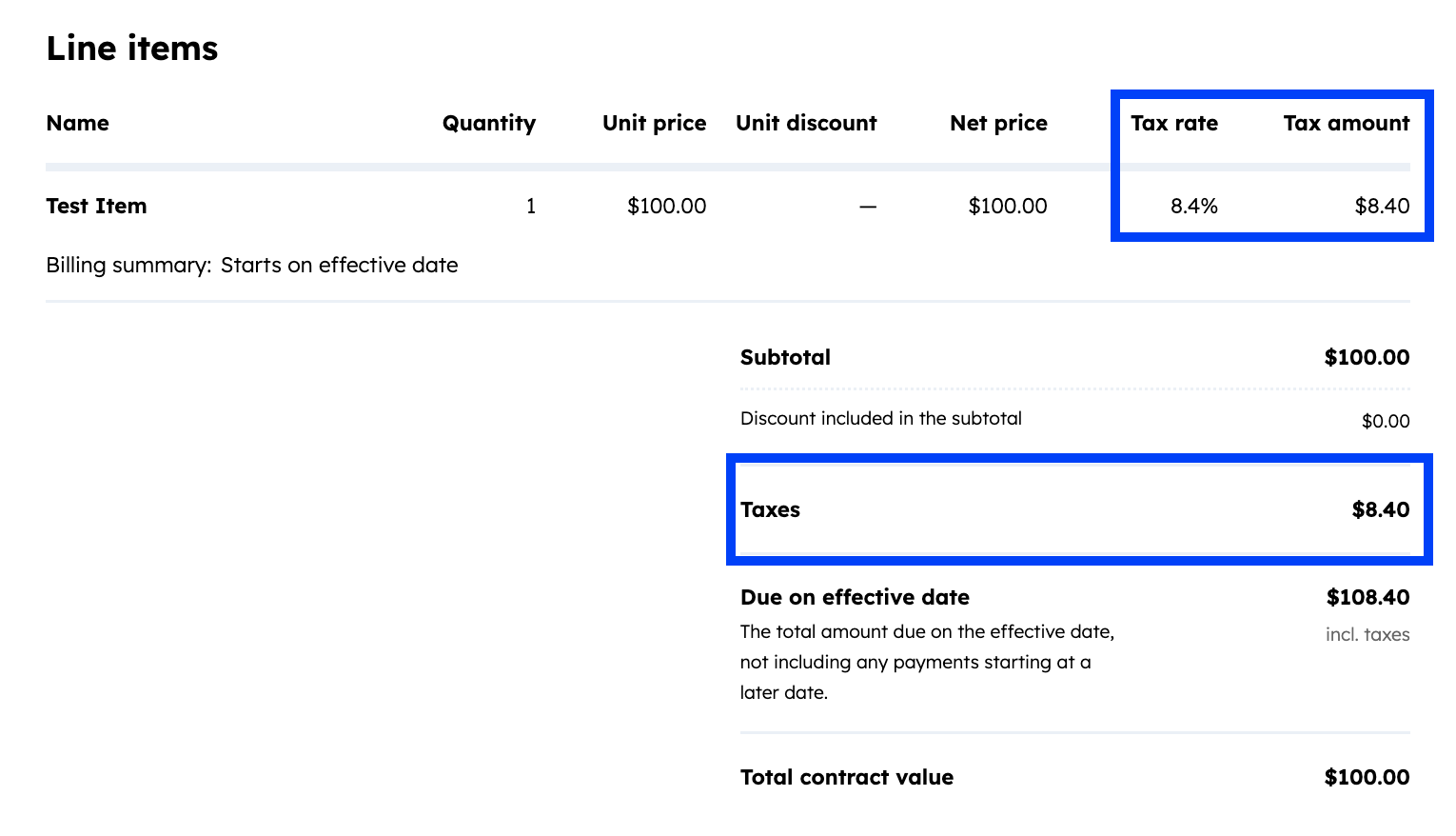
- Add "Tax Amount" and/or "Tax Rate" columns to your quote. Click Line Items > Properties > Add a line item property.
- Enable total taxes to display in the quote subtotal. Click Line Items > Totals > enable "Totals" > enable "Taxes".
- Add a valid billing address, billing company address, or buyer company address to the quote.
- Add line items to the quote following this guide. When you’re finished, click "Save". Sales tax calculates automatically in real-time based on your buyer's billing address (or billing company address, then buyer's company address if billing address isn't available).
- If a line item doesn't have a tax category assigned, the quote cannot be shared. You can assign tax categories by editing line items on the quote.
- Optional: You can disable automated sales tax for individual quotes by toggling it off in the expanded line item editor.
Example quote showing real-time automated sales tax calculations:
Who gets it?
Commerce Hub Professional, Commerce Hub Enterprise





.png?width=193&name=jos%20(1).png)




